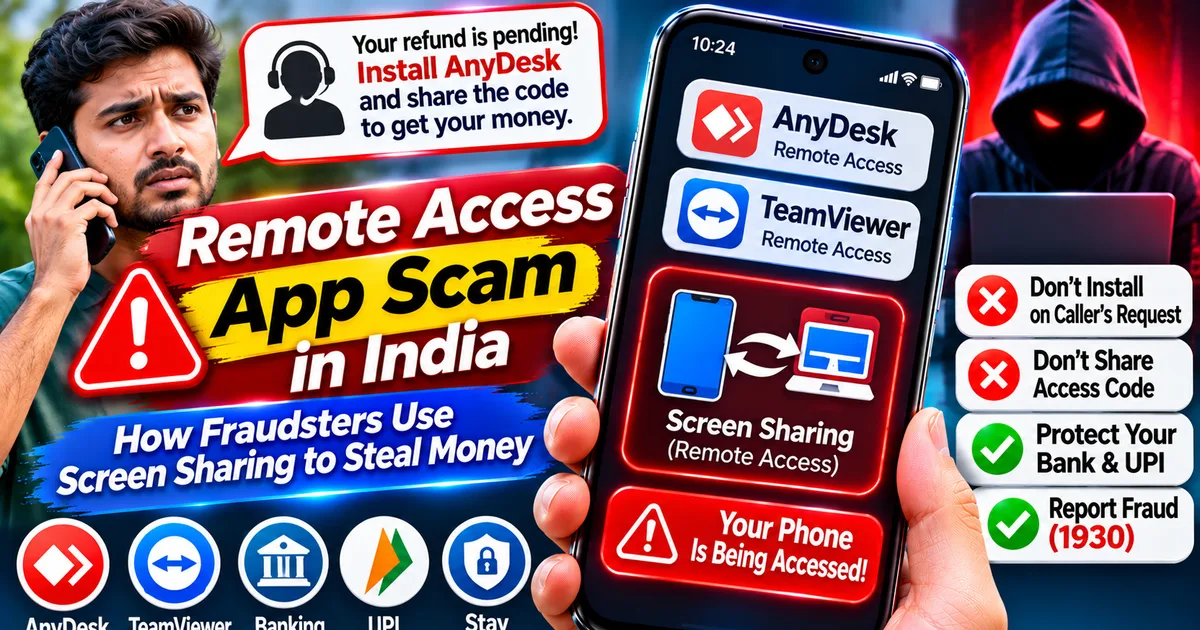
Remote Access App Scam in India: How Fraudsters Use Screen Sharing to Steal Money
GetApkFree Team
Someone asked you to install AnyDesk, TeamViewer, or another screen-sharing app to fix a problem or process a refund? Learn how remote access scams work in Indi
Quick Answer
Someone asked you to install AnyDesk, TeamViewer, or another screen-sharing app to fix a problem or process a refund? Learn how remote access scams work in Indi
Remote Access App Scam in India: How Fraudsters Use Screen Sharing to Steal Money
Have you ever received a phone call from someone claiming to be a bank employee, customer support executive, or government representative who asks you to install a screen-sharing application?
They may say they need to fix a payment problem, process a refund, verify your account, or help you complete a transaction.
Be careful. This could be a remote access app scam.
In this type of fraud, criminals convince victims to install or open a remote-access application and share a connection code. Once access is granted, the fraudster may be able to view the phone screen or control certain functions, depending on the application and permissions.
This can expose sensitive information, including banking details, OTPs, and UPI activity.
The Reserve Bank of India (RBI) has warned consumers about fraud involving screen-sharing and remote-access applications. The important thing to understand is that applications such as AnyDesk and TeamViewer are legitimate tools, but criminals can misuse them to deceive people.
In this guide, you will learn how remote access scams work, how to recognise suspicious requests, and what to do if you have already granted someone access to your Android phone.
What Is a Remote Access App Scam?
A remote access app scam is a type of online fraud in which criminals trick people into giving them remote access to their smartphones or computers.
Remote-access applications are designed to let one device connect to another for support, troubleshooting, or remote work.
However, scammers misuse these tools by pretending to be representatives of banks, payment companies, online stores, or government departments.
They may ask you to:
- Install a remote-access application.
- Share a connection ID or access code.
- Approve a remote connection.
- Enable screen-sharing or accessibility permissions.
- Open a banking or payment application while they are connected.
Once you grant access, the criminal may observe sensitive information or attempt unauthorised actions.
Important: Installing AnyDesk, TeamViewer, or another remote-access application does not automatically mean your phone is infected. The risk arises when you connect to an untrusted person or grant permissions that allow them to view or control your device.
How Does the Remote Access Scam Work?
The scam usually follows several steps.
- A fraudster contacts you
The criminal may call you while pretending to represent:
- Your bank
- A UPI payment service
- An online shopping platform
- A customer support department
- A government office
- A technical support team
They may claim that your account has a problem or that you are eligible for a refund.
- They create urgency
The caller may say that your account will be blocked, your refund will expire, or your payment will fail unless you act immediately.
The purpose is to make you follow instructions without checking whether the caller is genuine.
- They ask you to install a remote-access application
The caller may recommend applications such as AnyDesk, TeamViewer, or a similar screen-sharing tool.
These applications have legitimate uses. However, you should never install or connect to one simply because an unknown caller asks you to.
- They ask for a connection code
Some remote-access applications generate an ID, code, or session invitation.
The fraudster may ask you to share that information so they can connect to your device.
- They ask you to approve permissions
Depending on the application, they may ask you to approve screen sharing, remote control, accessibility access, or other permissions.
Never grant these permissions to someone whose identity and purpose you have not independently verified.
- They attempt to access sensitive information
Once connected, the fraudster may try to observe your screen while you open banking applications, payment apps, messages, or other sensitive services.
They may also attempt to persuade you to approve a transaction or disclose an OTP or UPI PIN.
- Money may be transferred without your permission
If the criminal obtains sufficient access or tricks you into approving a transaction, your bank account or UPI balance may be at risk.
This is why you should immediately disconnect if you suspect an unauthorised remote session.
7 Warning Signs of a Remote Access App Scam
Look out for these warning signs before following instructions from a caller.
- Someone asks you to install an app to receive a refund
A genuine refund does not require you to give an unknown person remote control of your phone.
Be suspicious if someone says you must install a screen-sharing application to receive money.
- A caller asks for your remote-access ID
A connection ID or session code should not be shared with an unknown caller.
Do not provide it simply because someone claims to be a bank employee or customer support representative.
- Someone asks you to enable Accessibility services
Accessibility permissions can give applications powerful capabilities.
Do not enable these permissions for an unknown application or at the direction of an unverified caller.
- The caller asks you to open your banking app
Never allow an unknown person to watch your screen while you open banking, wallet, or UPI applications.
They may attempt to observe sensitive information or manipulate you into approving a transaction.
- Someone asks for your OTP or UPI PIN
Never share your OTP, UPI PIN, ATM PIN, CVV, or banking password with a caller.
A UPI PIN is used to authorise a payment. Do not enter it because someone claims it is needed to receive a refund.
- The caller pressures you to act immediately
Scammers often use fear and urgency.
If someone threatens to block your account or cancel a refund unless you install an application immediately, end the conversation and contact the organisation through its official website or verified customer support number.
- You notice an unexpected screen-sharing session
If your phone displays a screen-sharing notification, remote-control indicator, or an unfamiliar active session, investigate it immediately.
Disconnect if you did not intentionally start the session.
Are AnyDesk and TeamViewer Safe?
AnyDesk and TeamViewer are legitimate remote-access tools used for technical support, remote work, and device administration.
They are not automatically malware.
However, their remote-access capabilities can be abused by criminals who trick users into approving connections.
For example, a fraudster may:
- Pretend to be a bank representative.
- Ask you to install a legitimate remote-access application.
- Request the connection code.
- Persuade you to grant remote-control permissions.
- Watch your screen while you use financial applications.
The safest rule is simple:
Never grant remote access to someone who contacts you unexpectedly and claims they need to fix your banking, UPI, refund, or account problem.
If you genuinely need technical support, independently contact the organisation through the phone number published on its official website.
What Should You Do If You Have Already Granted Remote Access?
If you have connected your phone to an unknown person, act quickly.
Step 1: Disconnect the remote session
If a remote-access session is active, disconnect it immediately.
Use the application's disconnect or stop-sharing option if it is safe to do so.
If you cannot identify or stop the session, turn off Wi-Fi and mobile data temporarily to interrupt the connection.
Step 2: Stop using banking and payment applications
Do not continue opening banking applications, UPI apps, or financial websites on the potentially exposed phone until you have secured the device.
If you suspect that financial credentials have been exposed, use another trusted device to contact your bank.
Step 3: Uninstall the suspicious application
Open Android Settings and go to Apps or App Management.
Find the remote-access application that you installed for the suspicious caller.
Uninstall it if you no longer need it.
Remember that uninstalling the application alone may not reverse transactions or secure accounts whose credentials have already been exposed.
Step 4: Review sensitive permissions
Check your Android settings for unfamiliar applications with access to:
- Accessibility services
- Device Administrator
- Display over other apps
- Notification access
- SMS
- Phone
- Screen recording or screen-sharing features
The exact menu names vary between Android versions and manufacturers.
Revoke permissions from applications you do not trust.
Step 5: Secure your banking and UPI accounts
Contact your bank immediately if you shared financial information, exposed your banking screen, or noticed suspicious transactions.
Ask the bank to secure affected services and block or restrict payment facilities where necessary.
Change relevant banking and account passwords using a trusted device.
Never share your UPI PIN or OTP with anyone claiming to help secure your account.
Step 6: Check for unauthorised transactions
Review your recent bank statements and UPI transaction history.
Look for unfamiliar transfers, payment requests, or transactions you did not authorise.
Keep transaction IDs, messages, phone numbers, and screenshots as evidence.
Step 7: Run a security check
Update Android and your applications.
Run Google Play Protect from the Google Play Store and investigate any warning it displays.
If you also installed an unknown APK, follow our detailed guide:
"Installed a Suspicious APK on Android? How to Remove It Safely" (https://getapkfree.com/blog/suspicious-apk-installed-android-remove-malware)
How to Report Remote Access and UPI Fraud in India
If money has been stolen or an unauthorised transaction has occurred, do not wait.
- Contact your bank immediately
Call your bank using the official customer-care number published on its website or banking application.
Report the unauthorised transaction and ask for the necessary steps to secure your account.
- Call the cyber fraud helpline 1930
In India, call 1930 as soon as possible if you have lost money through cyber fraud.
Provide the requested transaction and incident details.
- Report the incident online
Visit the official National Cyber Crime Reporting Portal:
Follow the reporting instructions and preserve any acknowledgement or complaint reference you receive.
- Preserve evidence
Keep copies of:
- The fraudster's phone number
- SMS and WhatsApp messages
- Remote-access application details
- Bank transaction IDs
- Payment receipts
- Screenshots of suspicious activity
Do not delete useful evidence before recording it.
How to Protect Your Android Phone from Remote Access Scams
Follow these precautions to reduce your risk.
- Never install remote-access applications because an unexpected caller asks you to.
- Never share remote-access IDs or session codes with unknown people.
- Do not grant Accessibility or screen-control permissions to untrusted applications.
- Never allow unknown people to watch your banking or UPI screen.
- Do not share OTPs, passwords, card details, or UPI PINs.
- Contact banks and companies using their independently verified official contact information.
- Keep Android and your applications updated.
- Review sensitive application permissions regularly.
- Uninstall remote-access applications when you no longer need them.
- Be cautious of callers promising refunds, rewards, account verification, or urgent technical support.
Frequently Asked Questions
Can AnyDesk steal money from my bank account?
AnyDesk is a legitimate remote-access application and does not automatically steal money. However, criminals may misuse remote access to observe your screen, obtain sensitive information, or manipulate you into authorising financial transactions.
Is TeamViewer a scam application?
No. TeamViewer is a legitimate remote-access tool. The danger comes from allowing an untrusted person to connect to your device or granting permissions without understanding why they are needed.
Can someone access my phone through screen sharing?
Depending on the application and permissions you approve, a remote user may be able to view your screen or control certain functions. Never share your screen with an unknown person.
Can a screen-sharing scam steal my UPI PIN?
A remote user may try to observe your screen or trick you into entering sensitive information. Never disclose your UPI PIN or OTP. If you suspect exposure, contact your bank and secure your account immediately.
What should I do if I installed AnyDesk after a suspicious phone call?
Disconnect any active session, remove the application if it is no longer needed, review sensitive permissions, and secure your financial accounts from a trusted device. Contact your bank immediately if you shared financial details or noticed suspicious activity.
Can a bank employee ask me to install a remote-access application?
Do not accept unexpected remote-access instructions from a caller claiming to represent your bank. Independently contact the bank through its official website or verified customer-support number before taking any action.
What is the cyber fraud helpline number in India?
The national cyber financial fraud helpline is 1930. You can also report suspected cybercrime through https://cybercrime.gov.in/.
Final Thoughts
Remote-access applications are useful tools when used responsibly, but criminals can misuse them to gain access to a victim's smartphone.
The biggest warning sign is an unexpected caller asking you to install an application, share a connection code, or enable screen-sharing permissions to resolve a banking or refund problem.
Never give an unknown person control of your Android phone. If you have already granted access, disconnect immediately, secure your financial accounts, and report any unauthorised transactions without delay.
Related Articles
WhatsApp Account Hacked? How to Recover It and Secure Your Account
Think your WhatsApp account has been hacked? Learn how to remove unknown linked devices, recover access, protect your verification code
GetApkFree Team
Fake e-Challan APK Scam in India: How to Identify Fake Traffic Fine Messages
Received an e-Challan SMS or WhatsApp message asking you to download an APK? Learn how to spot fake traffic fine scams
GetApkFree Team
Installed a Suspicious APK on Android? How to Remove It Safely
Installed a suspicious APK on your Android phone? Learn how to disconnect safely, remove malicious apps, run Google Play Protect, secure your banking accounts
GetApkFree Team
How to Block Spam Calls and SMS on Android in India (2026 Guide)
Getting unwanted calls and spam SMS on Android? Learn how to block callers with Google Phone and Samsung, filter spam texts, activate TRAI DND.
GetApkFree Team