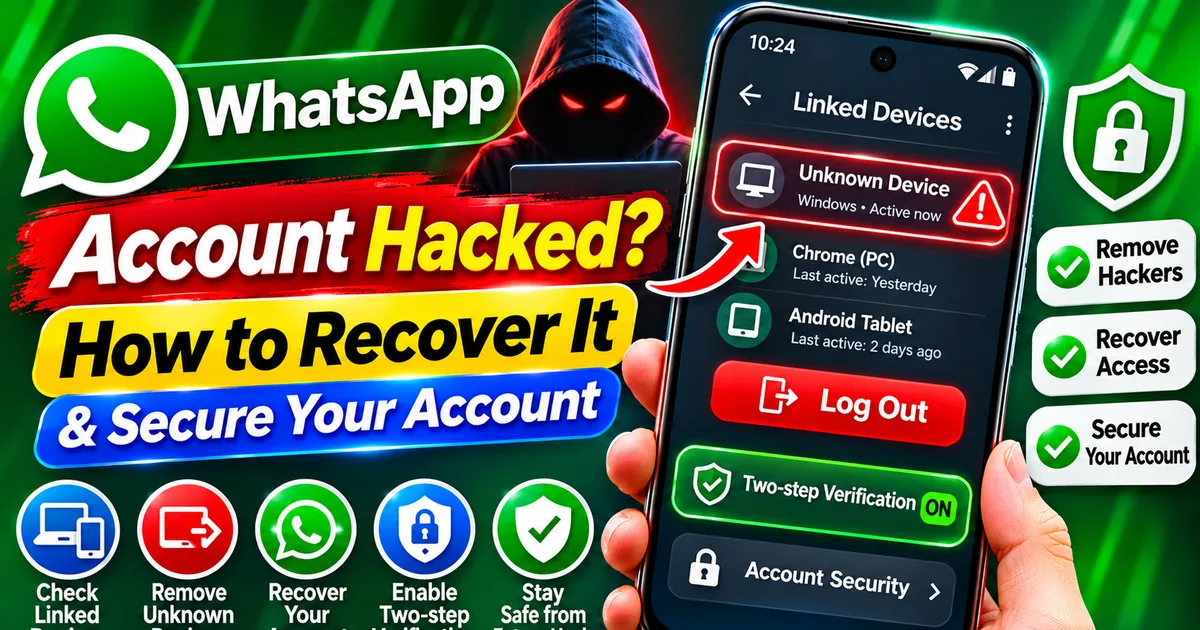
WhatsApp Account Hacked? How to Recover It and Secure Your Account
GetApkFree Team
Think your WhatsApp account has been hacked? Learn how to remove unknown linked devices, recover access, protect your verification code
Quick Answer
Think your WhatsApp account has been hacked? Learn how to remove unknown linked devices, recover access, protect your verification code
WhatsApp Account Hacked? How to Recover It and Secure Your Account
Do you think someone has accessed your WhatsApp account without permission? Are your friends receiving strange messages from your number, or have you noticed an unfamiliar device connected to your account?
Your WhatsApp account may have been compromised.
Cybercriminals use different techniques to take over WhatsApp accounts. Some trick users into sharing verification codes, while others exploit the device-linking feature to secretly connect an attacker's browser or computer to an account.
India's Computer Emergency Response Team (CERT-In) issued a high-severity advisory in December 2025 about a WhatsApp account takeover campaign known as GhostPairing. The technique tricks users into linking an attacker's device to their WhatsApp account.
If you suspect unauthorised access, don't panic. This guide explains how to identify suspicious activity, recover your account, remove unknown devices, and improve your WhatsApp security.
Quick Answer: What Should You Do If Your WhatsApp Account Is Hacked?
If you can still open WhatsApp on your phone:
- Open WhatsApp and check Settings > Linked Devices.
- Log out any device you do not recognise.
- Enable two-step verification under Settings > Account > Two-step verification.
- Add a recovery email address if the option is available.
- Never share your six-digit WhatsApp verification code or two-step verification PIN.
If you have been logged out:
- Open the official WhatsApp application.
- Register your phone number again using the SMS or phone-call verification process.
- Enter the verification code sent to your number.
- Follow any additional two-step verification instructions shown by WhatsApp.
- Secure your account and warn contacts if suspicious messages were sent from it.
If your SIM card has stopped working unexpectedly, contact your mobile operator immediately to investigate possible SIM-related fraud.
How Can You Tell If Your WhatsApp Account Has Been Hacked?
There is no single symptom that proves your WhatsApp account has been compromised. However, the following warning signs deserve attention.
- Unknown devices appear in Linked Devices
Open WhatsApp and go to:
Settings > Linked Devices
Review the list carefully.
If you find an unfamiliar browser, computer, or device that you did not connect, someone else may have access to your account.
This is particularly important because some account takeover techniques abuse WhatsApp's device-linking process without stealing your SIM card.
- Your contacts receive messages you did not send
Ask a trusted contact whether they have received unusual messages, suspicious links, requests for money, or unexpected files from your WhatsApp number.
Attackers may use compromised accounts to impersonate the owner and target friends, relatives, and group members.
- You receive unexpected verification codes
If WhatsApp sends you a registration code that you did not request, someone may be attempting to register your number on another device.
Receiving a code does not automatically mean that your account has been hacked. However, never share the code with anyone.
- You are suddenly logged out of WhatsApp
If WhatsApp unexpectedly asks you to register your phone number again, another person may have registered the same number.
This is a serious warning sign, especially if you did not change phones or reinstall the application.
- Your profile or account settings have changed
Check whether your profile photo, About information, account settings, or group activity has changed without your permission.
Unexpected changes may indicate that someone else has accessed your account.
- Your friends report suspicious activity
A compromised account may be used to send fake emergency messages, payment requests, investment offers, or malicious links.
Contact your friends through another method if you suspect that your WhatsApp account is being used by someone else.
How to Recover a Hacked WhatsApp Account
The correct recovery method depends on whether you can still access your WhatsApp account.
Method 1: Remove Unknown Linked Devices
If you can still open WhatsApp on your phone, start by checking linked devices.
Step 1: Open WhatsApp.
Step 2: Tap the three-dot menu on Android and select Settings.
Step 3: Tap Linked Devices.
Step 4: Review all connected devices and their last active information.
Step 5: Select any device you do not recognise.
Step 6: Tap Log Out.
Repeat the process for every suspicious device.
This removes that device's linked WhatsApp session. It does not automatically prove that every other part of your account or phone is secure, so continue with the remaining security steps.
Method 2: Register Your Phone Number Again
If you have been logged out because someone else registered your number, try registering it again on your own phone.
Step 1: Open the official WhatsApp application.
Step 2: Enter your phone number with the correct country code.
Step 3: Request the six-digit verification code through SMS or a phone call, depending on the options available.
Step 4: Enter the code received on your number.
Completing phone-number registration generally logs out the other person who was using that account.
If WhatsApp asks for a two-step verification PIN that you did not set, follow the recovery instructions displayed in the application. You may need to use the account's recovery email or wait through a security delay.
Do not repeatedly guess the PIN.
Important: If you cannot receive calls or SMS messages because your SIM has stopped working, contact your mobile operator first. You may need to restore control of your number before you can recover WhatsApp.
Method 3: Secure Your WhatsApp Account Immediately
After regaining access, strengthen your account security.
- Open WhatsApp Settings.
- Select Account.
- Tap Two-step verification.
- Follow the instructions to enable it.
- Create a PIN that is difficult for others to guess.
- Add an email address that you control, if prompted.
Two-step verification adds another layer of protection when registering your number.
Do not share this PIN or your registration code with anyone, including someone claiming to be WhatsApp support.
What Is GhostPairing and How Can It Hijack WhatsApp?
GhostPairing is an account takeover technique described in CERT-In advisory CIAD-2025-0055, issued on 19 December 2025.
Unlike traditional attacks that depend on stealing a verification code or taking control of a SIM card, this technique abuses the WhatsApp device-linking feature.
The attack can work as follows:
- A victim receives a suspicious link, sometimes from a known contact.
- The link opens a fake content-viewing page that may resemble Facebook.
- The page asks the victim to enter a phone number or complete a device-pairing process.
- The victim unknowingly authorises an attacker's browser as a linked device.
- The attacker can then access synced messages and media and send messages through the compromised account.
This is why checking Linked Devices is important even if you still have access to WhatsApp and your SIM card is working normally.
Safety tip: Never enter your phone number or pairing code on an external website claiming that you need to verify your WhatsApp account to view a photo or video.
How to Enable WhatsApp Two-Step Verification
Two-step verification is one of the most useful security features available in WhatsApp.
Follow these steps:
- Open WhatsApp.
- Go to Settings.
- Select Account.
- Tap Two-step verification.
- Choose Turn On.
- Create a six-digit PIN.
- Add a recovery email address if prompted.
- Complete the setup.
Keep the PIN private and use an email account that you can access.
WhatsApp may offer additional security options, such as passkeys, depending on your device and account availability.
How to Protect Your WhatsApp Account from Future Attacks
Follow these security practices to reduce the risk of another account takeover.
Never Share Your WhatsApp Verification Code
Your six-digit registration code is private.
Do not share it with friends, strangers, callers, or anyone claiming to help recover your account.
Check Linked Devices Regularly
Open Settings > Linked Devices and review the connected sessions.
Log out devices you no longer use or do not recognise.
Avoid Suspicious Pairing Links
Do not open unfamiliar links that promise private photos, videos, rewards, or account verification.
Even a message from a known contact can be dangerous if that person's account has been compromised.
Enable Two-Step Verification
Set a private PIN and add a recovery email address where available.
Keep WhatsApp Updated
Install WhatsApp updates through the official Google Play Store or another official distribution channel.
Avoid modified or unofficial WhatsApp applications.
Never Install APK Files Sent Through Messages
Do not install unexpected APK attachments claiming to be WhatsApp updates, security tools, or account recovery applications.
If you have already installed a suspicious application, read our guide:
"Installed a Suspicious APK on Android? How to Remove It Safely" (https://getapkfree.com/blog/suspicious-apk-installed-android-remove-malware)
Protect Your SIM Card
If your phone suddenly loses mobile network service and you cannot receive calls or SMS messages, contact your mobile operator.
Unexpected loss of service can have several causes, but it is worth investigating possible SIM replacement or SIM-swap fraud.
What Should You Do If Your WhatsApp Account Was Used for Fraud?
If someone used your account to ask contacts for money, distribute malicious links, or impersonate you, take these steps:
- Recover your account and remove unknown linked devices.
- Inform your friends, relatives, and important contacts through another communication channel.
- Tell them not to send money or open suspicious links received from your compromised account.
- Secure your email and other accounts if you shared passwords or sensitive information.
- Contact your bank immediately if financial details or transactions may be affected.
- Preserve suspicious messages, screenshots, transaction information, and other evidence.
- Report suspected cybercrime through the official National Cyber Crime Reporting Portal.
In India, call 1930 immediately if you have lost money through cyber fraud. You can also report the incident at:
Do not delay contacting your bank while trying to complete every account recovery step.
Frequently Asked Questions
Can someone hack my WhatsApp without my OTP?
Yes. Certain attacks abuse WhatsApp's device-linking feature to trick users into authorising another device. CERT-In has warned about this type of account takeover through its GhostPairing advisory.
Can someone read my WhatsApp messages through Linked Devices?
A person with an unauthorised linked device may access messages and media synchronised to that device and receive new messages. Check Linked Devices and log out anything you do not recognise.
Will reinstalling WhatsApp remove a hacker?
Reinstalling the application alone is not a reliable account recovery method. If an attacker has a linked device, remove that session. If your number has been registered on another phone, complete the official re-registration process.
Can I recover WhatsApp without my SIM card?
You generally need to verify control of your phone number to register your account. If your SIM is lost, damaged, or unexpectedly deactivated, contact your mobile operator about restoring the number.
What happens when I register my WhatsApp number again?
Registering your phone number again on your own device generally logs out the other phone using that account. You may still need to complete additional verification if two-step verification is enabled.
How do I know if someone is using my WhatsApp Web?
Open WhatsApp Settings and select Linked Devices. Review the list and log out unfamiliar browsers or computers.
Does two-step verification prevent every WhatsApp hack?
No security feature can guarantee complete protection. Two-step verification adds an important layer of security, but users must also protect verification codes, avoid suspicious links, and regularly review linked devices.
Final Thoughts
A compromised WhatsApp account can expose private conversations and allow criminals to impersonate you when contacting friends, family, and colleagues.
The most important steps are to check Linked Devices, recover your phone-number registration if you have been logged out, enable two-step verification, and never share your verification code or PIN.
Do not assume that a working SIM card means your WhatsApp account is completely safe. Device-linking attacks can give someone access without taking control of your mobile number.
Review your account security regularly and act quickly if you notice unfamiliar devices or suspicious messages.
Related Articles
Remote Access App Scam in India: How Fraudsters Use Screen Sharing to Steal Money
Someone asked you to install AnyDesk, TeamViewer, or another screen-sharing app to fix a problem or process a refund? Learn how remote access scams work in Indi
GetApkFree Team
Fake e-Challan APK Scam in India: How to Identify Fake Traffic Fine Messages
Received an e-Challan SMS or WhatsApp message asking you to download an APK? Learn how to spot fake traffic fine scams
GetApkFree Team
Installed a Suspicious APK on Android? How to Remove It Safely
Installed a suspicious APK on your Android phone? Learn how to disconnect safely, remove malicious apps, run Google Play Protect, secure your banking accounts
GetApkFree Team
How to Block Spam Calls and SMS on Android in India (2026 Guide)
Getting unwanted calls and spam SMS on Android? Learn how to block callers with Google Phone and Samsung, filter spam texts, activate TRAI DND.
GetApkFree Team