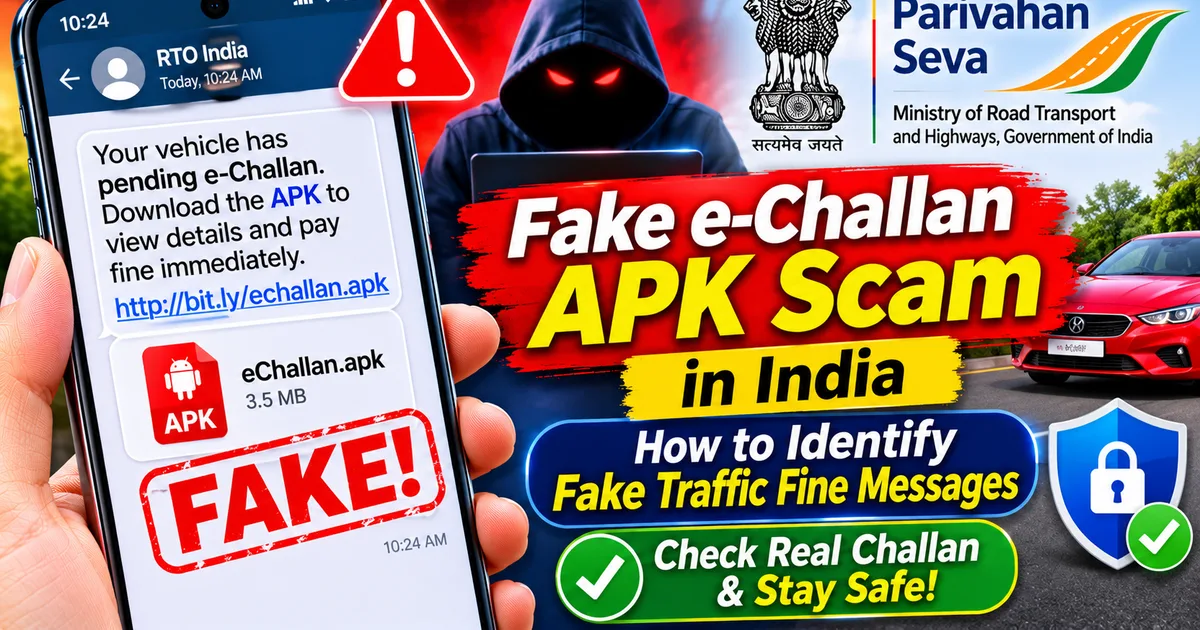
Fake e-Challan APK Scam in India: How to Identify Fake Traffic Fine Messages
GetApkFree Team
Received an e-Challan SMS or WhatsApp message asking you to download an APK? Learn how to spot fake traffic fine scams
Quick Answer
Received an e-Challan SMS or WhatsApp message asking you to download an APK? Learn how to spot fake traffic fine scams
Fake e-Challan APK Scam in India: How to Identify Fake Traffic Fine Messages
Have you received an SMS or WhatsApp message claiming that your vehicle has a pending traffic challan? Does it ask you to click a link, download an application, or install an APK file to view the fine?
Be careful. It could be a fake e-Challan scam designed to infect your Android phone and steal sensitive information.
Cybercriminals impersonate the Regional Transport Office (RTO), traffic police, and government transport services. They send convincing messages about unpaid traffic fines and direct recipients to suspicious websites or malicious Android applications.
India's Computer Emergency Response Team (CERT-In) issued an advisory on 17 March 2026 about a sophisticated RTO/e-Challan-themed Android malware campaign. The fraudulent applications may request sensitive permissions, intercept SMS messages and OTPs, and expose financial information.
In this guide, you will learn how to identify fake traffic challan messages, check whether a fine is genuine, and protect your phone and financial accounts.
What Is the Fake e-Challan APK Scam?
The fake e-Challan APK scam is a cyber fraud in which criminals impersonate official traffic authorities to convince Android users to install malicious applications.
The message usually claims that a traffic violation has been recorded against your vehicle. It may include a vehicle registration number, challan reference, fine amount, or an urgent payment warning.
Instead of directing you to a genuine government service, the message provides a suspicious link or APK download.
The downloaded application may imitate an official transport app. Once installed, it can request permissions that allow criminals to access sensitive information.
Some campaigns use multiple installation stages. The first application may appear harmless, while another malicious component is installed after the user taps an update or confirmation prompt.
How Does the Fake Traffic Challan Scam Work?
The scam generally follows a sequence of steps.
- You receive a fake traffic fine message
You may receive an SMS or WhatsApp message claiming that your vehicle has violated a traffic rule.
For example, it might say:
"Your vehicle has an unpaid traffic challan. Download the attached application to view the violation details and avoid further action."
The message may contain a link or an APK file with a name resembling an official transport application.
- The message redirects you to a fake website
The link may open a website that copies the appearance of a government transport portal.
It may use official-looking language, logos, vehicle details, and payment instructions to make the page appear genuine.
- You are asked to download an APK
The website may ask you to download an application such as a file named RTO Challan.apk, E Challan.apk, or a similar name.
Remember that a file name does not prove that an application is official.
- The application requests sensitive permissions
After installation, the application may request access to SMS, phone calls, notifications, Accessibility services, or background activity.
These permissions can be abused to monitor information, intercept OTPs, or perform unauthorised actions.
- Criminals attempt to steal personal and financial information
Depending on the malware, attackers may try to collect login details, banking information, UPI-related information, or OTP messages.
This is why you should never install an APK simply because a message claims that a traffic fine is pending.
7 Warning Signs of a Fake e-Challan Message
Check these warning signs before opening any traffic fine link.
- The message asks you to download an APK
This is one of the most important warning signs.
Do not install an APK received through WhatsApp, SMS, Telegram, or an unfamiliar website to view or pay a traffic fine.
- The link does not belong to the official government portal
Look carefully at the website address.
The official central e-Challan portal is:
https://echallan.parivahan.gov.in/
A website that uses a similar-looking name, extra words, unusual spelling, or an unrelated domain should not be trusted just because it displays government-style branding.
Do not rely on the padlock symbol alone. HTTPS does not prove that a website is genuine.
- The message creates unnecessary urgency
Scammers often use threatening language, such as:
- Pay immediately to avoid legal action.
- Your vehicle registration will be blocked.
- Your driving licence will be suspended.
- Your challan must be verified today.
Do not let an urgent message pressure you into installing an application or making a payment.
- The sender uses an unfamiliar number
A message from a personal mobile number or an unexpected WhatsApp account claiming to represent the RTO deserves caution.
However, do not judge a message only by its sender name. Sender details can be misleading.
- The application requests excessive permissions
A traffic fine verification application should not need unrestricted access to your SMS, OTPs, Accessibility services, or unrelated phone functions.
Never grant sensitive permissions to an application you cannot verify.
- The message contains suspicious payment instructions
Be cautious if the message asks you to enter banking passwords, card details, UPI PINs, or OTPs through an unfamiliar page or application.
A UPI PIN is used to authorise a payment. Never enter it just to receive money or verify a traffic fine.
- The application is distributed outside trusted app stores
An APK sent directly through a chat or downloaded from an unknown website is not automatically an official government application.
Verify the publisher and application listing independently before installing anything.
How to Check Whether Your Traffic Challan Is Real
If you receive a traffic fine message, do not use the link provided in that message.
Instead, check your vehicle's challan status directly through the official government portal.
Step 1: Open the official e-Challan website
Open your browser and manually enter:
https://echallan.parivahan.gov.in/
Check the website address before proceeding.
Step 2: Select the challan status option
Use the official portal's challan status or related search facility.
Step 3: Enter the requested details
Depending on the available search option, you may be able to check using:
- Challan number
- Vehicle registration number
- Driving licence number
Enter the information directly on the official website.
Step 4: Review the challan details
If a record appears, carefully review the available details, such as the vehicle registration number, challan number, date, violation, and amount.
Make sure the details actually relate to your vehicle.
Step 5: Use only the official payment facility
If a genuine pending challan is displayed, follow the payment instructions on the official portal.
Do not make payments through links sent by unknown numbers or through unofficial applications.
Important: If the portal does not show the claimed fine, do not assume the message is genuine. Check again through the relevant state traffic police service if necessary.
Is the mParivahan App Safe?
The official mParivahan service is a government transport application. However, criminals may use similar names, icons, and branding to distribute fake applications.
Do not assume an application is genuine just because its name contains words such as mParivahan, RTO, or e-Challan.
Before installing an application:
- Find it independently through the official Google Play Store.
- Check the publisher information.
- Review the application listing and permissions.
- Avoid installation links sent through SMS or WhatsApp.
- Do not install an APK claiming to be an update to an official transport service.
You can also use the official e-Challan portal in your browser instead of downloading an application from an unknown source.
What Should You Do If You Receive a Fake e-Challan Message?
If you have only received the message and have not installed anything, follow these precautions:
- Do not open the suspicious link.
- Do not download or install the attached APK.
- Do not enter your vehicle, banking, or personal details on the linked website.
- Do not share OTPs or UPI PINs.
- Delete the message and block or report the sender.
- Verify any actual traffic fine through the official e-Challan portal.
If the message came from someone you know, verify with that person through another communication method. Their account could have been compromised.
What If You Already Installed a Fake e-Challan APK?
If you installed an application from a suspicious traffic fine message, treat the situation seriously.
Disconnect your phone from mobile data and Wi-Fi if you suspect active malicious activity. Avoid using the affected phone for banking until you have secured it.
Then follow a safe removal process.
- Identify and uninstall suspicious applications.
- Check for unfamiliar Device Administrator applications.
- Review Accessibility, SMS, notification, and other sensitive permissions.
- Run Google Play Protect and update your device.
- Change important passwords using a trusted device.
- Contact your bank immediately if you notice suspicious transactions or exposed financial information.
Some malware may hide its main component or make removal difficult. If you need detailed instructions, follow our guide:
"Installed a Suspicious APK on Android? How to Remove It Safely" (https://getapkfree.com/blog/suspicious-apk-installed-android-remove-malware)
If money has been stolen or an unauthorised transaction has occurred in India, contact your bank immediately and call 1930. You can also report the incident through the official National Cyber Crime Reporting Portal:
How to Protect Your Android Phone from Fake APK Scams
Follow these practices to reduce the risk of similar attacks:
- Never install APK files received through unexpected SMS or WhatsApp messages.
- Keep installation from unknown sources disabled unless absolutely necessary.
- Download applications from trusted official sources.
- Review application permissions regularly.
- Keep Android and your applications updated.
- Do not grant Accessibility or Device Administrator access to unknown applications.
- Never share banking OTPs, UPI PINs, or passwords.
- Verify traffic fines by opening the official government portal yourself.
- Be cautious even when a suspicious message comes from a known contact.
You can also read our guides on "how to check if an APK is safe" (https://getapkfree.com/blog/how-to-check-if-apk-is-safe) and "how to install APK files on Android safely" (https://getapkfree.com/blog/how-to-install-apk-files-on-android-safely).
Frequently Asked Questions
Can a real e-Challan message ask me to install an APK?
You should not install an APK received through an SMS or WhatsApp traffic fine message. Verify the challan directly through the official e-Challan portal instead.
What is the official website to check traffic challans in India?
The official central e-Challan portal is https://echallan.parivahan.gov.in/. Enter the address yourself rather than following an unfamiliar message link.
Is every mParivahan APK file genuine?
No. Criminals can distribute applications using names and icons that resemble official services. Verify the application through its official app-store listing and publisher details.
Can a fake e-Challan APK steal OTPs?
Yes. CERT-In has warned that malicious applications in this campaign may request SMS and other sensitive permissions that can be abused to intercept OTPs and expose financial information.
What should I do if I clicked a fake challan link but did not install anything?
Close the page, do not download files, and do not enter personal or financial information. If you entered a password or banking details, secure the affected account using a trusted device and contact your bank if necessary.
What if I installed the fake RTO application?
Disconnect the device from the internet if you suspect active malware, remove suspicious applications, review sensitive permissions, run a security scan, and secure your accounts from a trusted device. Follow our detailed suspicious APK removal guide for further steps.
Where can I report an online traffic challan scam in India?
You can report suspected cybercrime through https://cybercrime.gov.in/. If you have lost money through cyber fraud, call the national helpline 1930 immediately and contact your bank.
Final Thoughts
Fake e-Challan APK scams exploit the fear of traffic fines and urgent government notifications. A message may look official, but its appearance does not prove that it came from the RTO or traffic police.
Never install an APK sent through an unexpected traffic fine message. Instead, open the official Parivahan e-Challan portal yourself and verify the details before taking action.
A few seconds of verification can help protect your Android phone, personal information, and bank account.
Related Articles
Installed a Suspicious APK on Android? How to Remove It Safely
Installed a suspicious APK on your Android phone? Learn how to disconnect safely, remove malicious apps, run Google Play Protect, secure your banking accounts
GetApkFree Team
How to Block Spam Calls and SMS on Android in India (2026 Guide)
Getting unwanted calls and spam SMS on Android? Learn how to block callers with Google Phone and Samsung, filter spam texts, activate TRAI DND.
GetApkFree Team
Truecaller Caller ID Not Showing on Android? How to Fix It
Truecaller Caller ID not showing on Android? Fix missing caller names and caller ID pop-ups by checking permissions, display-over-other-apps settling
GetApkFree Team
Gemini App Not Working on Android? How to Fix It
Gemini not working on Android? Fix “Something went wrong” errors, failed prompts, endless loading, and app problems with practical checks for your connection, app updates, cache, and Google account.
GetApkFree Team