
This article is about
Ambio: Focus Timer & Sounds
Jaime Barreto · Multimedia
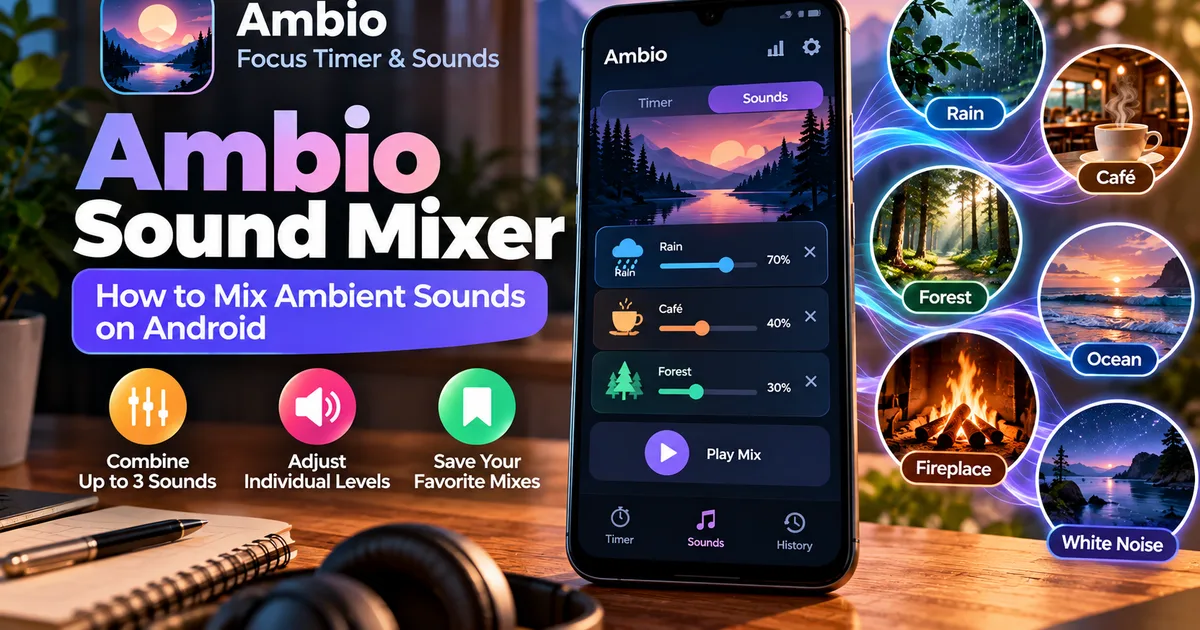
Ambio Sound Mixer: How to Mix Ambient Sounds on Android
GetApkFree Team
Learn how Ambio's sound mixer works, how to combine ambient sounds, adjust individual volume levels, save mixes, and create a custom Android soundscape.
- Version
- 2.0.0
- Requires
- Android 12.0+
- License
- MIT
- Source
- F-Droid
- Package
- com.jbgsoft.ambio
Ambio Sound Mixer: How to Mix Ambient Sounds on Android
The Ambio sound mixer is one of the main features that separates Ambio: Focus Timer & Sounds from a basic ambient-noise or focus-timer app.
Instead of choosing one background sound and leaving it playing, Ambio lets you combine up to three ambient sounds at the same time, with a separate volume level for each sound. The app currently provides twelve sounds ranging from rain and fireplace to ocean, forest, white noise, and brown noise.
This means you can create your own soundscape instead of relying on a single preset track.
In this guide, we'll explain how the Ambio sound mixer works, what sounds are available, how to combine them, and how to create different mixes for studying, working, reading, relaxing, or sleeping.
What Is the Ambio Sound Mixer?
The Ambio sound mixer is the part of the app that lets you combine several ambient sounds into one customized audio environment.
You can choose up to three sounds and control how loud each one is within the mix.
For example, instead of listening to rain by itself, you could combine:
Rain + Café + White Noise
Or create a more natural outdoor atmosphere with:
Forest + Birds + Stream
Each sound has its own level, so one sound can remain dominant while the others stay quieter in the background.
Ambio also remembers your mix so that you can return to a combination you previously created.
How Many Sounds Does Ambio Have?
The current Ambio listing provides 12 ambient sounds:
- Rain
- Fireplace
- Café
- Forest
- Birds
- Crickets
- Ocean
- Stream
- Cave
- Wind
- White Noise
- Brown Noise
You can select up to three of these at the same time.
That gives you considerably more flexibility than an app that only provides a collection of single sound tracks.
How to Mix Sounds in Ambio
Creating a sound mix is straightforward.
The general process is:
- Open Ambio.
- Go to the sound mixer.
- Choose your first ambient sound.
- Add a second sound if you want one.
- Add a third sound if needed.
- Adjust the individual sound levels.
- Start playback.
- Fine-tune the balance until the mix sounds comfortable.
You don't have to use three sounds.
A single sound can work perfectly well when you want a simple background.
How the Three-Sound Mixer Works
Ambio's mixer allows three sounds to play simultaneously.
Imagine you choose:
Rain — 70%
Café — 25%
White Noise — 5%
The rain remains the dominant sound while the café and white noise provide quieter layers underneath it.
The percentages above are only an example of how you might balance a mix. You can adjust the levels according to your own preference.
The important part is that Ambio gives each selected sound its own control instead of treating the entire mix as one volume level.
Ambio Rain Sound Mix
Rain is a natural starting point if you want a relatively simple background.
You could use:
Rain + Café
The rain provides the main background while the café sound adds another layer.
For a stronger masking effect, you could instead try:
Rain + White Noise
Or:
Rain + Wind + Café
The best combination depends on what kind of sound environment you find comfortable.
Ambio Fireplace Sound Mix
The fireplace sound can be used as the main layer in a warmer, more enclosed soundscape.
For example:
Fireplace + Rain
creates a different atmosphere from:
Fireplace + Wind
You could also add café ambience as a third layer if you want a busier background.
Because each sound has its own level, the fireplace can remain dominant while the other sounds are kept subtle.
Ambio Forest and Nature Sounds
Ambio includes several nature-oriented sounds, including:
- Forest
- Birds
- Crickets
- Stream
- Ocean
- Wind
- Cave
These can be combined to create different outdoor-style environments.
For example:
Forest + Birds + Stream
creates a layered nature-oriented mix.
Another possibility is:
Ocean + Wind + Crickets
The goal is not to reproduce a particular real-world location perfectly. The mixer simply gives you control over several ambient layers.
Ambio Café Sound Mix
The café sound can add a busier background to an otherwise quiet mix.
For example:
Café + Rain
can create a background suitable for reading or working.
You could also combine:
Café + Rain + White Noise
if you prefer a denser soundscape.
If the café layer becomes distracting, simply lower its level rather than removing it completely.
That is one of the useful aspects of having separate controls for each sound.
Ambio White Noise and Brown Noise
Ambio includes both white noise and brown noise.
These are useful options if you prefer a more consistent noise layer instead of environmental sounds such as rain or forest ambience.
You can also combine one of them with another sound.
For example:
Rain + Brown Noise
or:
Café + White Noise
The result depends on the relative levels of the sounds in the mix.
How to Create a Study Sound Mix
If you're using Ambio while studying, you don't necessarily need a complicated combination.
A simple mix could be:
Rain + Café
Keep the rain as the dominant layer and reduce the café volume until it becomes background ambience rather than something you actively notice.
Another option is:
Forest + Stream
This can provide a quieter nature-oriented environment.
There is no universally correct study mix. The best combination is the one that doesn't compete with your concentration.
How to Create a Work or Coding Mix
For coding or other computer-based work, you might prefer a relatively consistent background.
Try:
Café + Rain
or:
White Noise + Rain
If you find environmental sounds distracting, reduce the secondary sound rather than abandoning the mixer entirely.
The advantage of a layered soundscape is that you can make very small adjustments.
How to Create a Relaxing Mix
For relaxation, you might prefer natural sounds.
Some combinations to try include:
Ocean + Wind
Forest + Stream
Rain + Fireplace
These are examples rather than official Ambio presets.
The application allows you to create your own combination and adjust the individual levels.
How to Create a Sleep Sound Mix
Ambio also supports Ambient Mode, which allows the sound mix to play without a focus timer.
Recent versions include a sleep timer in Ambient Mode, allowing the mix to stop after a selected period.
For a sleep-oriented mix, you could experiment with:
Rain
or:
Rain + Fireplace
or:
Ocean + Wind
If you prefer a quieter environment, using fewer sounds may be better than filling all three available slots.
Does Ambio Save Your Sound Mix?
Yes.
The current Ambio description says that the app remembers your sound blend for later use.
That means you don't necessarily have to recreate your preferred combination every time you open the application.
For example, you could create a favorite:
Rain + Café
mix and return to it whenever you study or work.
You can then make another mix for relaxation without having to use the same sound environment for every activity.
Ambio's Visual Response to Your Sound Mix
The Ambio experience isn't limited to audio.
The current version changes the visual environment based on the sounds in your mix.
The background gradient is blended from the selected sounds, while particles move behind the timer.
For example, the app describes cooler colors for rain and warmer tones for fireplace sounds.
The visual effects can also be turned off if you prefer a more static interface.
This means the selected sounds influence more than just what you hear.
Can You Use Three Sounds at Full Volume?
You can select up to three sounds, but that doesn't mean all three need to be equally loud.
In fact, an equal-volume mix may be too busy for some situations.
Try treating the three sounds as:
Main sound → secondary sound → subtle background
For example:
Rain — main
Café — secondary
White Noise — subtle
This approach can make the soundscape feel more controlled.
The actual levels are up to you.
One Sound vs Two Sounds vs Three Sounds
You don't always need three layers.
One sound
Best when you want simplicity.
Example:
Rain
Two sounds
Useful when you want a primary sound plus another layer.
Example:
Rain + Café
Three sounds
Useful when you want a richer soundscape.
Example:
Rain + Café + White Noise
More sounds don't automatically mean a better result.
If the mix becomes distracting, remove one layer or reduce its volume.
Does the Ambio Mixer Work Offline?
The current Ambio listing states that the application works completely offline.
That means the sound-mixing feature is designed to work without requiring a continuous internet connection.
The developer also states that Ambio doesn't require an account and does not use ads, tracking, or analytics.
These are developer-provided claims shown in the app's current listings, rather than an independent security certification.
For people who prefer offline applications, this is an important part of Ambio's design.
Ambio Sound Mixer on Tablets
Ambio also supports a two-pane tablet layout.
Instead of switching between the mixer and timer screens, the mixer can remain beside the timer.
This makes the sound controls easier to access while using Ambio on a larger Android display.
The exact appearance depends on the device and Android configuration.
Does the Mixer Work While Ambio Is in the Background?
Yes.
Ambio supports background playback.
According to the current app listing, you can control playback through Android's notification shade, lock screen, and Quick Settings.
This means you can create your mix, start playback, and then move to another application without keeping Ambio's main screen visible.
Tips for Better Ambio Sound Mixes
Start With One Sound
Before adding multiple layers, listen to your primary sound by itself.
This gives you a baseline.
Add Only One Layer at a Time
Add a second sound and adjust its level before adding a third.
This makes it easier to understand what each sound contributes.
Keep the Main Sound Dominant
If you want a particular sound to define the environment, keep it louder than the supporting layers.
Lower Distracting Sounds
If a sound catches your attention too often, don't immediately remove the entire mix.
Try lowering its volume first.
Save Your Favorite Combinations
If you find a mix that works well for studying or working, keep it available for future sessions.
Example Ambio Sound Mixes
Here are some combinations you can experiment with:
| Purpose | Main sound | Secondary | Third layer |
|---|---|---|---|
| Study | Rain | Café | — |
| Coding | White Noise | Rain | — |
| Reading | Café | Rain | — |
| Relaxation | Ocean | Wind | — |
| Nature | Forest | Birds | Stream |
| Cozy background | Fireplace | Rain | — |
| Sleep | Rain | Fireplace | — |
| Outdoor ambience | Forest | Crickets | Wind |
These are suggested combinations, not built-in Ambio presets.
The purpose of the mixer is to let you create your own preferred sound environment.
What Makes the Ambio Mixer Different?
Many ambient-sound applications focus on individual recordings or predefined combinations.
Ambio instead lets you build the mix yourself.
Its current mixer provides:
- 12 ambient sounds
- Up to 3 simultaneous sounds
- Individual level control
- Saved sound combinations
- Visual effects based on the mix
- Background playback
- Ambient Mode
That combination makes the mixer the central part of the application's identity.
Frequently Asked Questions
How many sounds can Ambio mix?
Ambio can mix up to three sounds at the same time from its current library of twelve ambient sounds.
Can I adjust the volume of each Ambio sound separately?
Yes. Each selected sound has its own level control.
What sounds are available in Ambio?
The current list includes rain, fireplace, café, forest, birds, crickets, ocean, stream, cave, wind, white noise, and brown noise.
Can I use only one sound?
Yes. You don't have to use all three available mixer slots.
Can I mix rain and café sounds in Ambio?
Yes. Both are among the available ambient sounds and can be combined within the three-sound limit.
Can Ambio mix three sounds at once?
Yes. Three is the current maximum number of simultaneous sounds.
Does Ambio remember my sound mix?
The current app description says Ambio remembers your blend for later use.
Can I use the Ambio sound mixer without the focus timer?
Yes. Ambient Mode allows the sound mix to play without a focus countdown.
Does Ambio sound mixing work offline?
The current app description states that Ambio works completely offline.
Can I use Ambio in the background?
Yes. Ambio supports background playback with Android media controls.
Final Thoughts
The Ambio sound mixer is built around customization rather than a single fixed ambient track.
You can choose from twelve sounds, combine up to three at once, adjust their individual levels, and save a combination you like. That makes it possible to create different sound environments for studying, coding, reading, relaxing, or sleeping.
You don't need to use all three available layers. In many cases, one or two carefully balanced sounds may be enough.
The easiest way to find a combination that works for you is to start with one sound, add another only when necessary, and adjust the levels until the background feels supportive rather than distracting.
Ambio's mixer is therefore most useful when you want control over the soundscape instead of simply pressing play on a predefined recording.
Related Articles

How to Fix CapCut Video Lagging After Export on Android
Fix CapCut video lagging after export on Android. Learn how to troubleshoot choppy playback, frame-rate mismatches, heavy effects, storage issues, and export settings.
GetApkFree Team

How to Fix CapCut Preview Not Matching Export on Android
Fix CapCut preview not matching the exported video on Android. Troubleshoot missing effects, text, transitions, timing, colors, and rendering differences.
GetApkFree Team

How to Fix Couldn't Apply AI Background in CapCut on Android
Getting "Couldn't Apply AI Background" in CapCut on Android? Check usage limits, clip selection, video quality, app updates, and practical troubleshooting steps.
GetApkFree Team
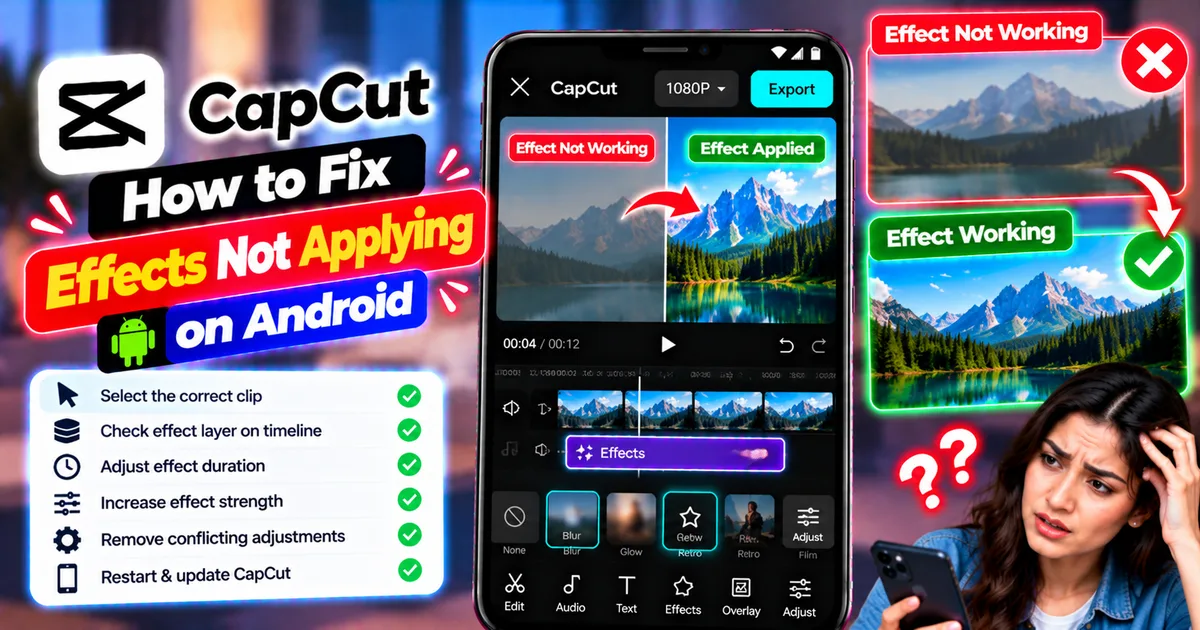
How to Fix CapCut Effects Not Applying on Android
CapCut effects not working on Android? Check clip selection, effect layers, timeline timing, conflicting adjustments, and app performance with these practical fixes.
GetApkFree Team