
This article is about
Ambio: Focus Timer & Sounds
Jaime Barreto · Multimedia
Ambio Permissions: What Each Android Permission Is Used For
GetApkFree Team
See which permissions Ambio requests on Android and learn what each one does, including notifications, media playback, vibration, and network access.
- Version
- 2.0.0
- Requires
- Android 12.0+
- License
- MIT
- Source
- F-Droid
- Package
- com.jbgsoft.ambio
Ambio Permissions: What Each Android Permission Is Used For
When installing an Android application, it is worth checking what permissions the app requests.
Ambio: Focus Timer & Sounds is primarily an ambient-sound and focus-timer application, so you might reasonably wonder why it needs permissions for notifications, foreground services, vibration, or keeping the phone awake.
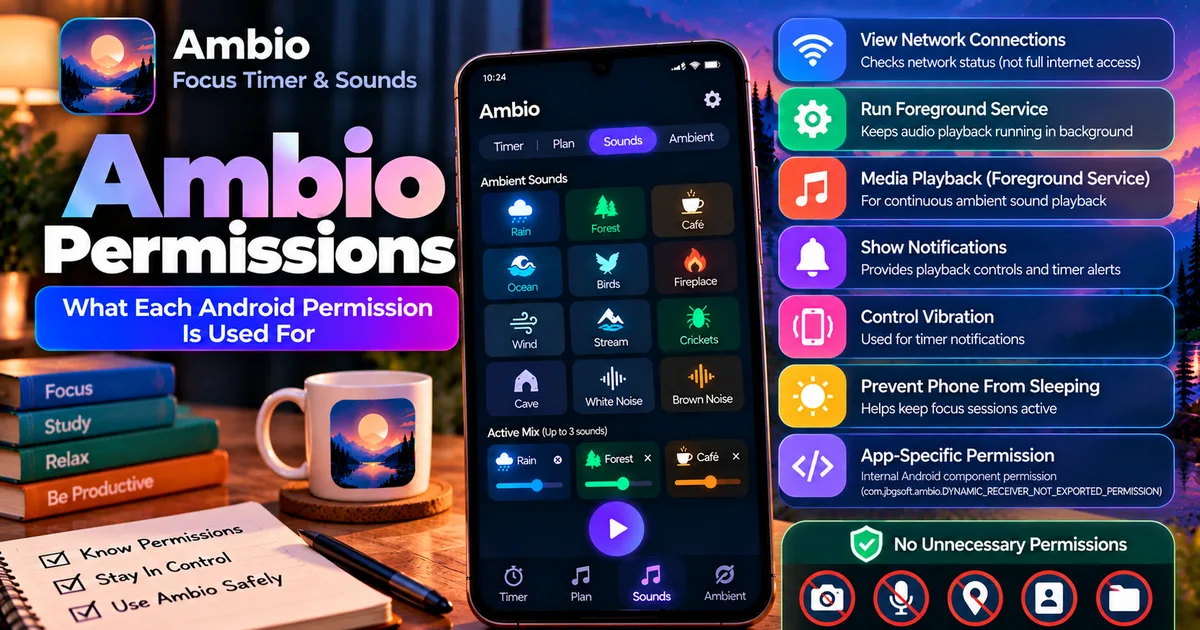
The current Ambio 2.1.1 package listed on F-Droid declares seven permissions. They include viewing network connections, running a foreground service, running a foreground service specifically for media playback, showing notifications, controlling vibration, preventing the phone from sleeping, and an application-specific internal permission.
This guide explains what those permissions mean and how they relate to Ambio's features.
What Permissions Does Ambio Request?
The current F-Droid listing for Ambio 2.1.1 shows these permissions:
- View network connections
- Run foreground service
- Run foreground service with the
mediaPlaybacktype - Show notifications
- Control vibration
- Prevent the phone from sleeping
com.jbgsoft.ambio.DYNAMIC_RECEIVER_NOT_EXPORTED_PERMISSION
Not all of these are permissions that appear as a traditional "Allow or Deny" popup to the user.
Some are Android manifest declarations that allow the application to use particular system capabilities.
That distinction is important when interpreting an APK permission list.
1. View Network Connections
Ambio declares permission to view network connections.
F-Droid describes this as allowing the application to see information about network connections, such as which networks exist and which are connected.
Android's documentation identifies this capability with ACCESS_NETWORK_STATE.
Importantly, this is not the same thing as granting an application unrestricted internet access.
Android documents ACCESS_NETWORK_STATE as permission to access information about networks, while INTERNET is the separate permission that allows applications to open network sockets.
This distinction matters when looking at an APK permission list.
What does this mean for Ambio?
The permission allows Ambio to know about the device's network state.
It does not by itself mean that Ambio has permission to browse the internet, upload your files, or access your Wi-Fi password.
Ambio's current listing also describes the application as working offline, so network-state information should not be confused with a requirement for continuous internet connectivity.
2. Run Foreground Service
Ambio also declares permission to run a foreground service.
This is particularly relevant to an application whose main purpose includes continuing audio playback while the app is no longer the foreground application.
Android uses foreground services for ongoing work that needs to remain active and visible to the user through system UI.
For a media application, this can be used to keep playback running when you leave the application.
Android's official documentation describes foreground services as a mechanism for ongoing work and requires appropriate service declarations and permissions depending on the service type.
Why does Ambio need it?
Ambio supports background playback.
You can start an ambient sound mix and then move to another application or interact with the phone's system controls while the sound continues.
The foreground-service capability is part of the Android mechanism that makes this type of ongoing playback possible.
Our guide Ambio Background Playback: How to Keep Sounds Playing covers the feature itself.
3. Foreground Service With Media Playback
The next permission is more specific:
Foreground service with the mediaPlayback type.
F-Droid lists this separately for Ambio.
This tells Android that the foreground service is being used for media playback rather than an unrelated background task.
Android officially defines mediaPlayback for applications that continue audio or video playback from the background.
That makes this permission particularly relevant to Ambio.
Why Ambio needs media playback
Ambio is designed around continuous ambient audio.
For example, you might start:
Rain + Forest + Café
and then lock the phone.
Or you might start a focus session and open another application to read notes.
The media-playback foreground service allows Android to recognize the ongoing audio task appropriately.
Android's current documentation specifically identifies mediaPlayback as a foreground-service type for continuing audio or video playback from the background.
4. Show Notifications
Ambio declares permission to show notifications.
This is useful because Android uses system notifications to expose information and controls for ongoing activities.
For an application like Ambio, the notification can be associated with its active playback session.
This can make it possible to control playback without returning to the application.
Android 13 and newer
Android 13 introduced a runtime notification permission called POST_NOTIFICATIONS for many notifications.
Android's rules around notifications and foreground services have some exceptions and distinctions, including special handling for media sessions.
Therefore, seeing a notification-related permission in an APK does not necessarily mean that every device will show exactly the same permission dialog or behavior.
The Android version and the way the application targets Android both matter.
5. Control Vibration
Ambio also declares permission to control the vibrator.
Android defines VIBRATE as permission to access the device's vibrator. It is classified as a normal permission rather than a dangerous runtime permission.
Why would a focus timer need vibration?
A timer application can use vibration as a form of feedback.
For example, vibration can be useful when a focus or break period reaches an important point without requiring a loud audio notification.
This is particularly relevant when someone is studying or working in a quiet environment.
The important point is that this permission provides access to the vibration function. It does not give Ambio access to unrelated phone data.
6. Prevent the Phone From Sleeping
The F-Droid listing also shows permission to prevent the phone from sleeping.
Android's corresponding WAKE_LOCK capability allows applications to use wake locks to keep the processor from sleeping or prevent the screen from dimming in certain situations.
Why could Ambio use this?
A focus timer or ambient playback application may need to remain active during a session.
For example, you could start a long focus session and leave the device on a desk.
The ability to prevent the device from entering certain sleep states can help an application maintain an active session where appropriate.
However, this permission should not be interpreted as "Ambio keeps your screen on all the time."
The exact behavior depends on how the application uses the Android power-management APIs and the device's system settings.
7. com.jbgsoft.ambio.DYNAMIC_RECEIVER_NOT_EXPORTED_PERMISSION
The final entry has a much more technical name:
com.jbgsoft.ambio.DYNAMIC_RECEIVER_NOT_EXPORTED_PERMISSION
F-Droid lists it as part of Ambio's declared permissions.
This is an application-specific permission, rather than a familiar user-facing permission such as camera, microphone, contacts, or location.
The name indicates that it belongs specifically to the Ambio package:
com.jbgsoft.ambio
The DYNAMIC_RECEIVER_NOT_EXPORTED wording relates to Android's broadcast-receiver security model.
For an ordinary user, this is not comparable to granting an app access to your photos, contacts, microphone, or location.
It is an internal application-level declaration used as part of the app's Android component configuration.
Does Ambio Request Camera Access?
The current F-Droid permission list does not show camera access for Ambio 2.1.1.
There is no camera permission listed among the seven permissions shown for the current package.
That matches Ambio's purpose: the app is focused on timers and ambient audio rather than photography.
Does Ambio Request Microphone Access?
The current F-Droid permission list does not show microphone access either.
This is an important distinction for an ambient-sound application.
Ambio plays its own sound library; it does not need microphone access simply to play those sounds.
The current package listing does not include a microphone permission.
Does Ambio Request Location Access?
The current F-Droid permission list does not show location permissions.
There is no ACCESS_FINE_LOCATION or ACCESS_COARSE_LOCATION listed in the current permissions shown by F-Droid.
Therefore, Ambio's current package is not requesting location access as part of the listed permissions.
Does Ambio Request Contacts Access?
No contacts permission is listed for the current Ambio 2.1.1 package.
There is no apparent reason for a focus timer and ambient-sound application to need access to your contacts, and that permission is not present in the current F-Droid listing.
Does Ambio Request Storage Access?
The current F-Droid permission list does not show the traditional shared-storage read or write permissions.
This is relevant because Ambio's sound library is part of the application rather than requiring you to grant access to your personal music collection.
The current permission list does not include permissions for reading or modifying your shared storage.
Why Does Ambio Need Network Information If It Works Offline?
This is one of the more confusing parts of an APK permission list.
There is a difference between:
Knowing the network state
and
Having unrestricted internet access.
Android's ACCESS_NETWORK_STATE permission provides information about available and connected networks. Android separately defines INTERNET for opening network sockets.
The current Ambio F-Droid listing shows network-state access, while its product description says the app works offline.
So you should not interpret the network-state permission alone as proof that Ambio requires an internet connection.
Are These All Dangerous Permissions?
No.
Android divides permissions into different categories and handles them differently.
For example, Android documents VIBRATE and WAKE_LOCK as normal permissions.
Notification permissions have different behavior on Android 13 and newer, while foreground-service declarations are governed by Android's service rules.
Therefore, counting the number of permissions is not a useful way to determine whether an application is safe.
A better approach is to ask:
Does each permission make sense for what the application actually does?
For Ambio, the current permissions largely correspond to its core functions: audio playback, notifications, timer feedback, and keeping an active session running.
Ambio Permissions and Its Main Features
The relationship becomes easier to understand when the permissions are viewed alongside the application's features.
| Ambio feature | Relevant Android capability |
|---|---|
| Background sound playback | Foreground service + mediaPlayback |
| Playback controls | Notifications/media controls |
| Focus sessions | Foreground service / active session |
| Timer feedback | Vibration |
| Keeping an active session running | Wake-lock capability |
| Checking network state | Network-state permission |
| App component communication | Application-specific dynamic receiver permission |
The exact implementation details belong to the application, so the table should be treated as a practical explanation of why these capabilities are relevant rather than a claim that every permission is used exclusively for one feature.
Does Ambio's Permission List Mean It Can Access Personal Files?
The current F-Droid listing does not show permissions for reading or modifying shared storage.
That means the current listed permission set does not give Ambio the traditional broad storage access associated with file-management applications.
Similarly, the current listing does not show camera, microphone, contacts, or location permissions.
This is useful information when evaluating an APK before installation.
How to Check Ambio Permissions Yourself
If you want to verify the permissions rather than relying on an article, you can inspect the current package information.
One approach is to use the F-Droid listing for the exact Ambio release.
The current listing identifies:
Package: com.jbgsoft.ambio
Version: 2.1.1
Minimum Android: Android 12
Architectures: arm64-v8a, armeabi-v7a, x86, x86_64
APK size: 11 MiB
Permissions: 7 listed permissions
If you are checking a different Ambio APK version, do not automatically assume its permission list is identical.
Permissions can change between application releases.
Are Ambio Permissions the Same on Every Version?
Not necessarily.
An application's manifest can change between releases.
For example, Ambio has received substantial feature additions across recent releases, including the mixer, tablet layout, Session Plans, break mixes, sleep timer, and Quick Settings functionality.
The current 2.1.1 package shows the permissions listed above, but an older or future release could have a different manifest.
Therefore, if you are investigating a specific APK, check the permissions for that exact version.
Ambio Permissions vs APK Safety
Permissions are useful for understanding what an application can access, but they are not a complete security test.
A small permission list does not automatically prove that an APK is safe.
Likewise, a longer permission list does not automatically prove that an app is malicious.
You should also consider:
- Where the APK came from
- Whether the package name matches the expected application
- Whether the APK is properly signed
- Whether the version is genuine
- Whether the file has been modified
- Whether the requested permissions make sense for the app
- Whether the developer and source are identifiable
For a broader explanation, see How to Check if an APK Is Safe.
Ambio Is Open Source — Does That Prove It Is Safe?
Ambio is open source under the MIT License, according to its current app listing.
That is useful because the source code is available for inspection.
However, open source should not be treated as an automatic security certification.
The source code, the specific APK you download, its signing identity, and the distribution source are separate considerations.
For that reason, it is better to describe Ambio as open source rather than claiming that its open-source status alone proves that every APK is safe.
Ambio Permissions: Quick Summary
The current Ambio 2.1.1 F-Droid package lists seven permissions:
Network connections Allows the app to see network-state information.
Foreground service Supports ongoing work that needs to remain active.
Foreground service — media playback Identifies the foreground service as being used for media playback.
Notifications Allows the app to provide notification-related functionality.
Vibration Allows access to the device vibrator.
Prevent phone from sleeping Allows use of Android's wake-lock capability.
Ambio dynamic receiver permission An application-specific permission related to the app's internal Android component configuration.
Frequently Asked Questions
What permissions does Ambio need?
The current Ambio 2.1.1 F-Droid package lists seven permissions covering network-state information, foreground services, media playback, notifications, vibration, wake-lock behavior, and an app-specific receiver permission.
Does Ambio need microphone permission?
The current F-Droid permission list does not show microphone access.
Does Ambio need camera permission?
No camera permission is listed for the current Ambio 2.1.1 package.
Does Ambio need location permission?
No location permission is listed in the current F-Droid package information.
Does Ambio need storage permission?
The current listed permissions do not include traditional shared-storage read or write permissions.
Why does Ambio need a foreground service?
Ambio supports ongoing audio playback, and Android provides foreground-service mechanisms specifically for continuing media playback from the background.
Why does Ambio need notification access?
Notifications are useful for active playback and system media controls. Android 13 and newer also have a runtime notification permission model for many notifications.
Does the network permission mean Ambio requires internet?
No. Network-state access and unrestricted internet access are separate Android capabilities.
Can Ambio permissions change?
Yes. Permissions belong to a particular application release, so check the manifest or package information for the exact version you are installing.
Final Thoughts
The current Ambio permission list is closely related to what the application does: playing ambient audio, continuing playback in the background, providing system controls, giving timer feedback, and maintaining active sessions.
The current F-Droid listing shows seven declared permissions, while Android's documentation explains the underlying behavior of capabilities such as media-playback foreground services, notifications, vibration, and wake locks.
Just as importantly, the current package does not list permissions for camera, microphone, contacts, location, or traditional shared-storage access.
When checking an Ambio APK, therefore, don't simply count permissions. Look at what each permission actually allows, whether it matches the app's features, and whether the APK itself comes from a trustworthy source.
For a broader guide to evaluating Android application permissions, see What Are APK Permissions and How to Check Them.
Related Articles
How to Fix CapCut Video Lagging After Export on Android
Fix CapCut video lagging after export on Android. Learn how to troubleshoot choppy playback, frame-rate mismatches, heavy effects, storage issues, and export settings.
GetApkFree Team
How to Fix CapCut Preview Not Matching Export on Android
Fix CapCut preview not matching the exported video on Android. Troubleshoot missing effects, text, transitions, timing, colors, and rendering differences.
GetApkFree Team
How to Fix Couldn't Apply AI Background in CapCut on Android
Getting "Couldn't Apply AI Background" in CapCut on Android? Check usage limits, clip selection, video quality, app updates, and practical troubleshooting steps.
GetApkFree Team
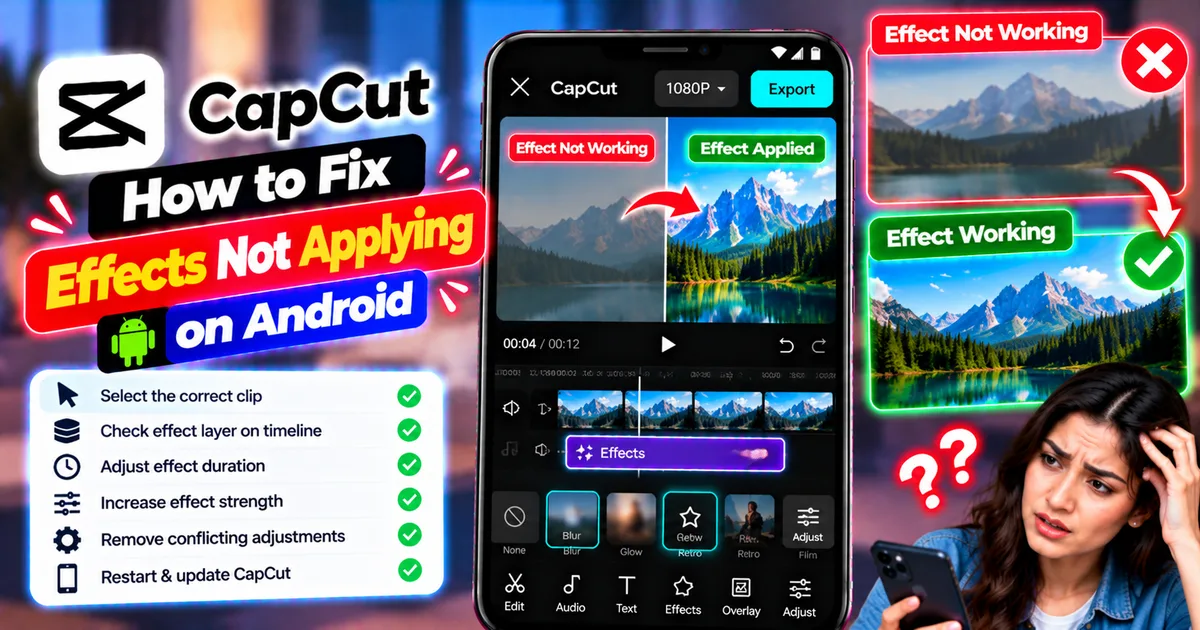
How to Fix CapCut Effects Not Applying on Android
CapCut effects not working on Android? Check clip selection, effect layers, timeline timing, conflicting adjustments, and app performance with these practical fixes.
GetApkFree Team