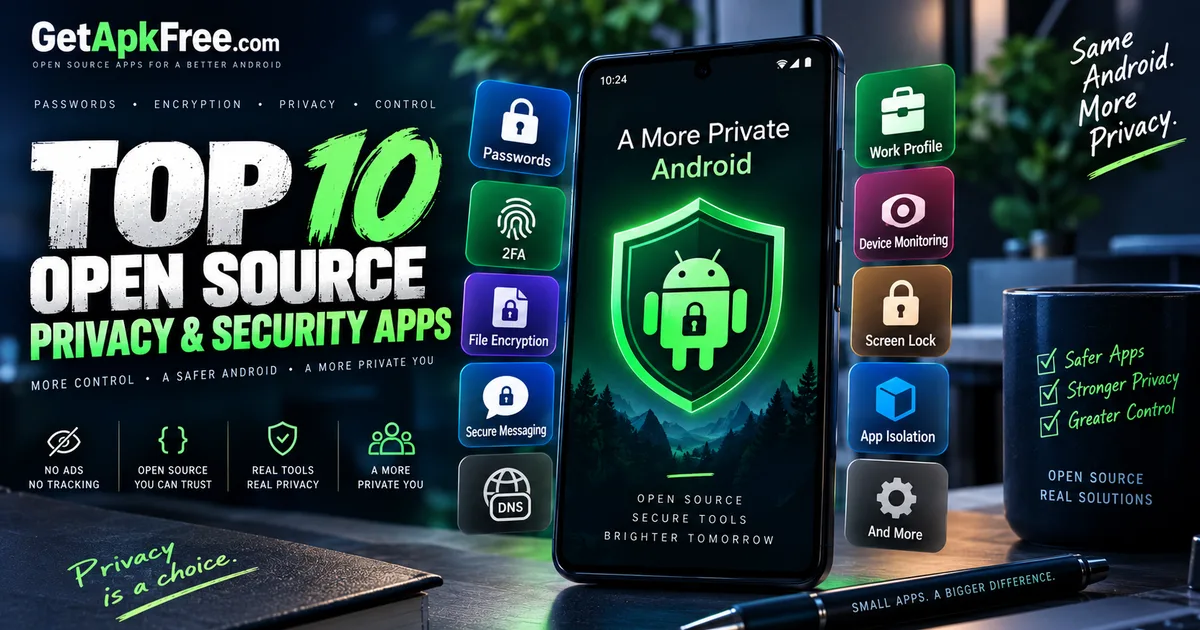
10 Best Open-Source Privacy & Security Apps for Android
GetApkFree Team
10 open-source Android apps for password management, encryption, 2FA, and device security — with permissions and prerequisites explained.
Quick Answer
10 open-source Android apps for password management, encryption, 2FA, and device security — with permissions and prerequisites explained.
"Privacy and security" isn't one problem with one app — it's a set of separate tasks: remembering passwords without reusing them, generating a second login factor, keeping a file unreadable if your phone is lost, keeping a message unreadable in transit, automating a Private DNS setting, isolating a work profile, watching a device while it's unattended, and locking your screen fast. The ten apps below each handle one of those tasks, sourced from GetApkFree's System category.
This article describes what each app does and what its Android manifest requests — not a guarantee that any of them will keep you safe. Open-source and F-Droid are not a security audit, and neither is a clean GetApkFree scan: a clean result means nothing matched known malware signatures at the time it was checked, not a statement about an app's cryptography or design. Where we note a permission an app doesn't request — most often INTERNET — that's a manifest fact, not proof that no data can leave the device by any other means. Read each entry for what it actually says, and use the permissions section below to check the rest yourself.
How We Selected These Apps
- All ten come from GetApkFree's System category, which currently holds 37 published, F-Droid-sourced apps.
- The scope is narrow on purpose: apps built around a specific privacy or security task, not the category's launchers, live wallpapers, or general utilities.
- Selection favored functional diversity over volume — rather than list several apps doing close to the same job, we picked across distinct tasks: passwords, 2FA, file encryption, message encryption, container access, DNS, work-profile isolation, physical-security monitoring, and screen locking.
- A couple of System-category apps were left out because their permissions didn't clearly match their advertised function well enough to write about responsibly.
- Permission transparency was part of the selection — every app below is described alongside what it actually requests.
With that scope set, here are the ten apps, grouped by what they're for.
A. Passwords & Authentication
1Key Password Manager
1Key's own listing describes an offline password manager with 2FA and notes support, requiring no account, no network, and no telemetry. The manifest backs up that network claim: no INTERNET permission is requested.
Its changelog names the actual cryptography: Argon2id for key derivation, AES-256-GCM per-field encryption, and Android Keystore-wrapped keys, plus biometric unlock. That's specific information from the developer about what 1Key is built on — not a statement that the implementation is flawless or independently audited. Treat it as source material to evaluate, not a guarantee.
One permission worth noting: 1Key requests CAMERA, and nothing in the available description or changelog says what it's for. A QR scanner for 2FA setup is a reasonable guess, but it's only a guess.
Best for: an offline password vault with built-in 2FA and notes, without a companion account.
Size: 4.52 MB · Minimum Android version: 8.0.
Clockwork: 2FA Authenticator
Clockwork is a dedicated TOTP (time-based one-time password) generator — the six-digit codes sites ask for as a second login factor — kept separate from wherever you store your actual passwords. Its listing states it requests no network permission, which checks out: no INTERNET entry in the manifest. That's a manifest fact, not a claim about everything the app might do — an absent permission means Android blocks that category of access, not that the app has been independently verified beyond what the manifest allows. Its changelog notes a rewrite in Kotlin and Jetpack Compose that dropped an embedded browser engine, and that the rewritten version needs Android 8.0 or newer.
Best for: keeping 2FA codes in a separate, focused app rather than bundled into a password manager.
Size: 3.18 MB · Minimum Android version: 8.0.
B. File & Message Encryption
Neuron Encrypt
Neuron Encrypt's own description is direct: local file encryption, no accounts, no internet. The manifest backs up the second half — no INTERNET permission listed. Its changelog is narrow and technical rather than a feature list: the most recent entry fixes a bug where files pulled from cloud-synced folders like Google Drive could come out empty because the file handle was detached too early. That signals active maintenance, not a description of its encryption method.
Best for: encrypting individual files stored on the device, without any network component to configure or trust.
Size: 3.33 MB · Minimum Android version: 7.0.
Mage
Mage is a GUI for age, a named file-encryption tool (built on a library called kage), rather than an in-house scheme invented for the app. If you've used age on a computer before, this is the same format with an Android front end.
Mage doesn't request INTERNET, and its changelog explains why: an earlier version pulled in the network-state permission only because of an unused part of a camera library it depended on, and a later release removed that permission because Mage never actually needed network access. That's the developer's own account of one specific change, not a certification of the app overall — but it's a useful, concrete data point.
Best for: encrypting files with the age format specifically, especially if you already use age elsewhere.
Size: 3.94 MB · Minimum Android version: 8.0.
Salty
Salty's own listing describes it as "a secure, offline-first message encryption tool" — that's the app's own wording, not an assessment GetApkFree is making independently. Where this article uses "secure" alongside Salty, it's quoting that description, not repeating it as a verified fact.
What's verifiable is the manifest: Salty requests no permissions beyond a standard internal receiver marker Android adds automatically — no INTERNET, no storage access, nothing else. That's the smallest permission footprint in this list. Its changelog mentions a move to AES-GCM, which the developer describes as "enhanced data security and authenticated encryption" — again, their characterization, offered here with attribution rather than as our own claim. Salty encrypts messages specifically, not files, which is a different use case from Neuron Encrypt or Mage.
Best for: encrypting message text specifically, with the smallest permission footprint in this list.
Size: 13.23 MB · Minimum Android version: 7.0.
C. Encrypted Storage & Network Privacy
Vault Explorer
Vault Explorer is described as an encrypted container explorer supporting VeraCrypt, LUKS, BitLocker, "and more" — it opens and browses encrypted volumes that already exist, rather than creating new encrypted files the way Neuron Encrypt or Mage do. It doesn't request INTERNET.
It does request CAMERA and RECORD_AUDIO, alongside broad storage and biometric permissions. Nothing in its description or changelog explains what the camera and microphone permissions are for — there's no stated reason available, and we're stating that plainly rather than guessing at one. If that matters to you, it's worth checking the app's listing or source directly before installing.
Best for: opening and browsing encrypted containers (VeraCrypt, LUKS, BitLocker) that already exist, not creating new ones.
Size: 16.23 MB · Minimum Android version: 8.0.
DNS Toggle
DNS Toggle does what its name says: it lets you flip Android's built-in Private DNS setting on and off from Quick Settings, and automate that switch. Its permission list is longer than that job might suggest — alongside INTERNET, it requests ACCESS_FINE_LOCATION, ACCESS_COARSE_LOCATION, and ACCESS_BACKGROUND_LOCATION.
There's no stated reason for the location permissions in the app's description or changelog, so we're not inventing one. What we can say is that the permission is present, it reads as broader than "toggle a setting" implies on its face, and it's worth reviewing yourself if background location access matters to you — not a claim that it's dangerous or misused, just a fact worth having before you install.
Best for: automating Android's Private DNS setting rather than toggling it manually every time.
Size: 1.90 MB · Minimum Android version: 9.0.
D. Device & Profile Controls
Harbor
Harbor is described as local, FOSS work-profile isolation and app management — keeping a work profile and a personal profile meaningfully separated on the same device, rather than letting both share full access to each other. Its changelog mentions a redesigned "privacy dashboard" and profile headers, suggesting the isolation angle is an ongoing development focus rather than a one-off feature.
Two things to know before installing: Harbor is currently version 0.2.0-alpha06, pre-1.0, alpha-labeled software — expect rougher edges than a stable release. It also requests a Shizuku-related permission, which typically means it relies on the separate Shizuku app (or an ADB-granted permission) for part of its job. If you don't already have Shizuku set up, that's a prerequisite to sort out first.
Best for: separating a work profile from a personal one, if you're comfortable with alpha software and setting up Shizuku.
Size: 2.70 MB · Minimum Android version: 10.0.
Neruppu
Neruppu is described as offline-first physical security monitoring using device sensors — a different kind of "security" app from the rest of this list, aimed at watching a device's surroundings rather than protecting stored data. Its changelog spells out what that means: motion detection via the camera using CameraX, microphone audio monitoring with automatic recording, and accelerometer-based movement detection.
Unlike Vault Explorer's unexplained camera and microphone access, Neruppu's request for CAMERA and RECORD_AUDIO is directly accounted for by its stated function — it's built to watch and listen for exactly that reason. It also requests INTERNET, which its "offline-first" description doesn't fully account for; "offline-first" suggests primarily working without a network, not never using one. None of this claims the app is effective at physical-security monitoring — only that its permissions match what it says it does.
Best for: monitoring a device's physical surroundings via camera, microphone, and motion sensors while it's unattended.
Size: 4.52 MB · Minimum Android version: 8.0.
TapLock
TapLock does one thing: lock your screen instantly with a double tap, rather than reaching for a power button or waiting for a timeout. To do that, it requires Android's Accessibility Service.
Accessibility Service is a broad, system-level permission — apps that use it can observe and interact with what's on screen across other apps, which is why Android gates it behind an extra confirmation step rather than a normal permission prompt. That's simply how the permission works; it's not a claim that TapLock does anything with that access beyond locking your screen on a double tap. It is a meaningfully bigger grant than most other permissions in this list, and it's worth understanding what you're enabling before turning it on, for any app.
Best for: locking your screen faster than the built-in method, if you're comfortable enabling Accessibility Service for it.
Size: 2.37 MB · Minimum Android version: 12.0.
Comparison Table
| App | Main use | Size | Minimum Android | Screenshots |
|---|---|---|---|---|
| 1Key Password Manager | Offline password + 2FA vault | 4.52 MB | 8.0 | 6 |
| Clockwork: 2FA Authenticator | Dedicated TOTP 2FA codes | 3.18 MB | 8.0 | 7 |
| Neuron Encrypt | Local file encryption | 3.33 MB | 7.0 | 4 |
| Mage | age-format file encryption |
3.94 MB | 8.0 | 6 |
| Salty | Message encryption | 13.23 MB | 7.0 | 3 |
| Vault Explorer | Browsing VeraCrypt/LUKS/BitLocker containers | 16.23 MB | 8.0 | 3 |
| DNS Toggle | Private DNS automation | 1.90 MB | 9.0 | 5 |
| Harbor | Work-profile isolation | 2.70 MB | 10.0 | 2 |
| Neruppu | Physical security monitoring | 4.52 MB | 8.0 | 3 |
| TapLock | Double-tap screen lock | 2.37 MB | 12.0 | 8 |
How to Read Android Permissions Yourself
Every permission discussion above draws a line between four things, worth keeping clear for any Android app, not just these ten:
- Observed permission — what's actually declared in the manifest, which is what we've reported throughout. A fact you can check directly.
- Claimed functionality — what the app's own description or changelog says it does, from the developer, not our conclusion.
- Inferred behavior — a guess at why a permission is requested when there's no stated explanation, like 1Key's
CAMERApermission. We've flagged these as guesses, and for Vault Explorer's camera/microphone access, said plainly that no explanation was available rather than inventing one. - Security guarantee — a claim that an app is safe, private, or secure in some verified, independent sense. Nothing here makes that claim about any of these ten. An absent permission, a description using "secure," or an F-Droid build are each a real, useful fact — none of them add up to a guarantee.
Our guide on how to evaluate APK permissions goes deeper on reading a permission list and judging whether a request matches what an app claims to do.
Before Installing
A few practical steps before installing any of these. Confirm the file is genuinely trustworthy first — our guide on how to tell if an APK is safe covers checking the source, developer, and file integrity. If you haven't sideloaded an APK before, our step-by-step installation guide walks through the process from download to first launch. None of this promises any specific app is "safe" — it's a description of checks worth making before installing any APK from outside an app store, these ten included.
Browse More of the Catalogue
These ten aren't the entire System category — it also includes launchers, keyboards, and general device utilities outside this article's scope. If none of these fit what you're looking for, the full GetApkFree app catalogue is worth a browse.
Frequently Asked Questions
What are the best open-source privacy apps for Android? That depends on the task. This list covers ten separate ones — password management, 2FA, file encryption, message encryption, encrypted-container access, DNS automation, work-profile isolation, physical-security monitoring, and screen locking — because no single app does all of them.
Which apps can manage passwords offline?
1Key Password Manager, with 2FA and notes support included and no INTERNET permission in its manifest.
What's the difference between a password manager and a 2FA authenticator? A password manager like 1Key stores login credentials. A 2FA authenticator like Clockwork generates the separate, time-based code some services ask for alongside a password. Keeping them in separate apps means one being compromised doesn't expose both at once.
Which apps can encrypt files locally?
Neuron Encrypt and Mage both encrypt files on-device with different approaches — Neuron Encrypt is general local file encryption, Mage is a GUI for the age format specifically. Salty is different again: it encrypts messages, not files.
Does Vault Explorer support VeraCrypt? Yes — its description lists VeraCrypt, LUKS, and BitLocker container support, plus other unnamed formats described as "and more."
What is Private DNS on Android? A built-in Android setting that lets you specify a DNS provider system-wide. DNS Toggle doesn't create this feature — it adds a Quick Settings shortcut and automation on top of a setting Android already has.
What is Shizuku, and why might an app need it? A separate app that lets other apps request elevated system permissions without full root access, typically via ADB. Harbor requests a Shizuku-related permission, which is why it needs Shizuku set up separately to function fully.
Why does TapLock need Accessibility Service? Its stated function — locking the screen instantly on a double tap — needs the kind of system-wide interaction Android only exposes through that service. It's a broad permission by design, worth understanding before enabling it for any app.
Does having no INTERNET permission guarantee privacy?
No. It means Android blocks that app from standard network requests — a real, checkable fact, but not a broader guarantee about its behavior. An INTERNET permission by itself does not tell you exactly what network activity an app performs, and the absence of that permission is not by itself a guarantee of complete privacy.
Final Thoughts
There's no single "most secure" app here, and we're deliberately not naming one. These ten each do one privacy- or security-adjacent job, described alongside what they actually request from Android — so the choice comes down to which task you have, whether the permissions match what you're comfortable granting, and whether you're ready for a prerequisite like Shizuku or an alpha-labeled release. Read the permission list for whichever you're considering, check it against what the app claims to do, and decide from there rather than from a label like "open-source" alone.
Related Articles
Facebook App Keeps Crashing on Android? How to Fix It
Is Facebook crashing, freezing, or refusing to open on Android? Follow these troubleshooting steps to fix app crashes, clear cache safely, and restore normal use.
GetApkFree Team
TikTok Videos Not Loading on Android? How to Fix It
TikTok videos not loading on Android? Troubleshoot endless buffering, black screens, failed playback, and loading errors with these practical steps.
GetApkFree Team
YouTube Videos Not Playing on Android? How to Fix It
YouTube videos not playing on Android? Troubleshoot buffering, playback errors, black screens, connection problems, and app issues with these practical fixes.
GetApkFree Team
Instagram Reels Not Playing on Android? How to Fix It
Instagram Reels not playing on Android? Fix buffering, black screens, loading errors, and playback problems with these practical troubleshooting steps.
GetApkFree Team