This article is about
CapCut Premium
capcutdownload.com.pk · Tools
How to Fix CapCut Drafts Disappeared on Android
GetApkFree Team
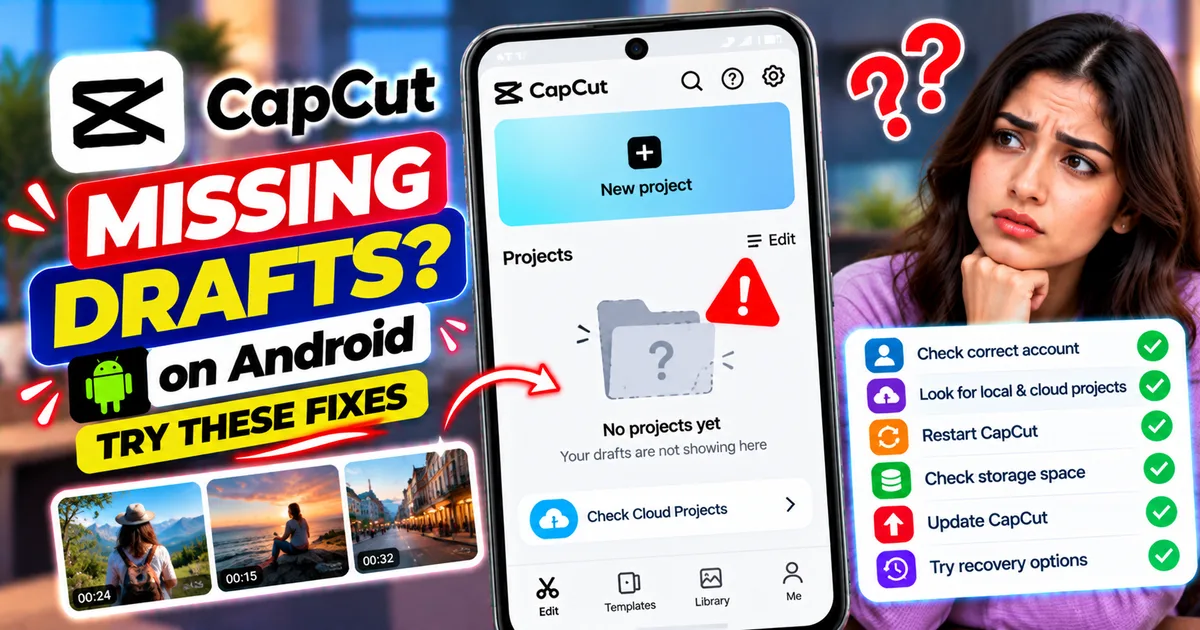
CapCut drafts disappeared on Android? Check your project list, account, local storage, and recovery options without risking unfinished video edits.
- Source
- Developer
- Package
- CapCut Premium
How to Fix CapCut Drafts Disappeared on Android
You open CapCut to continue editing a video, but your project is missing from the home screen. Perhaps a draft you spent hours editing has disappeared after restarting your phone, updating the app, or switching accounts.
Losing access to an unfinished video project can be stressful, especially when you have already arranged clips, added music, created captions, and adjusted effects. Before trying to recover it, however, it is important to avoid actions that could make the situation worse.
A missing CapCut draft does not always mean that the project has been permanently deleted. You may be viewing the wrong account or project section, experiencing a temporary loading problem, or dealing with a local project that is no longer accessible.
This guide explains how to troubleshoot missing CapCut drafts on Android, what to check before attempting recovery, and which actions to avoid if your unfinished edits are important.
Quick Answer: How to Recover Missing CapCut Drafts
If your CapCut drafts have disappeared on Android, try these steps in order:
- Return to the CapCut home screen and check the project list.
- Wait for the project thumbnails to finish loading.
- Confirm that you are using the correct CapCut account.
- Check any available local or cloud project sections.
- Restart CapCut and check the project list again.
- Restart your Android phone.
- Check whether the problem began after an app update or account change.
- Look for a Trash or Recently Deleted section if your version provides one.
- Check whether your projects were synced or backed up to an account.
- Contact CapCut support if the project remains missing.
Important: Do not uninstall CapCut, clear its app data, or use a cleaner app to delete its files while trying to recover a missing draft. These actions can remove local project information or make recovery more difficult.
There is no guaranteed recovery method for a permanently deleted local draft, so begin with checks that do not modify your project data.
Why Did My CapCut Drafts Disappear?
Several different situations can make an unfinished project appear to be missing.
1. You Are Using a Different Account
If you signed out, switched accounts, or logged in with a different account, the projects associated with your previous account may not appear in the current project list.
Cloud projects and local projects are not necessarily stored in the same place.
2. The Project List Has Not Loaded Correctly
CapCut may occasionally fail to display project thumbnails or refresh the home screen correctly.
If the list looks empty immediately after opening the app, give it a little time before assuming your drafts are gone.
3. You Are Looking in the Wrong Project Section
Depending on your CapCut version and workflow, projects may be displayed in different sections, such as local projects or cloud-based projects.
A project that was saved locally may not automatically appear in a cloud section, and a cloud project may require the appropriate account and connection to access it.
4. The App Was Uninstalled or Its Data Was Cleared
Local drafts can be affected when the app is uninstalled or its stored application data is removed.
CapCut warns that uninstalling the app may result in the loss of local drafts and unfinished projects.
If you recently uninstalled CapCut or selected Clear Data, recovery may be more difficult. Reinstalling the app does not guarantee that locally stored projects will return.
5. Your Project Was Deleted
If a draft was intentionally or accidentally deleted, it may no longer appear in the normal project list.
Some versions or workflows may provide a recovery or Trash option, but you should not assume that every deleted mobile draft can be restored.
6. Your Project Was Stored Locally Rather Than in the Cloud
A local draft may exist only on the device where it was created. It may not be available on another phone simply because you signed in with the same account.
Cloud access depends on whether the project was uploaded or synced using a supported workflow.
Step 1: Check the CapCut Home Screen Carefully
Before changing any settings, inspect the project list.
- Open CapCut.
- Return to the main home screen if you are inside the editor.
- Look for the Projects, Drafts, or similar project section available in your version.
- Wait for the thumbnails and project names to load.
- Scroll through the entire list.
- Look for a project with a different thumbnail or title than you remember.
Some projects may be easier to recognize by their thumbnail than by their name.
If you find the missing project, open it and check whether the timeline, media, audio, and edits are intact.
If the project list remains empty, continue to the next step.
Step 2: Confirm That You Are Using the Correct Account
If you recently signed out or changed accounts, check which account is currently active.
What to do
- Open CapCut.
- Go to your profile or account settings.
- Review the currently signed-in account.
- Compare it with the account you used when creating or syncing the missing project.
- If you previously used another account, consider signing back into that account using the normal sign-in process.
Do not repeatedly switch accounts without recording which one you originally used.
If the project was stored only on your device, changing accounts may not bring it back. This check is most relevant when you previously used cloud storage or account-based project syncing.
Step 3: Check Local and Cloud Projects
If your CapCut version provides separate local and cloud project views, inspect both.
Check Local Projects
Look for projects saved directly on your device. These may not be available on another phone or automatically synced to an online account.
Check Cloud Projects
If you previously uploaded or synced the project, open the relevant cloud or Space section and check whether it appears there.
Make sure you are using the correct account and that your connection is working.
Remember: Signing in does not automatically mean every locally saved project has been backed up to the cloud.
If you locate a cloud copy, open it carefully and confirm that it contains the edits you need.
Step 4: Wait for the Project List to Refresh
If CapCut displays an empty project list or blank thumbnails, the issue may be temporary.
Try the following:
- Return to the home screen.
- Wait briefly for the list to load.
- If appropriate, check your internet connection when accessing cloud projects.
- Close CapCut normally.
- Open the app again.
- Check the project list.
If you are using a cloud project, a stable connection may be necessary to retrieve it.
If local projects are missing as well, continue troubleshooting without deleting app data.
Step 5: Restart CapCut
A temporary app problem can sometimes interfere with how projects are displayed.
- Exit CapCut.
- Open Android's recent-apps screen.
- Close CapCut.
- Launch CapCut again.
- Return to the home screen.
- Check the project list.
If the draft reappears, open it and confirm that it works normally.
Restarting the app is a relatively low-risk troubleshooting step, but it cannot restore a project that has been permanently deleted.
Step 6: Restart Your Android Phone
If restarting CapCut does not help, restart the phone.
- Close CapCut.
- Open the phone's power menu.
- Select Restart.
- Wait for Android to start.
- Open CapCut again.
- Check the project list and any available local or cloud sections.
This may help resolve temporary app or system problems.
If the drafts remain missing, avoid repeatedly restarting the phone or installing random recovery applications. Move on to the checks below.
Step 7: Check Whether You Recently Updated or Reinstalled CapCut
Think about when the drafts disappeared.
Did the problem begin after you:
- Updated CapCut?
- Uninstalled and reinstalled it?
- Cleared app storage?
- Used a phone cleaner?
- Changed accounts?
- Reset your phone?
- Transferred your data to another device?
The timing can help narrow down the likely cause.
If You Only Updated the App
Check the home screen, account, and project sections first. Do not assume an ordinary update has deleted your projects.
If You Uninstalled the App
Local drafts may have been removed during uninstallation. Check for a cloud copy or another backup before making further changes.
If You Cleared App Data
Clearing data is different from clearing cache. It can remove locally stored application information, so the missing draft may not be recoverable through ordinary app settings.
Do not clear data again in the hope that the project will return.
Step 8: Look for a Trash or Recently Deleted Option
If you suspect that you accidentally deleted a project, inspect the available project-management options.
- Open CapCut.
- Look through the project library and its menus.
- Check whether a Trash, Recently Deleted, or similar section exists in your version.
- If you find the project there, read the available recovery instructions before making changes.
Not every CapCut version or type of local draft provides the same recovery options. If there is no relevant section, do not assume the project is recoverable through a hidden menu.
Avoid deleting other projects while searching for the missing one.
Step 9: Check for a Backup or Another Device
If the project was important, consider whether another copy might exist.
Check:
- A previous phone that you used for editing.
- A cloud project that you explicitly uploaded or synced.
- A device backup that includes relevant application data.
- Exported videos saved in your phone's Gallery or file manager.
- Copies of the original videos, images, voiceovers, and audio files.
An exported video is not the same as an editable CapCut draft. However, if the project cannot be recovered, the exported version may preserve the finished result.
Original media can also help you rebuild the project manually, although the original timeline, captions, effects, and precise edits may not be recoverable.
Do not restore a full-device backup without understanding what else it could replace on your phone.
Step 10: Avoid Actions That Could Make Recovery Harder
When a project disappears, it is tempting to try every possible fix. Some actions, however, can increase the risk of losing local information.
Do Not Clear App Data
Start with harmless checks rather than resetting the application.
Do Not Uninstall CapCut Immediately
Uninstalling may remove local drafts. First check for a backup and consider contacting support.
Do Not Delete CapCut Folders Manually
Deleting unfamiliar files or folders can remove project-related information. Do not alter application storage unless you understand what the files contain and have a reliable backup.
Be Careful With Recovery Apps
Avoid giving unknown recovery tools broad access to your phone, account, or personal media. An application cannot guarantee recovery of a project that has already been removed from storage.
Preserve Your Original Media
If you still have the source videos, photos, and audio, keep them safe. They may be essential if you eventually need to recreate the edit.
What If Your CapCut Draft Is Still Missing?
If the project does not appear after these checks, contact CapCut support through the app or its official Help Center.
Provide useful details, including:
- Your phone model.
- Your Android version.
- Your CapCut version.
- Whether you updated, reinstalled, or cleared data.
- Whether the draft was local or cloud-based, if known.
- Approximately when you last opened the project.
- Whether the project is missing from every section or only one.
- Screenshots of the current project list, if available.
Explain what happened before the project disappeared. This can help support distinguish an account or syncing issue from possible local data loss.
Avoid sending passwords or verification codes to anyone claiming to recover your draft.
How to Prevent CapCut Drafts From Disappearing Again
1. Protect Important Projects
Do not rely on a single local draft as the only copy of an important video project.
Where supported, use CapCut's legitimate cloud or project-syncing features and verify that the project is actually available there.
2. Keep Original Media
Retain the original clips, images, audio, and voiceovers used in your edits until the finished video and project are safely stored.
3. Export Important Finished Videos
Save a final video copy so that you still have the finished result if an editable draft becomes unavailable.
Remember that an exported video does not preserve all the separate editing elements of the original project.
4. Avoid Clearing App Data Casually
Clear Cache and Clear Data are different options. If you need to troubleshoot another CapCut problem, begin with less disruptive steps.
5. Verify Before Changing Devices
Before replacing your phone, resetting Android, or uninstalling CapCut, confirm where important drafts are stored and whether they have been backed up.
6. Keep CapCut Updated Carefully
Install updates from a trusted source. If you have important unfinished projects, confirm that they are accessible before performing major maintenance or reinstalling the app.
Frequently Asked Questions
Why did all my CapCut drafts disappear at once?
Possible explanations include a different signed-in account, a project list that has not loaded correctly, a local-data problem, or a change in where you are viewing projects. Check the account and all available project sections before assuming the drafts are permanently lost.
Can I recover deleted CapCut drafts on Android?
Recovery depends on how the project was stored and what happened to it. Check for a cloud copy, a device backup, or a recovery option available in your version. A permanently deleted local draft may not be recoverable.
Will reinstalling CapCut bring back my missing drafts?
Not necessarily. Uninstalling may remove local project information, and reinstalling does not guarantee that those projects will return. Check for backups and cloud copies first.
Is clearing CapCut cache safe when drafts are missing?
Clearing cache is generally less disruptive than clearing app data, but it is not a draft-recovery method. When a project is missing, start by checking your account and project list instead of making unnecessary changes to stored data.
Why are my CapCut drafts missing after changing phones?
Local projects may remain on the original device unless they were transferred or synced through a supported method. Check your previous phone and any available cloud projects or device backups.
Can I recover a CapCut draft from an exported video?
You can use an exported video as a reference or starting point for rebuilding an edit, but it generally will not restore the original editable timeline, individual clips, captions, and effects.
Why can I see my CapCut project on one device but not another?
The project may be saved locally on the first device or may not have been synced to the account you are using on the second device. Check the project location and whether cloud syncing was completed.
Does updating CapCut delete drafts?
An update does not automatically mean that your drafts have been deleted. If they disappear after an update, check the account and project list first. Avoid uninstalling the app or clearing its data while troubleshooting.
Final Thoughts
If your CapCut drafts have disappeared on Android, begin with the simplest checks: inspect the home screen, confirm the correct account, check local and cloud projects, and restart the app.
If the project is still missing, look for an available recovery option or backup and contact CapCut support. Unfortunately, a permanently deleted local draft may not be recoverable.
Most importantly, avoid uninstalling CapCut or clearing app data before you understand where your projects are stored. Protecting local drafts and original media is much safer than trying destructive fixes after a project goes missing.
Related Articles
Truecaller Caller ID Not Showing on Android? How to Fix It
Truecaller Caller ID not showing on Android? Fix missing caller names and caller ID pop-ups by checking permissions, display-over-other-apps settling
GetApkFree Team
Gemini App Not Working on Android? How to Fix It
Gemini not working on Android? Fix “Something went wrong” errors, failed prompts, endless loading, and app problems with practical checks for your connection, app updates, cache, and Google account.
GetApkFree Team
Canva App Keeps Crashing on Android? How to Fix It
Canva keeps crashing, freezing, or closing unexpectedly on Android? Troubleshoot app updates, Android System WebView, internet problems, storage, cache, and device settings with these practical fixes.
GetApkFree Team
ChatGPT App Login Error on Android: How to Fix “Something Went Wrong”
Getting a “Something went wrong” error when logging in to ChatGPT on Android? Check Google Play Store updates, browser sign-in settings, connectivity, and other safe troubleshooting steps.
GetApkFree Team