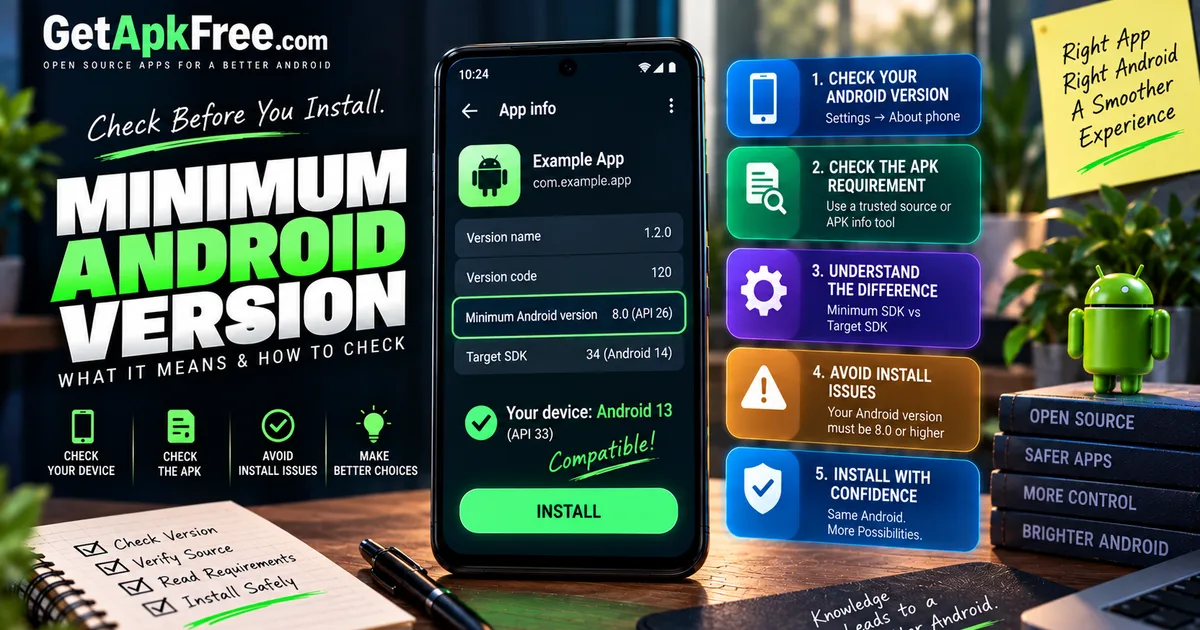
What Is an APK Minimum Android Version? How to Check App Requirements
GetApkFree Team
Learn what an APK minimum Android version means, how Android version requirements affect installation, and how to check whether an APK can run on your phone.
Quick Answer
Learn what an APK minimum Android version means, how Android version requirements affect installation, and how to check whether an APK can run on your phone.
An APK you're about to install lists "Requires Android 8.0 or higher" — but what does that actually mean for your phone, and what happens if you're not sure which Android version you're running? This guide focuses specifically on that one requirement: what a minimum Android version is, how it's different from a few related terms that get confused with it, and how to check both sides before you install anything.
What Does Minimum Android Version Mean?
An app's minimum Android version is a requirement declared in its own package metadata, stating the oldest Android platform level it's built to support. It isn't quite the same as "the oldest phone the app works on" — actual behavior on a given device can still depend on how the app is written and how that phone's software differs from a stock setup. What the minimum version reliably tells you is the floor the developer declared support down to, not a guarantee about every device above it.
Minimum Android Version vs API Level
Android versions and API levels are two ways of referring to the same underlying platform releases — the version number is what people see, while the API level is the numeric identifier Android tooling and app metadata actually use. Android 10, for example, corresponds to API level 29. You don't need a full mapping table to understand the concept: an app's metadata speaks in API-level terms even when a listing translates that into a friendlier version number.
Minimum SDK vs Target SDK
This distinction trips people up constantly. The minimum SDK (minSdk or minSdkVersion) is the oldest platform level an app declares it can run on. The target SDK (targetSdk) is a different value — the platform level the app was actually designed and tested against, which affects how Android applies certain behaviors to that app. Target SDK is not "the newest Android version supported," and the two values aren't interchangeable — an app can have a low minimum SDK to reach older devices while targeting a recent platform level for newer ones.
What Is minSdkVersion?
minSdkVersion is simply the technical name for the minimum SDK value inside an app's package metadata. It's not something typical users ever edit or interact with directly — developers set it when building a release, and it becomes part of what installation tools and Android's package manager can check against a device's platform level. As a user, what matters practically is knowing the value exists and where to find it, not manipulating it.
What Happens If Your Android Version Is Too Old?
When a device's platform level is below what an APK's minimum SDK requires, Android may prevent installation outright, depending on how the file is being installed. This isn't a guarantee in every scenario, but it's the ordinary, expected behavior — the app was never built or tested to run at that older platform level, so the system stops rather than risk an unstable install. This guide won't cover working around that check.
How to Check Your Android Version
A few general ways to find your phone's current Android version:
- Settings → About phone, which on most devices shows the version somewhere in that section, though wording and path shift between manufacturers.
- System or device information pages, sometimes located separately from About.
- A reputable device-information app, if your settings make this hard to find.
Interfaces genuinely differ across brands, so treat these as general places to look rather than an exact, universal set of taps.
How to Check an APK's Minimum Android Requirement
For the file itself, a few practical approaches:
- APK detail or metadata tools that read a package's manifest can show its declared minimum SDK directly, alongside other details like version and package name — the same inspection covered in our guide on checking an APK's version and other details.
- A trusted listing page, when one explicitly states the requirement — GetApkFree's own app catalogue is one example, listing the minimum Android version alongside each build.
- Package metadata inspection more generally, for anyone comfortable digging deeper than a summary.
A filename alone isn't reliable proof of an APK's minimum Android version — nothing requires a developer to encode that into the filename, so treat any apparent hint there as unconfirmed until you've checked the actual metadata.
Example: Comparing Android Version and APK Requirement
Say your phone runs Android 10, and an APK declares a minimum version of 8.0. Since your device's platform level is higher than the requirement, this condition is satisfied — the app should be eligible to install as far as this one check goes.
Now flip it: your phone runs Android 7, and the APK requires Android 9. Your platform level falls short of the declared minimum, and Android would ordinarily block the install on that basis.
A third scenario: your phone runs a perfectly adequate Android version, comfortably above the requirement — but the file is built for a different CPU architecture than your device uses. Android version alone doesn't rescue that mismatch; architecture compatibility is a separate condition, and meeting one doesn't excuse failing the other.
Android Version vs CPU Architecture
These answer different questions. Android version is about the operating-system platform level an app requires to run at all. CPU architecture is about which processor instruction set the app's native code is compiled for. A device can satisfy one while failing the other, so checking your Android version tells you nothing about architecture compatibility, and vice versa. Both need confirming independently as part of a full compatibility check.
Android Version vs APK Variant
Some apps distribute more than one build for the same release, and APK variants can differ along several dimensions — architecture, screen configuration, bundled resources, and sometimes platform-version requirements too. It's not the case that every variant carries a different minimum Android version; some variant sets share an identical requirement while differing only in architecture or resources. The point is that variant and Android-version compatibility are separate questions, not that one variant's requirement applies to every alternative.
Can a Newer APK Drop Support for Older Android?
Yes — a newer release can raise its minimum Android requirement compared to an older release of the same app, meaning an older version might have installed fine on a device while the newest release no longer does. This isn't universal; plenty of updates keep the same requirement for a long stretch of releases. When it does happen, reasonable explanations include relying on newer platform APIs, adopting modern libraries that need a higher baseline, deliberately dropping legacy support, newer security assumptions, or simply narrowing what the developer is willing to keep testing against.
Minimum Version vs Version Code
It's tempting to assume a newer release — a higher version code — automatically means a higher minimum Android requirement, but that's not guaranteed. Version code and minimum SDK are separate pieces of metadata, set independently by the developer. A release with a higher version code could keep an unchanged requirement or raise it. Don't infer one from the other — check the minimum requirement directly rather than assuming it from how new a release appears.
Common Mistakes When Checking APK Requirements
- Assuming target SDK is the newest supported version. It describes what the app was built and tested against, not an upper compatibility bound for users.
- Trusting a filename for version requirements. Filenames aren't a reliable source for this information.
- Assuming a higher version code means a higher Android requirement. The two are independent values.
- Treating "Android blocked installation" as proof a file is fake. A blocked install due to platform level is an ordinary compatibility outcome, not evidence of anything malicious.
- Assuming meeting the minimum guarantees everything works. It's one condition among several, not a full compatibility verdict.
What Android Version Information Can and Cannot Tell You
Knowing an APK's minimum Android version tells you whether one specific platform-level condition is satisfied — nothing more. It doesn't tell you whether the file is safe, official, authentic, unmodified, or free of anything malicious, and meeting the minimum doesn't guarantee full functionality, feature access, good performance, or compatibility with every device or variant. It's a real, useful signal — just one of several, not a stand-in for the rest.
Quick Compatibility Checklist
- Check your device's actual Android version through Settings or a trusted device-info source.
- Check the APK's declared minimum Android version through its metadata, not its filename.
- Confirm your version meets or exceeds the requirement.
- Separately confirm CPU architecture compatibility — it's an independent check.
- Don't assume a variant's requirement applies to every other variant of the same release.
- Remember meeting the minimum version is one condition, not a full guarantee.
Frequently Asked Questions
What is the minimum Android version for an APK? It's the oldest Android platform level a specific app declares support for in its own package metadata — not a universal number, since it varies app by app and release by release.
How do I check my Android version? Generally under Settings → About phone, or a similar device-information section, though exact wording varies by manufacturer.
How do I check an APK's minimum Android requirement? Use an APK metadata or information tool that reads the package directly, or check a trusted listing page that states the requirement explicitly.
Is minimum Android version the same as target SDK? No. Minimum SDK is the oldest platform level supported; target SDK is the platform level the app was designed and tested against — they serve different purposes.
What happens if my Android version is too old? Android may prevent installation, since the app wasn't built or tested to run at that platform level.
Can an older APK work on an older Android phone? Often yes, if that specific release's minimum requirement is low enough — which is why an older release can sometimes install where the newest one won't.
Does a higher version code mean a higher Android requirement? Not necessarily. Version code and minimum Android version are separate, independently set values.
Does meeting the minimum Android version guarantee compatibility? No. It satisfies one condition — architecture, variant, and other factors still need to be checked separately.
Final Thoughts
A minimum Android version requirement is a specific, checkable fact about an app release — not a vague suggestion, and not the whole compatibility picture either. Confirm your device's actual platform level, check the APK's declared requirement through its metadata rather than guessing from a filename, and remember that satisfying this one condition still leaves architecture, variant, and source to consider separately before you can be confident an install will genuinely work the way you expect.
Related Articles
Roblox Not Loading Games on Android? How to Fix It
Roblox games not loading on Android? Fix endless loading screens, failed connections, and games that close unexpectedly with practical checks for your network.
GetApkFree Team
Reddit Notifications Not Working on Android? How to Fix It
Reddit notifications not working on Android? Fix missing replies, comment alerts, chat notifications, and delayed updates by checking Reddit settings,
GetApkFree Team
Snapchat Camera Not Working on Android? How to Fix It
Is Snapchat’s camera showing a black screen or refusing to take photos on Android? Check camera permissions, update the app, clear its cache, and follow these practical troubleshooting steps.
GetApkFree Team
Pinterest Images Not Loading on Android? How to Fix It
Pinterest images not loading on Android? Fix blank Pins, missing pictures, endless loading, and feed problems with these practical troubleshooting steps.
GetApkFree Team