How to Check APK Target SDK and What It Means on Android
GetApkFree Team
Learn what an APK target SDK means, how to check an app's target SDK, how target SDK differs from minimum Android version, and why it matters.
Quick Answer
Learn what an APK target SDK means, how to check an app's target SDK, how target SDK differs from minimum Android version, and why it matters.
An APK's metadata sometimes lists a "target SDK" value, and it's easy to assume that's just another way of stating which Android version the app needs — but it isn't. Target SDK answers a different, more specific question than minimum Android version does, and confusing the two leads to some genuinely common misunderstandings. This guide gives target SDK its own focused treatment: what it actually means, how to check it, and what it can't tell you.
What Is an APK Target SDK?
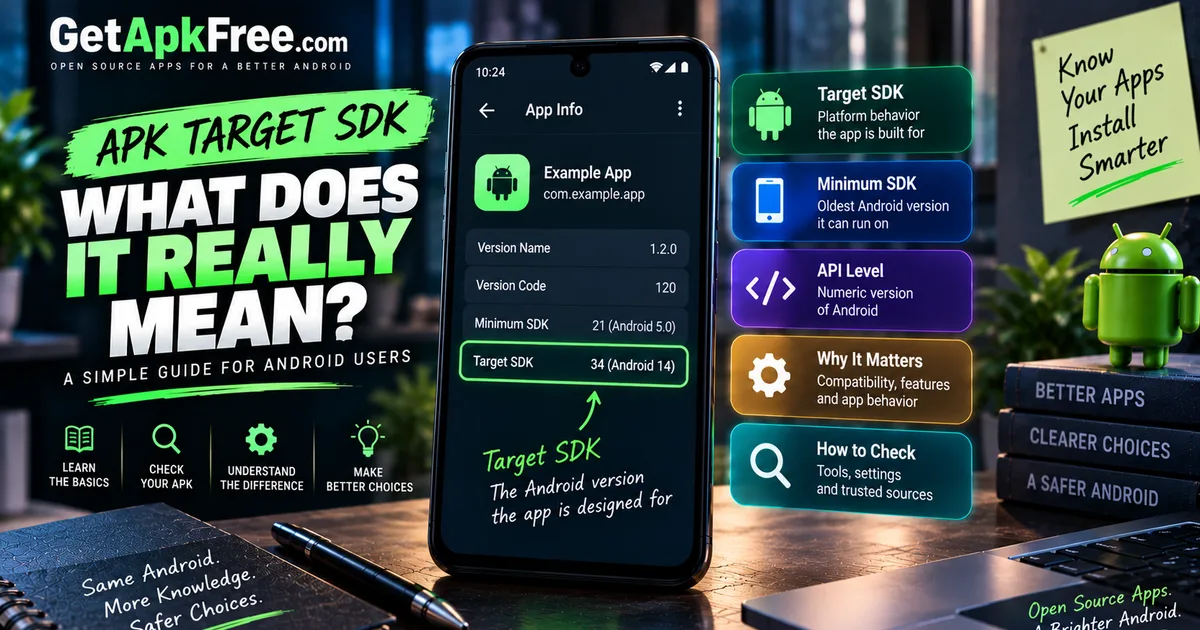
An app's target SDK (also called targetSdk, targetSdkVersion, or target API level — these refer to the same concept) is the Android API level the developer built and tested the app against for expected platform behavior. It's less about what your device needs and more about which platform rules the app was designed to work within. Android uses this declared value to decide how certain platform behaviors apply when that specific app runs.
Target SDK vs Minimum Android Version
Our guide on minimum Android version covers minSdk in full, so here's the short version of the distinction: minimum SDK is the oldest platform level an app declares it can run on at all, while target SDK is the platform level it was designed and tested against for how Android treats it. Target SDK is not the minimum Android version, and it's not "the newest Android version the app supports" either — it's simply the platform baseline the app's behavior is built around. An app can have a low minimum SDK to remain installable on older devices while carrying a much higher target SDK reflecting more recent development.
What Is an API Level?
Android versions and API levels describe the same platform releases from two angles — the version number is what people see, the API level is the numeric identifier used internally by app metadata and tooling. Android 10 corresponds to API level 29; Android 11 corresponds to API level 30. You don't need a complete mapping to follow along — an app's metadata simply expresses its target SDK in these API-level terms.
Why Do Android Apps Have a Target SDK?
Developers set a target SDK for practical reasons: to adopt newer platform behavior intentionally rather than by accident, to test their app against the specific API behavior of a recent Android release, to meet distribution requirements that expect apps to keep pace with the platform, to handle behavior changes Android introduces in newer versions, and sometimes to make use of newer APIs where relevant to the app. That said, declaring a target SDK doesn't automatically grant access to every API available at that level — it establishes the behavioral context the app runs under, not a blanket unlock of every new platform feature.
What Happens When an App Runs on Newer Android?
When an app targeting an older API level runs on a newer Android release, the system can apply certain compatibility behaviors — adjusting how some platform rules are enforced so the app continues functioning roughly as its developer expected, even though the platform underneath has moved on. Exactly which behaviors get this treatment, and how, depends on the specific Android release and the specific behavior in question — this isn't a single universal switch, so it's worth thinking of it as a general compatibility mechanism rather than a fixed, itemizable list.
How to Check an APK's Target SDK
Android's own Settings app generally doesn't expose granular package metadata like target SDK for ordinary users — this isn't information you'll typically stumble across just browsing an installed app's details. To actually see it, you'd look at:
- APK information or metadata tools that read a package's manifest directly, the same kind of inspection covered in our guide on checking an APK's version and package details.
- APK analysis or inspection utilities, including more developer-oriented tools, for a fuller metadata breakdown.
- A trusted listing page, on the occasions one explicitly states the target SDK rather than leaving it out — our own app catalogue is one such source.
An APK's filename is not reliable proof of its target SDK — naming conventions vary entirely by developer, distributor, and build process, so nothing about a filename confirms this value one way or the other.
Target SDK vs Version Code
These are independent properties, set separately by the developer. A higher version code does not necessarily mean a higher target SDK, and a newer-looking version name doesn't tell you anything about it either. A developer could release several updates in a row that raise the version code each time while leaving the target SDK completely unchanged, or vice versa. If you need to know the target SDK specifically, check it directly rather than inferring it from how new a release appears.
Target SDK vs APK Variant
Different builds of the same release can differ in various metadata and build configuration details, and target SDK is one property that variants can differ on — but it isn't guaranteed either way. Some variant sets share an identical target SDK across every build while differing only in architecture or bundled resources; others might not. There's no fixed rule requiring uniformity or requiring divergence, so it's not something to assume in either direction without actually checking.
Target SDK vs CPU Architecture
These answer entirely unrelated questions and neither substitutes for the other. CPU architecture is about which processor instruction set an APK's native code is compiled for. Target SDK is about which Android API level the app's platform behavior is built around. An app can have a perfectly appropriate target SDK for the Android release it's running on while still being built for the wrong processor architecture, and checking one tells you nothing about the other.
Example: Reading APK SDK Information
Say an APK's metadata shows a minimum SDK corresponding to Android 8.0 and a target SDK corresponding to Android 14. Here's what each value actually tells you: the minimum SDK means the app is meant to install and run down to devices running Android 8.0 or newer — that's the installation-eligibility floor. The target SDK means the developer built and tested the app's behavior against the Android 14 platform rules, so the app is designed with that more recent behavior in mind. Neither value alone guarantees the app installs successfully or runs flawlessly on any particular device — they describe two different aspects of the app's relationship to the platform, not a combined promise of full compatibility.
Does a Higher Target SDK Mean a Better App?
Not by itself. A higher target SDK generally reflects a developer keeping their app aligned with more recent Android platform behavior — which is a reasonable, often positive sign of active maintenance — but it isn't a quality score, a performance measurement, or a safety indicator. An app with a lower target SDK isn't automatically worse; it might simply not have been rebuilt against newer platform expectations recently, for reasons that have nothing to do with the app's actual quality.
Common Target SDK Mistakes
- Treating target SDK as the minimum Android version. They're separate values describing different things entirely.
- Assuming target SDK is the sole factor in whether an APK can install. Installation eligibility depends on multiple conditions, including minimum SDK and device/software conditions — target SDK isn't normally the deciding factor by itself.
- Assuming a higher version code implies a higher target SDK. These are independent metadata properties.
- Assuming every variant of a release shares (or differs in) target SDK. Check directly rather than assuming either way.
- Treating a high target SDK as proof of safety or quality. It reflects platform alignment, nothing about trustworthiness.
What Target SDK Can and Cannot Tell You
Target SDK tells you which Android API level's behavior an app was designed and tested around — a genuinely useful piece of context about how current the app's platform alignment is. It does not tell you whether the app is safe, official, unmodified, or free of anything malicious; it doesn't confirm support for every Android device or every device feature; it doesn't mean the app has access to the newest APIs simply by declaring a high number; and it says nothing about how well the app actually performs. Treat it as one piece of metadata worth knowing, not a verdict on the app itself.
Quick APK Metadata Checklist
- Check minimum SDK to know the installation-eligibility floor.
- Check target SDK separately to understand the platform behavior the app was built around.
- Don't infer one from the other, or from version code or version name.
- Check CPU architecture independently — it's an unrelated compatibility question.
- Confirm variant-specific metadata rather than assuming it matches other variants of the same release.
- Remember none of these values alone confirms safety or quality.
Frequently Asked Questions
What is target SDK in an APK? The Android API level a developer built and tested the app against, which affects how Android applies certain platform behaviors to that app.
Is target SDK the same as minimum Android version? No. Minimum SDK is the oldest platform level the app can install on; target SDK is the platform level its behavior is designed around — different purposes entirely.
How do I check an APK's target SDK? Use an APK metadata or inspection tool that reads the package manifest directly, since Android's own Settings app generally doesn't expose this for ordinary users.
Does a higher target SDK mean a newer Android app? It generally suggests more recent development activity, but it isn't a strict guarantee or a quality measurement on its own.
Does target SDK affect installation? It can factor into overall compatibility, but it isn't normally the sole determinant — minimum SDK and other device/software conditions matter too.
Does target SDK prove an APK is safe? No. It only describes platform-behavior alignment — nothing about the app's trustworthiness, authenticity, or safety.
Can two APK variants have different target SDK values? Yes, they can, though it isn't guaranteed — some variant sets share an identical target SDK while others may not.
Is target SDK the same as version code? No. They're independent metadata values set separately; neither can be reliably inferred from the other.
Final Thoughts
Target SDK is a specific, checkable piece of APK metadata describing which Android platform behavior an app was built around — distinct from minimum Android version, version code, architecture, and variant, even though all of these sometimes get lumped together in casual conversation. Check it directly through a proper metadata tool when it matters, and treat it as one useful data point among several rather than a stand-in for safety, quality, or full compatibility.
Related Articles

Roblox Not Loading Games on Android? How to Fix It
Roblox games not loading on Android? Fix endless loading screens, failed connections, and games that close unexpectedly with practical checks for your network.
GetApkFree Team
Reddit Notifications Not Working on Android? How to Fix It
Reddit notifications not working on Android? Fix missing replies, comment alerts, chat notifications, and delayed updates by checking Reddit settings,
GetApkFree Team

Snapchat Camera Not Working on Android? How to Fix It
Is Snapchat’s camera showing a black screen or refusing to take photos on Android? Check camera permissions, update the app, clear its cache, and follow these practical troubleshooting steps.
GetApkFree Team

Pinterest Images Not Loading on Android? How to Fix It
Pinterest images not loading on Android? Fix blank Pins, missing pictures, endless loading, and feed problems with these practical troubleshooting steps.
GetApkFree Team