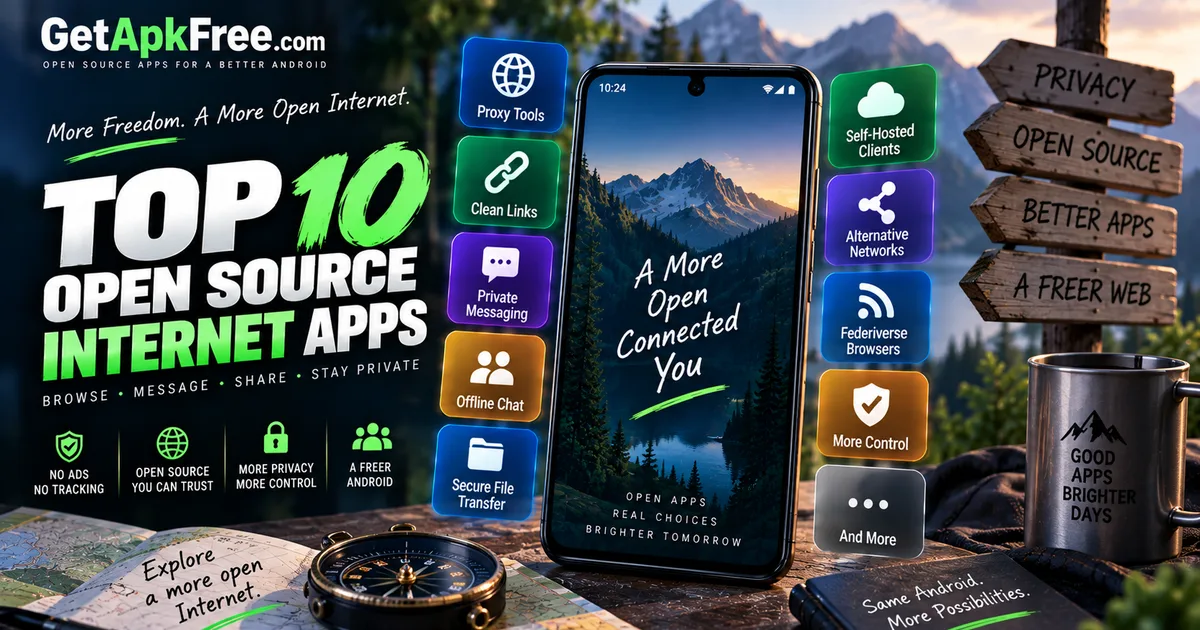
Best Open-Source Internet & Networking Apps for Android
GetApkFree Team
10 open-source, F-Droid-sourced Android apps for private messaging, proxying, self-hosted clients, file transfer, and the Fediverse.
Quick Answer
10 open-source, F-Droid-sourced Android apps for private messaging, proxying, self-hosted clients, file transfer, and the Fediverse.
If you've spent any time looking for alternatives to the big-name Internet apps on your phone, you've probably noticed a pattern: most of what shows up is either a thin wrapper around the same closed service, or a "privacy" app that asks you to just trust it. Open-source apps are different in one specific, verifiable way — the code is actually available for anyone to read, which is a real, checkable property rather than a marketing claim.
This guide covers ten open-source Internet and networking apps currently in GetApkFree's catalogue, chosen for what they actually do rather than how many people have downloaded them. Some replace a familiar function like SMS or file transfer with a more private version. Others are built around self-hosting, which means they're genuinely useful only if you already run (or are willing to run) the server component they connect to. We'll be upfront about that distinction throughout, rather than presenting every entry as a drop-in replacement for something mainstream.
How We Selected These Apps
A few ground rules shaped this list, worth stating plainly before the recommendations themselves:
- Every app here comes from GetApkFree's Internet category, the same catalogue you can browse directly.
- Every app here is one of GetApkFree's F-Droid-sourced catalogue entries. That's the basis for this article's open-source scope — entries from external, closed-distribution listings aren't included here — even ones that are well known and widely used. That's a deliberate scope decision, not an oversight.
- Selection is based on functional relevance and diversity of use case, not popularity. We picked apps that do genuinely different things — proxying, messaging, self-hosted clients, file transfer, and Fediverse browsing — rather than five variations on the same idea.
- We didn't use download counts to rank anything. The catalogue's current download figures for these apps are too low and too recent to say anything meaningful about real-world popularity, so we're not going to dress up a small number as a signal it isn't.
With that out of the way, here are the ten apps, grouped by what they're actually for.
A. Privacy & Proxy Tools
FreeProxy
FreeProxy routes an individual app's traffic through a SOCKS5 or HTTP proxy that you configure, rather than applying a proxy setting device-wide. It works on a per-app basis, letting you choose which specific app's traffic gets routed through the proxy you've configured.
Best for: someone who wants to route one particular app through a proxy without affecting everything else on the phone.
Key capability: per-app SOCKS5/HTTP proxy routing.
Minimum Android version: 7.0.
Worth knowing: you'll need a proxy server to point it at — FreeProxy is the client, not the proxy itself.
Link Clear
Link Clear does one job and does it plainly: it strips tracking parameters out of links before you open or share them. According to its own listing, it works offline, doesn't request any permissions, and keeps the whole process private and local to the device.
Best for: anyone who shares links a lot and wants to quietly drop the tracking parameters that often get tacked onto them.
Key capability: strips tracking parameters from shared links.
Minimum Android version: 8.0.
Worth knowing: this is a narrow, single-purpose tool — it cleans links, not general browsing data or app permissions.
B. Private & Alternative Messaging
SMSecure
SMSecure is a privacy-focused SMS app built around encrypted conversations. It's a straightforward category to describe but worth being precise about: its own listing describes it as privacy-focused and encrypted, without naming a specific encryption algorithm, so that's exactly as far as we'll go here too.
Best for: someone who wants their text conversations kept private without switching to a completely different messaging platform.
Key capability: privacy-focused, encrypted SMS conversations.
Minimum Android version: 7.0.
Worth knowing: check SMSecure's own compatibility and setup requirements before relying on it for a conversation, rather than assuming how it behaves on the other end.
Night Drop
Night Drop is built specifically for 1:1 conversations that route over the Tor network, with end-to-end encryption on top. That combination — one-to-one only, Tor-routed, encrypted — is a fairly specific design choice, and it's worth choosing this app because you actually want that combination, not because it sounds impressive.
Best for: a single private conversation where you specifically want Tor routing involved.
Key capability: 1:1 end-to-end encrypted chat over Tor.
Minimum Android version: 7.0.
Worth knowing: it's designed for one-to-one conversations, not group chat.
Knit
Knit is genuinely unusual on this list: it's encrypted chat that works without an internet connection or a server at all, using Wi-Fi Aware and Bluetooth to connect nearby devices directly. If your use case involves being somewhere with no internet access — hiking, a venue with no signal, an outage — this is the one entry here actually built for that.
Best for: encrypted messaging with people nearby when there's no internet connection available.
Key capability: encrypted chat over Wi-Fi Aware and Bluetooth, no internet or server required.
Minimum Android version: 10.0 — the highest requirement on this list, since Wi-Fi Aware itself is a relatively recent Android feature.
Worth knowing: this only works with other people running Knit nearby — it's not a way to message someone remotely.
Anonomi Messenger
Anonomi Messenger describes itself as decentralized messaging built for high-threat environments. We're intentionally not going further than that description into how the decentralization is actually implemented — the listing doesn't spell out the technical architecture, and we're not going to speculate on your behalf.
Best for: someone specifically looking for a decentralized approach to messaging, in a context where that property genuinely matters to them.
Key capability: decentralized messaging, described as intended for high-threat environments.
Minimum Android version: 7.0.
Worth knowing: if you need to understand exactly how the decentralization works before trusting it with something sensitive, that's a reasonable thing to research further before relying on the app's own description alone.
C. Self-Hosted Internet Clients
Atrium
Atrium is a control client for a self-hosted media stack. The word "control" is doing real work in that sentence — this isn't a media player itself, it's an app for managing a media server setup you already run.
Best for: someone who already has a self-hosted media stack and wants a mobile app to control it.
Key capability: controls a self-hosted media stack from one app.
Minimum Android version: 7.0.
Worth knowing: this app is not useful on its own — you need the self-hosted stack it's designed to connect to already running somewhere.
Folio
Folio is an RSS reader built specifically for a self-hosted FreshRSS server, rather than a general-purpose feed reader with its own backend. The same caveat applies here as with Atrium: this is a client for something you're expected to already be running.
Best for: someone who already runs FreshRSS and wants a dedicated Android client for it.
Key capability: RSS client for a self-hosted FreshRSS server.
Minimum Android version: 8.0.
Worth knowing: if you don't already have a FreshRSS instance, this app has nothing to connect to.
D. File Transfer
RelayPony
RelayPony handles encrypted file transfer directly between two phones, without an account or a cloud service sitting in the middle. That "no account, no cloud" framing is the app's own description of itself, and it's the clearest way to understand what makes it different from just emailing a file to yourself or uploading it somewhere first.
Best for: moving a file from one phone to another without routing it through a cloud service or creating an account anywhere.
Key capability: encrypted phone-to-phone file transfer, no account or cloud involved.
Minimum Android version: 6.0 — the lowest requirement on this list.
Worth knowing: both phones need RelayPony installed for a transfer to happen — it's not a one-sided upload tool.
E. Fediverse / Social Web
Skylib
Skylib is an alternative frontend for Bluesky, built so you can browse feeds and follows without needing a Bluesky account of your own. It depends on a Skylib instance — which, per its own listing, can be self-hosted or a public one — to actually work.
Best for: browsing Bluesky content without signing up for an account.
Key capability: browsing Bluesky feeds and follows without an account, via a Skylib instance.
Minimum Android version: 7.0.
Worth knowing: based on its own description, Skylib is oriented around browsing — we're not going to claim it supports posting unless that's something its listing actually states, and right now it doesn't.
Comparison Table
| App | Best for | Key capability | Requires self-hosting? | Min. Android |
|---|---|---|---|---|
| FreeProxy | Routing one app through a proxy | Per-app SOCKS5/HTTP proxy | No (needs a proxy server) | 7.0 |
| Link Clear | Cleaning tracking parameters from links | Strips tracking parameters | No | 8.0 |
| SMSecure | Private SMS conversations | Encrypted SMS | No | 7.0 |
| Night Drop | One private Tor-routed conversation | 1:1 E2E encrypted chat over Tor | No | 7.0 |
| Knit | Messaging with no internet available | Encrypted chat via Wi-Fi Aware/Bluetooth | No | 10.0 |
| Anonomi Messenger | Decentralized messaging | Decentralized messaging | No | 7.0 |
| Atrium | Controlling a self-hosted media stack | Media stack control client | Yes | 7.0 |
| Folio | Reading a self-hosted RSS server | FreshRSS client | Yes | 8.0 |
| RelayPony | Phone-to-phone file transfer | Encrypted transfer, no account/cloud | No | 6.0 |
| Skylib | Browsing Bluesky without an account | Bluesky frontend via a Skylib instance | Depends on instance | 7.0 |
How to Choose the Right App
There's no single "best" app in this list — they solve different problems, and picking one comes down to which problem you actually have.
If you want to route specific traffic differently, FreeProxy and Link Clear are the two tools here, and they're not competing with each other — one proxies a chosen app's connections, the other cleans tracking parameters from links you share.
If your priority is private conversation, the choice depends on your actual situation: SMSecure if you want to keep using SMS but with encryption, Night Drop if you specifically want Tor routing for a one-to-one chat, Knit if you need to message someone nearby with no internet connection at all, and Anonomi Messenger if a decentralized approach matters to you specifically.
If you already run self-hosted services, Atrium and Folio are the two apps here worth a look — but only if you already have the media stack or FreshRSS server they connect to. Neither is useful without that.
If you need to move a file between two phones directly, RelayPony is the one built for exactly that, without an account or cloud step.
And if you're curious about browsing the Fediverse without committing to an account, Skylib is the entry point here, with the caveat that it depends on having a Skylib instance available.
Before Installing
A few practical steps worth taking regardless of which app you choose. First, confirm the file is genuinely trustworthy before you install it — our guide on how to tell if an APK is safe covers checking the source, developer, and file integrity. Second, once you're looking at what a specific app requests, our guide on how to evaluate APK permissions explains how to judge whether a permission request actually makes sense for what the app does — genuinely useful here, since a messaging or file-transfer app asking for network access is expected, while an unrelated request would be worth a second look. And if you haven't sideloaded an APK before, our step-by-step installation guide walks through the actual process from download to first launch.
Beyond the normal APK installation process, some apps also have their own prerequisites, such as a proxy server, a self-hosted service, a compatible nearby device, or an available instance.
Browse More of the Catalogue
These ten are a starting point, not the entire Internet category — there's more in there covering messaging, self-hosted clients, and networking utilities we didn't include here, either because they served a very similar purpose to something already on this list or because their descriptions didn't give us enough to write about them confidently. If none of these ten quite fit what you're looking for, the full GetApkFree app catalogue is worth a browse.
Frequently Asked Questions
Are these apps actually open source? This article is restricted to GetApkFree's F-Droid-sourced catalogue entries, and that restriction is what defines its open-source scope. That's the specific reason this article is limited to these ten and excludes some well-known Internet apps that also happen to live in the same catalogue category but are listed as external, closed-distribution entries instead.
Do any of these require self-hosting? Two of them do: Atrium controls a self-hosted media stack, and Folio is a client for a self-hosted FreshRSS server. Neither is useful without already having that server component running. Skylib sits in between — it needs a Skylib instance, which can be self-hosted or a public one someone else runs.
Are any of these VPN apps? No. FreeProxy routes a chosen app's traffic through a proxy you configure, which is a related but distinct idea from a VPN — it doesn't claim to be one, and neither do we. None of the other nine apps here are VPN or proxy tools at all.
Can I use encrypted messaging without an internet connection? Yes, specifically with Knit — it's built to work over Wi-Fi Aware and Bluetooth without needing internet access or a server, as long as the person you're messaging is nearby and also running Knit. The other messaging apps on this list (SMSecure, Night Drop, Anonomi Messenger) do require a working connection.
Why isn't [a well-known app] on this list? This article is specifically scoped to F-Droid-sourced, open-source apps. Several widely used Internet apps exist in GetApkFree's catalogue too, but they're listed as external, official distributions rather than open-source builds — outside the scope of an article specifically about open-source alternatives.
Final Thoughts
Open-source doesn't automatically mean better, and none of these ten apps are trying to be a universal replacement for whatever you're currently using. What they offer is a genuinely different starting point: code you (or anyone) can inspect, and in several cases, a specific technical approach — Tor routing, offline mesh messaging, self-hosted control — that a mainstream app simply doesn't offer at all. Pick based on which specific problem you actually have, not which entry sounds the most impressive, and take the same install precautions you would with any APK from outside the Play Store.
Related Articles
Messenger Messages Not Sending on Android? How to Fix It
Messenger messages not sending on Android? Fix messages stuck on Sending, failed delivery, connection errors, and attachment problems by checking your network
GetApkFree Team

Roblox Not Loading Games on Android? How to Fix It
Roblox games not loading on Android? Fix endless loading screens, failed connections, and games that close unexpectedly with practical checks for your network.
GetApkFree Team
Reddit Notifications Not Working on Android? How to Fix It
Reddit notifications not working on Android? Fix missing replies, comment alerts, chat notifications, and delayed updates by checking Reddit settings,
GetApkFree Team

Snapchat Camera Not Working on Android? How to Fix It
Is Snapchat’s camera showing a black screen or refusing to take photos on Android? Check camera permissions, update the app, clear its cache, and follow these practical troubleshooting steps.
GetApkFree Team