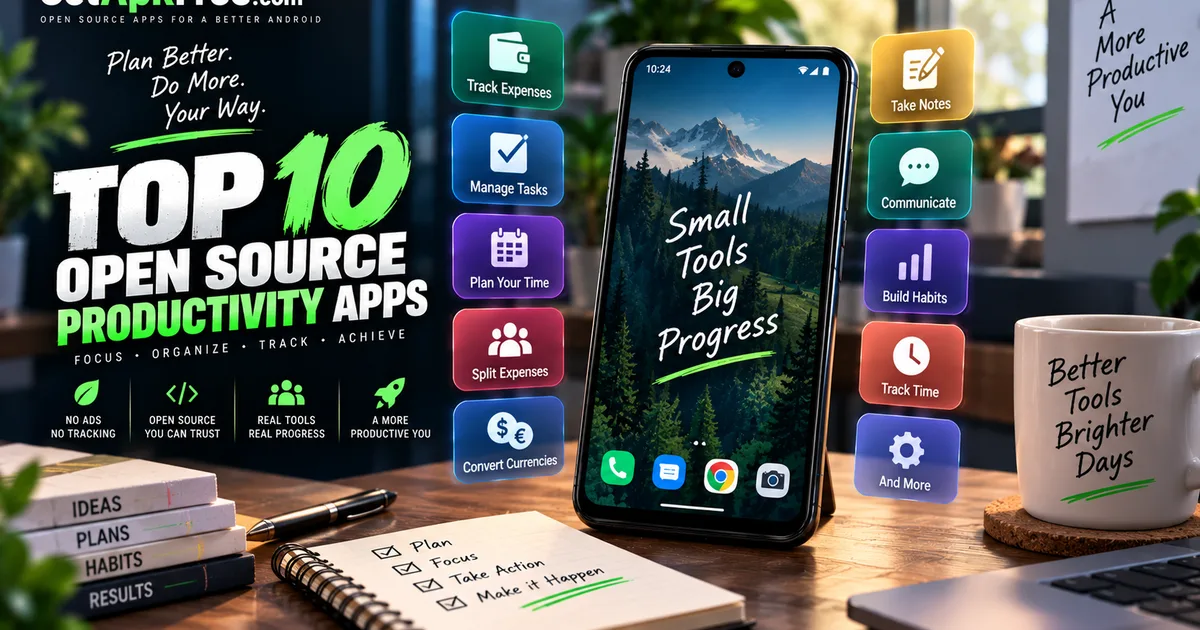
Best Open-Source Productivity Apps for Android
GetApkFree Team
10 open-source, F-Droid-sourced Android apps for expense tracking, tasks, calendars, work hours, habits, and unified messaging.
Quick Answer
10 open-source, F-Droid-sourced Android apps for expense tracking, tasks, calendars, work hours, habits, and unified messaging.
"Productivity" covers a lot of ground, and no single app is going to handle all of it. Tracking what you spent, remembering what you need to do, knowing when your shift technically ends, keeping a habit going — these are genuinely different problems, and the open-source apps built to solve them tend to stay narrow and specific rather than trying to be everything at once.
This guide covers ten open-source apps from GetApkFree's Productivity category, grouped by what they actually help with: money, tasks and time, communication, and work and habits. None of these ten is a drop-in replacement for a full productivity suite — they're smaller, more focused tools, and we'll be upfront about what each one does and doesn't cover rather than overselling any of them.
If you're used to a single app that tries to do everything — budgeting, calendaring, task lists, and messaging all bundled together — this list will look different. Each entry here does one job, and does only that job. That has a real trade-off: you'll likely end up running more than one of these side by side rather than settling on a single all-in-one tool, and switching between a few focused apps takes more deliberate habit-building than opening one dashboard. What you get in exchange is software built specifically around the problem it solves, rather than a general-purpose suite with a productivity module bolted on.
How We Selected These Apps
A few things shaped this list before we get into the recommendations:
- All ten apps come from GetApkFree's Productivity category, the same catalogue you can browse directly.
- Recommendations are restricted to F-Droid-sourced entries. This article is specifically about open-source apps, so a handful of well-known Productivity-category apps sourced from external, closed-distribution listings aren't included here. That's a deliberate scope decision.
- Selection prioritizes useful, diverse functions, not popularity. The Productivity category actually skews heavily toward personal health and fitness trackers and expense trackers — we picked across genuinely different needs instead of listing several apps that do close to the same thing.
- Download counts weren't used to rank anything. Every app in the current catalogue shows the same starting download figure, so there's no meaningful popularity signal to draw on yet. This is an editorial selection based on what each app does, not a popularity ranking.
One more thing worth being upfront about: the Productivity category on GetApkFree currently leans heavily toward personal health and fitness trackers — step counters, mood logs, sleep and habit apps — alongside a similarly large cluster of expense trackers. Those are legitimate productivity-adjacent tools, but stacking several of them here would have made for a repetitive, narrow list. We picked across a wider set of functions instead, and left the larger health-and-fitness cluster for a future, separately focused article rather than folding it into this one.
With that said, here are the ten apps, grouped by what they're for.
A. Money & Expenses
Tallybook
Tallybook is a straightforward expense and budget tracker. It is the broadest fit in this group for everyday expense and budget tracking, rather than focusing on a narrower scenario such as splitting a bill or converting currencies.
Best for: everyday personal expense and budget tracking.
Key capability: expense and budget tracking.
Minimum Android version: 7.0.
Quits
Quits is built specifically around splitting shared expenses privately, rather than general personal budgeting. If you're regularly settling up costs with roommates or travel companions, that's a distinct enough use case from Tallybook's day-to-day tracking to be worth its own entry.
Best for: privately splitting shared expenses with other people.
Key capability: privacy-preserving expense splitting.
Minimum Android version: 9.0.
Currency Converter
Currency Converter does one specific job: converting between currencies offline, with the ability to save favorites so you're not re-entering the same pairs repeatedly.
Best for: converting currencies without needing a live connection every time.
Key capability: offline currency conversion with saved favorites.
Minimum Android version: 7.0.
B. Tasks & Time
ForgetMeNot
ForgetMeNot is a todo and reminders app, with one feature that sets it apart from a generic list: integration with Obsidian. If you already keep notes in Obsidian, that connection is the reason to look at this one specifically rather than any other simple todo app.
Best for: someone who already uses Obsidian and wants their reminders connected to it.
Key capability: todo and reminders with Obsidian integration.
Minimum Android version: 12.0 — one of the higher requirements in this list.
Worth knowing: the Obsidian integration is the app's defining feature — if you don't use Obsidian, this is really just a todo app with reminders.
SayWhen
SayWhen takes a different approach to adding calendar events: you enter a natural-language phrase, and it goes on your calendar, rather than filling out separate fields for date, time, and title one at a time.
Best for: quickly adding calendar events without navigating a form.
Key capability: natural-language calendar entry.
Minimum Android version: 8.0.
mAlarm
mAlarm is a flexible, no-frills alarm scheduler. There's not much more to say about it than that — it's a focused utility for scheduling alarms, without extra features layered on top.
Best for: scheduling alarms with a focused, flexible alarm tool.
Key capability: flexible alarm scheduling.
Minimum Android version: 8.0.
Do The Thing
Do The Thing is described as a local-first personal coach that surfaces the right tasks each day, rather than a flat list you scroll through and pick from yourself.
Best for: someone who wants a daily task list curated for them rather than managing one manually.
Key capability: local-first daily task coaching.
Minimum Android version: 7.0.
Worth knowing: its own description doesn't spell out exactly how it decides which tasks to surface each day — worth trying it directly to see if the approach fits how you actually plan your day.
C. Communication
Axichat
Axichat's stated goal is to replace your email, messenger, and calendar with one app. That's a genuinely ambitious scope for a single tool, and it's worth understanding it as exactly that: one app handling three functions that are normally three separate apps, rather than an extension of any single one of them.
Best for: someone who wants email, messaging, and calendar consolidated into a single app instead of switching between three.
Key capability: unified email, messenger, and calendar.
Minimum Android version: 7.0.
Worth knowing: the app's own listing doesn't specify which email protocols or synchronization methods it supports, so it's worth checking that it works with your specific accounts before relying on it as your only client for any one of the three functions.
D. Work & Habits
Meine Gleitzeit / My Flextime
This is a local app for tracking your working hours and flexitime — useful if your job tracks hours against a flexible schedule and you want your own record independent of whatever your employer uses.
Best for: tracking your own working hours and flextime balance.
Key capability: work-hours and flextime tracking.
Minimum Android version: 7.0.
Tickdroid
Tickdroid is a companion app for Tickbuddy, a daily habit tracker that runs on Nextcloud. It's not a standalone habit tracker on its own — it's built specifically to work alongside that Nextcloud application.
Best for: someone who already runs Tickbuddy on a Nextcloud instance and wants an Android companion for it.
Key capability: companion app for the Nextcloud Tickbuddy habit tracker.
Minimum Android version: 12.0 — the highest requirement on this list.
Worth knowing: Tickdroid needs a working Tickbuddy installation on Nextcloud to be useful — without that, there's nothing for it to connect to.
Comparison Table
| App | Best for | Key capability | Prerequisite | Min. Android |
|---|---|---|---|---|
| Tallybook | Everyday expense/budget tracking | Expense and budget tracking | None | 7.0 |
| Quits | Splitting shared expenses privately | Privacy-preserving expense splitting | None | 9.0 |
| Currency Converter | Converting currencies offline | Offline conversion with favorites | None | 7.0 |
| ForgetMeNot | Todo/reminders linked to Obsidian | Obsidian-integrated reminders | Most useful with Obsidian | 12.0 |
| SayWhen | Fast calendar entry | Natural-language calendar entry | None | 8.0 |
| mAlarm | Flexible alarm scheduling | Flexible alarm scheduling | None | 8.0 |
| Do The Thing | Daily task coaching | Local-first daily task surfacing | None | 7.0 |
| Axichat | Consolidating email/messenger/calendar | Unified email, messenger, calendar | Check account/protocol support first | 7.0 |
| Meine Gleitzeit / My Flextime | Tracking work hours and flextime | Work-hours/flextime tracking | None | 7.0 |
| Tickdroid | Nextcloud Tickbuddy companion | Habit-tracker companion | Requires a Tickbuddy/Nextcloud setup | 12.0 |
How to Choose the Right App
There's no single winner here — these ten solve different problems, and the right one depends on which problem you actually have.
If you're managing money, the choice comes down to what exactly you're doing with it: Tallybook for everyday budgeting, Quits specifically when you're splitting costs with other people, and Currency Converter if the problem is converting between currencies rather than tracking spending at all.
If you're managing tasks and time, ForgetMeNot makes the most sense if you already live in Obsidian, SayWhen if fast calendar entry is what you're after, mAlarm if you just need a better alarm scheduler, and Do The Thing if you'd rather have your daily tasks curated than manage a list yourself.
If you want to consolidate communication, Axichat is the one entry built for that — but it's a bigger commitment than the others here, since it's asking to replace three separate tools rather than add one narrow function.
And for work and habits specifically, Meine Gleitzeit / My Flextime is useful the moment you install it, while Tickdroid only makes sense if you're already running Tickbuddy on Nextcloud — it has no function on its own without that.
These ten apps also differ in how much setup they may require. Tickdroid has the clearest prerequisite: it is a companion for Tickbuddy on Nextcloud. ForgetMeNot has a notable Obsidian integration, while Axichat is designed to combine email, messaging, and calendar in one app. The remaining choices are better evaluated by their specific use case and by the requirements stated in each app's listing.
Before Installing
A few practical steps worth taking before installing any of these. Confirm the file is genuinely trustworthy first — our guide on how to tell if an APK is safe covers checking the source, developer, and file integrity. Once you're looking at what a specific app requests, our guide on how to evaluate APK permissions explains how to judge whether a permission request actually makes sense for what the app does. And if you haven't sideloaded an APK before, our step-by-step installation guide walks through the process from download to first launch.
Browse More of the Catalogue
These ten aren't the entire Productivity category — it also includes a large number of personal health and fitness trackers we didn't cover here, since they serve a different enough purpose to warrant their own separate treatment rather than being folded into this list. If none of these ten quite fit what you're looking for, the full GetApkFree app catalogue is worth a browse.
Frequently Asked Questions
Are these apps actually open source? Yes — all ten are restricted to GetApkFree's F-Droid-sourced catalogue entries, which is the basis for this article's open-source scope. Some other apps in the Productivity category are listed as external, closed-distribution entries and were deliberately excluded here for that reason.
Which apps need a companion service? Tickdroid is the clearest case — it's a companion app for Tickbuddy, which has to already be running on a Nextcloud instance. ForgetMeNot's Obsidian integration is a similar but softer case: the app works as a standalone todo list too, the integration is just what makes it distinct.
Can these apps replace a full productivity suite? Not really, and that's not what any of them are trying to do. Each one covers a specific, narrow function — expense tracking, calendar entry, alarms, and so on — rather than bundling everything a productivity suite typically offers. Axichat comes closest to consolidating multiple functions, but even that's limited to email, messaging, and calendar specifically.
Which apps work offline? Currency Converter explicitly works offline, and Do The Thing is described as local-first. The other apps' own listings don't make an explicit offline claim either way, so we're not going to assume one for them here.
Is Tickdroid usable without Nextcloud Tickbuddy? No — it's built specifically as a companion to that application, and its own description makes clear it needs a working Tickbuddy setup on Nextcloud to function.
Final Thoughts
None of these ten apps is trying to be a universal productivity solution. What this selection shows instead is how focused tools can cover different needs, from expense tracking and reminders to work-hour and habit tracking. Pick based on the actual problem you have, check the prerequisites listed above before installing anything that needs a companion service, and take the same install precautions you would with any APK from outside the Play Store.
Related Articles
Facebook App Keeps Crashing on Android? How to Fix It
Is Facebook crashing, freezing, or refusing to open on Android? Follow these troubleshooting steps to fix app crashes, clear cache safely, and restore normal use.
GetApkFree Team
TikTok Videos Not Loading on Android? How to Fix It
TikTok videos not loading on Android? Troubleshoot endless buffering, black screens, failed playback, and loading errors with these practical steps.
GetApkFree Team
YouTube Videos Not Playing on Android? How to Fix It
YouTube videos not playing on Android? Troubleshoot buffering, playback errors, black screens, connection problems, and app issues with these practical fixes.
GetApkFree Team
Instagram Reels Not Playing on Android? How to Fix It
Instagram Reels not playing on Android? Fix buffering, black screens, loading errors, and playback problems with these practical troubleshooting steps.
GetApkFree Team