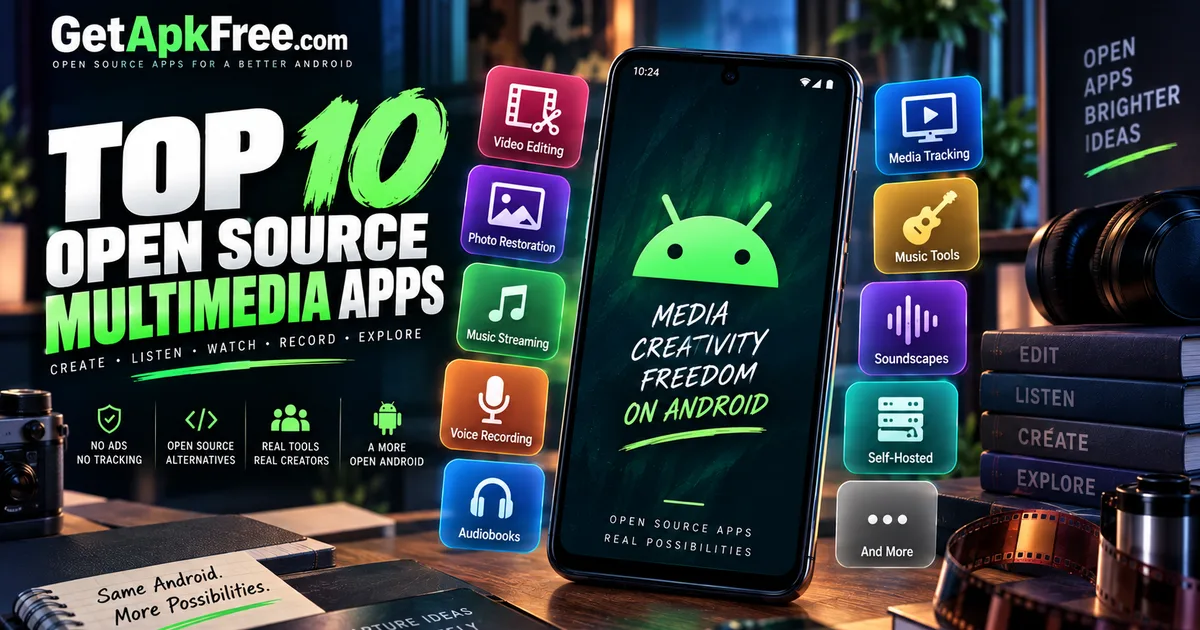
Best Open-Source Multimedia Apps for Android
GetApkFree Team
10 open-source, F-Droid-sourced Android apps for video editing, self-hosted streaming, voice memos, photo restoration, and more.
Quick Answer
10 open-source, F-Droid-sourced Android apps for video editing, self-hosted streaming, voice memos, photo restoration, and more.
"Multimedia" is one of the broadest labels a catalogue can use, and it's tempting to fill a list like this with ten interchangeable music or video players. That's not what this one does. The apps below cover ten genuinely different jobs — editing raw footage, restoring old film negatives, streaming from a server you run yourself, recording a voice memo with an offline transcript, tracking what you've watched, tuning an instrument, and building a custom ambient soundscape, among others. If you came here expecting a top-ten list of near-identical media players, this isn't quite that, and that's deliberate.
This guide covers ten open-source apps from GetApkFree's Multimedia category, chosen specifically because each one does something the others don't. Some are ready to use the moment you install them; a few need something else already in place — a self-hosted server, a specific Android version, an existing habit you're trying to support. We'll be upfront about which is which, rather than presenting all ten as equally plug-and-play.
How We Selected These Apps
A few ground rules shaped this list before any app made it in:
- All ten apps come from GetApkFree's Multimedia category, sourced from F-Droid — the same catalogue you can browse directly. This article is specifically about open-source apps, so the Multimedia category's external, closed-distribution listings (well-known proprietary streaming and creative apps included) aren't part of this list. That's a deliberate scope decision, not an oversight.
- Selection prioritizes functional variety, not popularity. Download counts across the current catalogue sit at or near zero for nearly every app, Multimedia included, so there's no meaningful popularity signal to rank by yet. This is an editorial selection based on what each app actually does.
- The Multimedia category itself skews toward self-hosted music and audiobook clients — a genuinely useful cluster, but one that would make for a repetitive list if several near-identical entries were included side by side. Only the strongest one or two representatives of that cluster made the final ten; the rest of the list goes wide instead.
- Being open-source and F-Droid-sourced describes where an app comes from, not a guarantee about what it does or how well it works. None of the descriptions below go beyond what each app's own listing states.
With that said, here are the ten apps, grouped by what they're actually for.
Creation & Restoration
LibreCuts Beta
LibreCuts is a free, open-source, privacy-friendly video editor for Android — currently at version 1.0-beta7. LibreCuts is currently a beta video editor, so it is worth keeping that release status in mind when evaluating it; the catalogue doesn't say anything further about stability or completeness beyond that. If you're looking for a way to cut and assemble video on-device without a subscription-based or closed-source app, this is the entry worth trying, going in with that beta status in mind.
Best for: editing video on-device, for someone willing to work with beta software.
Size: 56.9 MB — the largest app in this list by a wide margin, worth knowing before you download on a limited connection.
Minimum Android version: 8.0.
Worth knowing: the app requests 8 permissions, 2 of which the catalogue flags as worth a closer look before installing — not a red flag on its own, just something to check against what a video editor plausibly needs.
FilmFlip
FilmFlip does one very specific job: it captures film negatives with your phone's camera and recovers them into normal-looking photos. Its own listing spells out exactly how — automatic white balance, negative inversion, gamma/contrast/brightness/warmth adjustment, image rotation and cropping, and a built-in backlight for illuminating the film strip while you shoot it. Nothing else in this category does anything like it.
Best for: digitizing old film negatives with just a phone camera, no dedicated scanner.
Size: 2.5 MB — one of the smallest apps on this list.
Minimum Android version: 9.0.
Worth knowing: the app's catalogue listing currently has no screenshots, so you're working from the feature description above rather than a visual preview before installing.
Self-Hosted Streaming & Audiobooks
Tempus
Tempus describes itself as an open-source and privacy-focused music client for Subsonic. The important word there is client — Tempus doesn't stream music on its own; it connects to a Subsonic music service or server that you already have available or plan to set up. If that's already part of your setup, Tempus is a dedicated Android front end for it instead of relying on a browser tab.
Best for: someone who already runs, or is setting up, a Subsonic-compatible music server and wants a proper Android client for it.
Size: 9.0 MB.
Minimum Android version: 7.0.
Worth knowing: without an existing Subsonic-compatible server, there's nothing for Tempus to connect to — it isn't a standalone music player.
Storii - audiobookshelf client
Storii is a client for Audiobookshelf, with offline downloads and background playback. Like Tempus, it's built specifically to work alongside a server you run yourself — in this case, an Audiobookshelf instance — rather than to play audiobooks on its own out of the box.
Best for: someone already running Audiobookshelf who wants a dedicated Android app instead of the web interface.
Size: 25.9 MB.
Minimum Android version: 7.0.
One thing to have ready: Storii needs a working Audiobookshelf server to be useful. Offline downloads and background playback are features of how it plays audiobooks from that server, not a way to use the app without one.
Recording, Tracking & Media Utilities
Diktafon: Voice Memos on Tape
Diktafon frames voice memos as cassette tapes, and its own listing describes the recordings as "transcribed & summarised offline, on device." That's a genuinely distinct pitch: a voice recorder that also gives you a text version of what you said, without sending audio anywhere to process it. We're repeating that claim exactly as the app's own listing states it — nothing here can speak to how accurate the transcription or summary actually turns out to be in practice.
Best for: recording voice memos and getting an on-device transcript, without cloud processing.
Size: 32.4 MB.
Minimum Android version: 7.0.
Worth knowing: the app requests 8 permissions, with 1 flagged as worth reviewing in the catalogue — reasonable to expect from an app handling microphone audio and on-device processing, but still worth a look via the permissions guide linked below.
Seenema: Movie Tracker
Seenema tracks and rates the films and shows you've watched, with an explicit "no account, no ads" pitch from its own listing. It's a logging tool, not a player — the value is in building a personal watch history over time rather than in playing anything back. That framing is worth calling out specifically for anyone who's used a mainstream watch-tracking service before and would rather keep that list on their own device than tied to an account somewhere else; "no ads" means nothing is competing for attention while you're just trying to log what you watched.
Best for: keeping a personal log of what you've watched and rated, without signing up for anything.
Size: 3.0 MB — one of the smallest and simplest apps on this list.
Minimum Android version: 8.0.
LibreStatus
LibreStatus lets you view, save and share statuses from WhatsApp, entirely offline. To be clear about what that means: this is an independent, open-source tool that reads status media saved locally on your device — it is not made by, affiliated with, or endorsed by WhatsApp or Meta. If you've ever wanted to save a friend's WhatsApp status before it expires, this is built for exactly that, without needing an internet connection to do it.
Best for: saving and sharing WhatsApp statuses before they disappear.
Size: 16.8 MB.
Minimum Android version: 7.0.
Worth knowing: the app requests 5 permissions, with 1 flagged as worth reviewing — worth checking against what a status-saving tool needs access to on your device.
Live Media & Music Tools
FeedTV
FeedTV brings together TV, radio and RSS news in one app, and supports custom M3U lists. It's a player for streams and playlists you point it at, rather than a source of content on its own — GetApkFree doesn't provide or curate any channels, streams, or playlists here. You'll need your own M3U playlists or RSS feed URLs already in hand before FeedTV has anything to show you; if you already keep a personal list of streams from elsewhere, this consolidates watching and listening to them into one app instead of several.
Best for: someone who already has M3U playlists or RSS feeds they want to browse and play from a single app.
Size: 7.8 MB.
Minimum Android version: 7.0.
Tuner
Tuner listens through your microphone and shows, in real time, how close each note is — a chromatic tuner with automatic note detection and cent-level pitch precision. Its own listing is specific about what it deliberately leaves out: no advertisements, no trackers, no unnecessary permissions, alongside light and dark theme support.
Best for: tuning an instrument with a clean, distraction-free interface.
Size: 2.3 MB — one of the smallest apps in this list.
Minimum Android version: 7.0.
Worth knowing: 2 permissions requested, 1 flagged as worth reviewing — reasonable for an app that needs microphone access to function at all, but still worth checking against what it actually asks for.
Ambio: Focus Timer & Sounds
Ambio lets you blend up to 3 of 12 ambient sounds into a focus soundscape you build yourself, rather than picking one fixed ambient track. It rounds out this list with something outside playback, editing, or tracking entirely — an audio tool built around helping you concentrate.
Best for: building a custom ambient soundscape for focus, rather than looping a single fixed track.
Size: 11.9 MB.
Minimum Android version: 12.0 — the strictest requirement on this list by a clear margin, so it's worth checking your device meets it before you try to install this one.
Before you install: 7 permissions requested for an app that's fundamentally about playing blended ambient audio — worth a glance at what it's asking for.
Comparison Table
| App | Best for | Size | Minimum Android | Screenshots |
|---|---|---|---|---|
| LibreCuts Beta | On-device video editing (beta) | 56.9 MB | 8.0 | 4 |
| FilmFlip | Restoring film negatives via phone camera | 2.5 MB | 9.0 | None currently |
| Tempus | Subsonic-compatible music streaming | 9.0 MB | 7.0 | 8 |
| Storii | Audiobookshelf client | 25.9 MB | 7.0 | 8 |
| Diktafon | Voice memos with offline transcript | 32.4 MB | 7.0 | 8 |
| Seenema | Tracking watched films and shows | 3.0 MB | 8.0 | 5 |
| LibreStatus | Saving WhatsApp statuses offline | 16.8 MB | 7.0 | 4 |
| FeedTV | Playing TV, radio and RSS via M3U lists | 7.8 MB | 7.0 | 4 |
| Tuner | Chromatic instrument tuning | 2.3 MB | 7.0 | 2 |
| Ambio | Custom ambient focus soundscapes | 11.9 MB | 12.0 | 5 |
How to Choose
There's no single "best" app here — these ten solve genuinely different problems, so the right one depends entirely on which problem you actually have.
If you're creating or restoring media, LibreCuts is the one to try for on-device video editing, with the caveat that it's still beta software. FilmFlip is worth a look specifically if you have old film negatives and a phone camera, and nothing else on this list does what it does.
If you already self-host a media server, Tempus and Storii are built for you specifically — Tempus if that server speaks the Subsonic protocol, Storii if it's an Audiobookshelf instance. Neither is useful without that server already in place, so this pair only makes sense if self-hosting is already part of your setup, or something you're actively planning.
If you want to record, track, or save something, Diktafon covers voice memos with an offline transcript, Seenema covers a personal watch log for films and shows, and LibreStatus covers saving WhatsApp statuses before they vanish — three distinct utilities that happen to share a "capture and keep" theme.
And if you're after live media or a musician's tool, FeedTV is the pick for TV, radio and RSS via your own M3U lists, Tuner is a focused chromatic tuner for instruments, and Ambio is for building a custom ambient soundscape rather than looping one fixed track.
Before Installing
A few practical steps worth taking before installing any of these. Confirm the file is genuinely trustworthy first — our guide on how to tell if an APK is safe covers checking the source, developer, and file integrity. Several of the apps above request permission sets the catalogue flags as worth a second look; our guide on how to evaluate APK permissions explains how to judge whether a given permission request actually makes sense for what an app does. And if you haven't sideloaded an APK before, our step-by-step installation guide walks through the whole process from download to first launch.
Browse More of the Catalogue
These ten aren't the entire Multimedia category — it also includes a large cluster of self-hosted music and audiobook clients beyond the ones featured here, along with entries this article deliberately left out of scope. If none of these ten quite fit what you're looking for, the full GetApkFree app catalogue is worth a browse.
Frequently Asked Questions
What are the best open-source multimedia apps for Android? There's no single answer — it depends on what you're trying to do. This list covers ten genuinely different jobs: editing video, restoring film negatives, streaming from a self-hosted server, recording voice memos with a transcript, tracking watched films, saving WhatsApp statuses, playing live TV/radio/RSS, tuning an instrument, and building an ambient soundscape.
Can I use Tempus without a music server? No. Tempus is a client for Subsonic, so you'll need a compatible music service/server already available to use it — it isn't a standalone music player.
Does Storii work without an Audiobookshelf server? No, for the same reason as Tempus — Storii is built specifically as a client for an existing Audiobookshelf instance, not a standalone audiobook player.
Which app can scan film negatives? FilmFlip is the one built for this specifically — it captures film negatives through your phone's camera and recovers them into normal photos, with tools for white balance, inversion, and contrast adjustment built in.
Which app works for live TV and radio? FeedTV, provided you already have M3U playlists or RSS feeds to point it at — it plays and organizes streams you supply rather than providing content of its own.
What Android version does Ambio require? Android 12.0 or newer — the highest requirement of any app in this list, so it's worth checking your device before installing it.
Is LibreStatus affiliated with WhatsApp? No. LibreStatus is an independent, open-source tool that reads status media saved locally on your device. It has no connection to WhatsApp or Meta.
Final Thoughts
None of these ten apps is trying to be a universal media app, and several of them only make sense once you know what they need from you first — a self-hosted server, a specific Android version, or an acceptance that you're running beta software. Pick based on the actual job you have, check the prerequisites above before installing anything that needs one, and take the same install precautions you would with any APK from outside the Play Store.
Related Articles
Facebook App Keeps Crashing on Android? How to Fix It
Is Facebook crashing, freezing, or refusing to open on Android? Follow these troubleshooting steps to fix app crashes, clear cache safely, and restore normal use.
GetApkFree Team
TikTok Videos Not Loading on Android? How to Fix It
TikTok videos not loading on Android? Troubleshoot endless buffering, black screens, failed playback, and loading errors with these practical steps.
GetApkFree Team
YouTube Videos Not Playing on Android? How to Fix It
YouTube videos not playing on Android? Troubleshoot buffering, playback errors, black screens, connection problems, and app issues with these practical fixes.
GetApkFree Team
Instagram Reels Not Playing on Android? How to Fix It
Instagram Reels not playing on Android? Fix buffering, black screens, loading errors, and playback problems with these practical troubleshooting steps.
GetApkFree Team