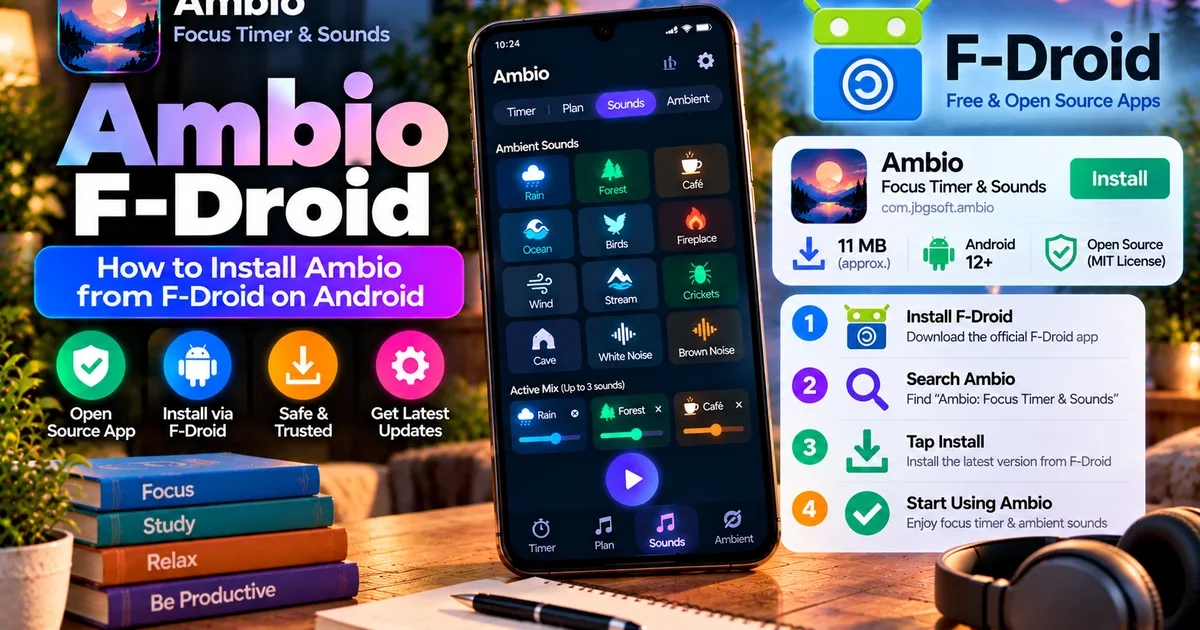

This article is about
Ambio: Focus Timer & Sounds
Jaime Barreto · Multimedia
Ambio F-Droid: How to Install Ambio on Android
GetApkFree Team
Learn how to install Ambio from F-Droid, check the current version, Android requirement, permissions, and update Ambio safely.
- Version
- 2.0.0
- Requires
- Android 12.0+
- License
- MIT
- Source
- F-Droid
- Package
- com.jbgsoft.ambio
Ambio F-Droid: How to Install Ambio on Android
If you're looking for Ambio F-Droid, you can install Ambio through the F-Droid ecosystem instead of downloading an APK from an unknown third-party source.
Ambio: Focus Timer & Sounds is an open-source Android app that combines a focus timer with customizable ambient sounds. The current F-Droid listing includes Ambio 2.1.1, requires Android 12 or newer, and provides builds for arm64-v8a, armeabi-v7a, x86, and x86_64 devices.
In this guide, we'll explain what Ambio's F-Droid version is, how to install it, what version is currently listed, and what you should check before installing.
What Is Ambio F-Droid?
Ambio is available through F-Droid, an Android software repository focused on free and open-source applications.
The F-Droid listing identifies Ambio as Ambio: Focus Timer & Sounds and lists the application under the package name com.jbgsoft.ambio.
Ambio itself is released under the MIT License. Its F-Droid listing provides the source-code, build metadata, changelog, and version information alongside the available Android builds.
For users who specifically look for open-source Android applications, the F-Droid distribution provides another way to obtain Ambio.
What Version of Ambio Is on F-Droid?
At the time of writing, the current suggested F-Droid release is Ambio 2.1.1.
The 2.1.1 release includes fixes related to the themed icon and playback behavior. The release notes also address an issue where leaving the app after playback had been stopped or paused could leave the notification or playback service in an unexpected state.
The F-Droid listing shows the current release as requiring Android 12 or newer.
It also provides builds for:
- arm64-v8a
- armeabi-v7a
- x86
- x86_64
If your phone runs Android 11 or an older version, check the Android requirement before attempting to install the current release.
How to Install Ambio from F-Droid
The easiest approach is to use the official F-Droid client.
Step 1: Install F-Droid
First, install the F-Droid client on your Android phone from the official F-Droid website.
F-Droid provides its own installation documentation and recommends using the F-Droid client for managing applications.
When installing the F-Droid client for the first time, Android may ask you to allow your browser to install apps from that source. The exact wording and location of this setting can vary depending on your Android version and phone manufacturer.
Step 2: Open F-Droid
After installing F-Droid, open the application.
The client needs to retrieve repository information before it can display the latest available applications. Depending on your connection and device, the initial repository update can take some time.
Once the repository information has been refreshed, you can search for applications.
Step 3: Search for Ambio
Use the search function inside F-Droid and enter:
Ambio
Look for:
Ambio: Focus Timer & Sounds
Check the developer and package information before installing.
The package name for Ambio is:
com.jbgsoft.ambio
Checking the package name is useful when several applications have similar names.
Step 4: Open the Ambio Listing
Open the Ambio listing and review the available information.
Before installing, check:
- Current version
- Android requirement
- Permissions
- Developer
- License
- Available builds
- Changelog
For the current F-Droid release, the listing shows Ambio 2.1.1 and Android 12 or newer.
Step 5: Tap Install
If your device meets the requirements, choose the install option.
Android may display a system confirmation before the installation completes.
Follow the Android prompts and wait for the installation to finish.
Once installed, Ambio should appear in your application drawer like any other Android application.
Can You Download the Ambio APK Directly From F-Droid?
Yes.
F-Droid provides APK downloads for Ambio's releases.
However, F-Droid itself recommends using the F-Droid client rather than manually installing individual APK files. Its documentation notes that direct APK installation does not provide the same update experience as using the client and is considered less secure by the F-Droid project.
If you manually download an Ambio APK, make sure you're using the actual F-Droid listing rather than an unrelated download site.
You should also verify the version and Android requirement before installing.
How Large Is the Ambio F-Droid APK?
The current F-Droid listing shows the Ambio 2.1.1 APK at approximately 11 MiB.
The actual amount of storage used after installation can differ from the downloaded APK size because Android manages application files and installed components differently.
If storage is your main concern, we've covered the topic separately in our guide to Ambio APK size.
What Android Version Does Ambio F-Droid Require?
The current Ambio F-Droid release requires:
Android 12 or newer
This requirement applies to the current listed build. Older Ambio releases can have different requirements, so don't assume that every historical APK has exactly the same compatibility range.
Before downloading an older version, check its specific Android requirement.
For more details, see our guide on Ambio Android requirements.
What Permissions Does Ambio Request?
The current F-Droid listing shows several Android permissions and capabilities associated with Ambio.
These include permissions related to:
- Network connection information
- Foreground services
- Media playback foreground services
- Notifications
- Vibration
- Preventing the device from sleeping
- An application-specific dynamic receiver permission
These permissions are related to features such as background audio playback, media controls, notifications, and keeping playback active.
A permission by itself does not automatically indicate that an application is unsafe. What matters is whether the requested access makes sense for the application's functions and how the specific build was obtained.
For a more detailed explanation, see our Ambio permissions guide.
What Can You Do With Ambio?
Installing Ambio through F-Droid gives you access to the same core application experience provided by the listed release.
Ambio can combine up to three of its twelve ambient sounds at the same time.
The available sounds include:
- Rain
- Fireplace
- Café
- Forest
- Birds
- Crickets
- Ocean
- Stream
- Cave
- Wind
- White Noise
- Brown Noise
Each selected sound can have its own level, allowing you to create a custom mix.
Ambio also includes a focus timer with 25-minute and 50-minute presets, custom focus and break durations, session plans, Ambient Mode, session history, background playback, and a sleep timer.
The exact feature set depends on the version you install, so checking the release information is important when using an older APK.
Does Ambio F-Droid Work Offline?
Yes.
Ambio's current application listing describes the app as working completely offline.
Its built-in ambient sounds don't require an online streaming service for normal playback, and the focus timer is designed to operate locally.
This can make Ambio useful when studying without Wi-Fi, traveling, or simply trying to reduce dependence on online services.
We've covered this separately in Does Ambio Work Without Internet?.
Ambio F-Droid vs Direct APK Installation
There are two different ways you may encounter Ambio through F-Droid.
Using the F-Droid Client
With the F-Droid client:
- You can search for Ambio.
- You can install the application from its listing.
- Available updates can be managed through the client.
- Version information is presented alongside the application.
- You don't have to manually search for every new APK.
Downloading the APK Manually
With a direct APK:
- You download the APK yourself.
- Android installs it as a sideloaded application.
- You need to pay more attention to the exact version.
- You may not receive the same update notifications as you would through the F-Droid client.
- You should verify the source before installation.
For most users who specifically want the F-Droid distribution, using the F-Droid client is the simpler approach.
Is Ambio F-Droid Safe?
F-Droid provides build and source information for Ambio, and its current listing states that the 2.1.1 build is built and signed by the original developer and corresponds to the published source.
That is useful provenance information, but it should not be interpreted as a blanket guarantee that every file called "Ambio APK" found elsewhere on the internet is genuine.
If you're installing an APK manually, verify the source, application name, package name, version, Android requirement, and file information.
For a broader checklist, see How to Check if an APK Is Safe.
What If Ambio Doesn't Appear in F-Droid?
If you search for Ambio and cannot find it, first make sure the F-Droid repository information has finished updating.
You can also check that you searched for the complete application name:
Ambio: Focus Timer & Sounds
If the app still doesn't appear, compare the version of the F-Droid client you're using and check the official Ambio listing directly.
Avoid installing a random APK simply because a search result claims to be an Ambio download.
What If Your Android Version Is Too Old?
The current F-Droid release requires Android 12 or newer.
If your phone runs an older Android version, the current release may not be compatible.
In that situation, you may find older Ambio releases with different requirements. However, installing an older APK means you should pay particular attention to its source, version, compatibility, and security.
Don't downgrade simply to bypass an Android requirement unless you have a specific reason and have verified the older release.
Ambio F-Droid: Quick Facts
Here are the main details to remember:
App: Ambio: Focus Timer & Sounds
Package: com.jbgsoft.ambio
Current F-Droid release: 2.1.1
Minimum Android: Android 12
APK size: About 11 MiB
License: MIT
Architecture builds: arm64-v8a, armeabi-v7a, x86, x86_64
Distribution: F-Droid
Developer: Jaime Barreto
Main purpose: Focus timer and customizable ambient sounds
Frequently Asked Questions
Is Ambio available on F-Droid?
Yes. Ambio: Focus Timer & Sounds is listed in the F-Droid repository.
What is the latest Ambio version on F-Droid?
The current suggested F-Droid release is Ambio 2.1.1.
Does Ambio F-Droid require Android 12?
Yes. The current F-Droid release requires Android 12 or newer.
How do I install Ambio from F-Droid?
Install the F-Droid client, search for Ambio: Focus Timer & Sounds, open its listing, check the version and requirements, and select Install.
Can I download the Ambio APK from F-Droid?
Yes. F-Droid provides APK downloads, although the project recommends using its client rather than manually installing individual APK files.
Is Ambio open source?
Yes. Ambio is released under the MIT License and its F-Droid listing provides source and build information.
How big is the Ambio F-Droid APK?
The current F-Droid listing shows approximately 11 MiB for Ambio 2.1.1.
Does Ambio work without internet?
Yes. The current app listing describes Ambio as working completely offline.
How many sounds can Ambio mix?
Ambio can mix up to three of its twelve built-in ambient sounds simultaneously.
Final Thoughts
If you're specifically searching for Ambio F-Droid, the current F-Droid listing provides a straightforward way to find the open-source Ambio release, check its version and requirements, and install it through the F-Droid ecosystem.
The current listing shows Ambio 2.1.1, Android 12 or newer, and an approximately 11 MiB APK. Using the F-Droid client also makes it easier to manage the application than repeatedly downloading individual APK files.
Before installing any Ambio APK, check the version, Android requirement, package name, permissions, and source. That is especially important if you are comparing the current F-Droid release with an older APK.
Related Articles
How to Fix CapCut Video Lagging After Export on Android
Fix CapCut video lagging after export on Android. Learn how to troubleshoot choppy playback, frame-rate mismatches, heavy effects, storage issues, and export settings.
GetApkFree Team
How to Fix CapCut Preview Not Matching Export on Android
Fix CapCut preview not matching the exported video on Android. Troubleshoot missing effects, text, transitions, timing, colors, and rendering differences.
GetApkFree Team
How to Fix Couldn't Apply AI Background in CapCut on Android
Getting "Couldn't Apply AI Background" in CapCut on Android? Check usage limits, clip selection, video quality, app updates, and practical troubleshooting steps.
GetApkFree Team
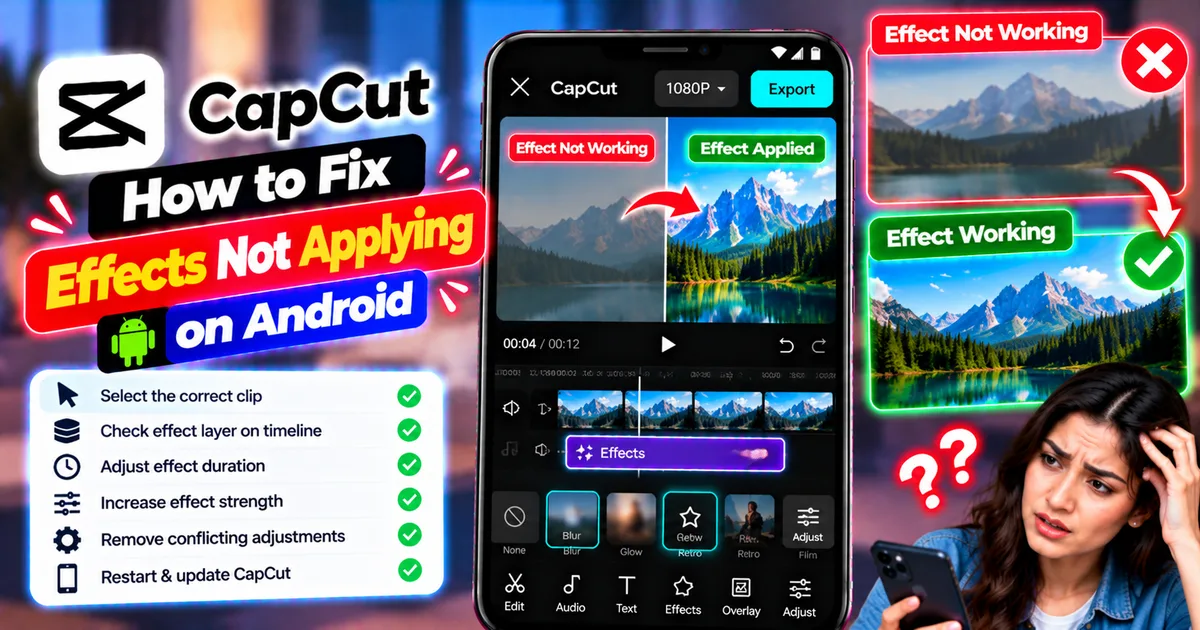
How to Fix CapCut Effects Not Applying on Android
CapCut effects not working on Android? Check clip selection, effect layers, timeline timing, conflicting adjustments, and app performance with these practical fixes.
GetApkFree Team