
This article is about
Ambio: Focus Timer & Sounds
Jaime Barreto · Multimedia
Ambio Break Sound Mix: How to Set a Separate Sound for Breaks
GetApkFree Team
Learn how Ambio's break sound mix works, how to set a separate ambient mix for breaks, and how Ambio switches back to your focus sound afterward.
- Version
- 2.0.0
- Requires
- Android 12.0+
- License
- MIT
- Source
- F-Droid
- Package
- com.jbgsoft.ambio
Ambio Break Sound Mix: How to Set a Separate Sound for Breaks
A focus timer does not have to sound the same from beginning to end. Sometimes you want one atmosphere while studying or working and a completely different one when it is time to take a break.
Ambio: Focus Timer & Sounds addresses this with a dedicated break sound mix. The feature lets you choose a second ambient sound mix that plays during your breaks instead of continuing with your focus mix.
This can make the transition between focused work and rest feel more distinct without requiring you to manually change the sounds every time the timer switches phases.
What Is the Ambio Break Sound Mix?
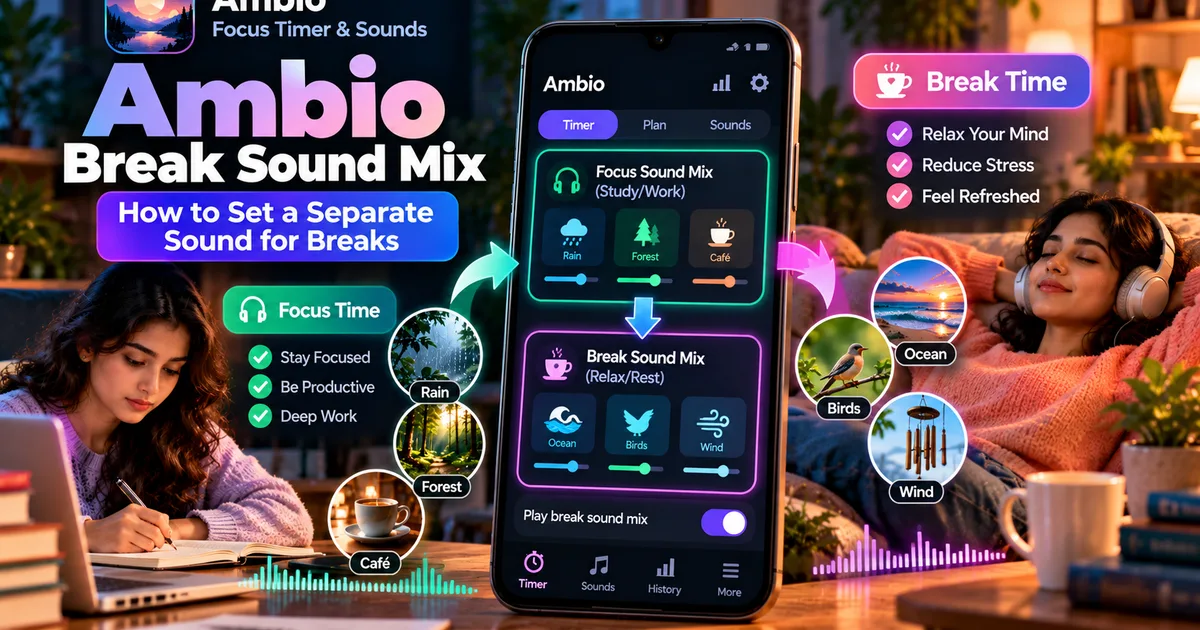
Ambio's break sound feature allows you to configure a separate ambient sound mix specifically for your break periods.
The main focus mix is used while your focus timer is running. When the timer reaches a break, Ambio can switch to the separate break mix. When the break ends, the focus mix returns.
The feature was introduced in Ambio 2.1 alongside Session Plans and the sleep timer. The current F-Droid listing describes it as a second mix that plays only while you rest.
This is different from simply creating another saved sound combination in the normal mixer. The purpose of the break mix is to associate that sound environment with the break portion of your timer.
Why Use a Separate Sound for Breaks?
Using different sounds for different parts of a work session can make the timer easier to understand.
For example, you might use:
- Rain and café sounds during focused study
- Ocean sounds during your break
- Forest and birds while reading
- Fireplace during a longer rest period
- White noise for concentrated work and softer ambient sounds for breaks
The important part is that you do not need to manually switch the sounds whenever the timer changes from focus to break.
Ambio handles the transition as part of the timer session.
How Ambio Handles Focus and Break Sounds
The basic idea is simple.
You have your normal focus mix and a separate break mix.
During the focus period, Ambio plays your focus sound environment. When the timer enters the break period, the break sound mix can take over.
When the break finishes, Ambio returns to the focus mix for the next focus period.
This creates two distinct audio environments inside the same session:
Focus → Focus mix
Break → Break mix
Next focus → Focus mix again
That makes the feature particularly useful for people who use repeated focus-and-break sessions rather than a single uninterrupted timer.
How to Set Up an Ambio Break Sound Mix
The exact wording and placement of controls can vary between app versions, but the feature is designed around Ambio's existing sound-mixing system.
Start by opening Ambio and creating or selecting the ambient sound mix you want to use for focused work.
Choose the sounds you want and adjust their individual levels. Ambio supports mixing up to three of its available ambient sounds at the same time, with separate level controls for each sound.
Next, look for the break-sound option associated with the timer.
Enable sound during breaks if the option is available in your current version.
You can then configure the second mix that Ambio should use while the timer is in its break phase.
For example, your setup could look like this:
Focus mix
Rain + Café
Break mix
Ocean + Birds
When the focus timer starts, Ambio uses the first combination. When the break begins, it switches to the second combination.
Can You Use Different Sounds for Every Break?
The purpose of Ambio's break mix is to provide a separate sound environment for the break portion of a session.
It should therefore be thought of as a dedicated break mix rather than a separate playlist of different sounds for every individual break.
If you want several different focus and break combinations in a more structured sequence, Ambio's Session Plans are another feature worth looking at. Session Plans allow focus and break steps to be arranged into a plan and can be looped or ended after the configured sequence.
You can read more about that feature in our guide:
https://getapkfree.com/blog/ambio-session-plans
What Sounds Can You Use?
The break mix uses Ambio's ambient sound library.
The current listing includes 12 sounds:
- Rain
- Fireplace
- Café
- Forest
- Birds
- Crickets
- Ocean
- Stream
- Cave
- Wind
- White Noise
- Brown Noise
Ambio allows up to three sounds to be combined at once, with an individual level for each sound.
That means your break environment does not have to be a single sound.
For example, you could use Ocean by itself, or combine Ocean with Birds and Wind to create a more layered break atmosphere.
Example: Using Ambio for Study Sessions
Imagine that you are preparing for an exam.
You set your focus timer for 25 minutes and choose Rain + Café as your focus mix.
During those 25 minutes, the sound environment stays associated with your focused work.
For the break, you configure Ocean + Birds as your break mix.
When the focus period finishes, Ambio can switch to the break sound environment.
Instead of hearing exactly the same background throughout the entire session, you get a clear audio change that corresponds with the change in activity.
When the break ends, the focus environment returns for the next study period.
For students who use repeated Pomodoro-style sessions, this can make the transition between work and rest more noticeable.
Ambio Break Sound vs Normal Sound Mixer
These two features are related, but they solve different problems.
The normal Ambio sound mixer is for building your ambient soundscape.
The break sound feature takes that concept further by allowing a separate sound environment to be associated with your breaks.
Think of it this way:
Sound Mixer: What sounds do I want to hear?
Break Mix: What different sounds should I hear when I am taking a break?
This distinction is useful because you do not have to rebuild or manually change your soundscape every time your timer enters a break.
Our general guide to Ambio's sound mixer covers the sound-selection and mixing side in more detail:
https://getapkfree.com/blog/ambio-sound-mixer-ambient-sounds
Does the Break Mix Work With Ambio's Focus Timer?
Yes. The break-mix feature is specifically designed around focus sessions that contain breaks.
Ambio's focus timer supports 25-minute and 50-minute Pomodoro presets as well as custom focus and break durations.
That gives you flexibility to create different routines.
For example:
Short study session
25 minutes focus → 5 minutes break
Longer work session
50 minutes focus → 10 minutes break
Custom routine
40 minutes focus → 10 minutes break
The break sound mix can then provide the separate audio environment for the rest portion.
What Happens When the Break Ends?
The purpose of the break mix is to keep the break atmosphere separate from the focus atmosphere.
When the break finishes, Ambio returns to the focus sound environment for the next focus period.
This means you can leave the timer running instead of stopping to manually change sounds.
That is particularly useful when you are working through several focus cycles and want the sound changes to happen automatically.
Can You Use Ambio Without an Internet Connection?
Ambio's current F-Droid listing states that the app works completely offline and does not require an account. It also describes the app as open source under the MIT License.
This means the break sound feature fits into the app's broader offline-focused design.
However, offline availability should not be confused with every possible distribution method being identical. If you install an APK manually, make sure you are using a source you trust and check the version and device requirements before installing.
GetApkFree's general APK installation guide explains the basic process:
https://getapkfree.com/blog/how-to-install-apk-on-android-step-by-step
What Android Version Does Ambio Require?
The current F-Droid release listed for Ambio is version 2.1.1 and requires Android 12 or newer. The 2.1 release introduced the break mix feature, along with Session Plans, a sleep timer, and Quick Settings support.
If you are installing an older Ambio version, feature availability can therefore differ.
If you specifically want the break sound feature, check the installed version before assuming the option is available.
Is the Break Sound Feature the Same as the Sleep Timer?
No.
They serve different purposes.
The break sound mix changes the ambient sound environment during a timed break.
The sleep timer is designed for Ambient Mode and can stop the mix after a specified period. Ambio introduced the sleep timer in the same 2.1 release.
So, for example:
Break mix: Focus → break sound → focus
Sleep timer: Ambient sound → timer expires → playback stops
If you are looking for sleep-related functionality rather than timed study breaks, our Ambio sleep timer guide covers that feature separately:
https://getapkfree.com/blog/ambio-sleep-timer
Tips for Choosing a Break Sound
Your break mix does not necessarily need to be more complicated than your focus mix.
A few simple approaches can work well:
Use a noticeably different atmosphere
If your focus mix is Rain + Café, try Ocean or Forest for the break.
The change can make the transition easier to notice.
Keep the break mix relaxing
A break is different from a focus session, so you may prefer softer combinations rather than sounds that demand attention.
Try a single sound
You do not have to use three sounds just because Ambio supports mixing.
A single Ocean, Rain, or Fireplace sound can be enough.
Keep your focus mix consistent
If you frequently change your focus sounds, it may become harder to associate the sound environment with your work routine.
A consistent focus mix combined with a separate break mix can provide a simple structure.
Ambio Break Sound: What to Know
Ambio's break sound mix is a small feature, but it adds another layer of control to the app's focus timer.
Instead of playing one ambient mix continuously, you can configure a second sound environment for your breaks. Ambio can then switch between the focus and break environments as the timer progresses.
The feature is particularly useful if you use timed study or work sessions and want your audio environment to change automatically when you stop working and take a break.
Ambio 2.1 introduced this feature alongside Session Plans and the sleep timer, while the current 2.1.1 release includes additional fixes.
If you are already using Ambio's normal sound mixer, the break mix is a natural next step: one soundscape for concentration and another for rest.
Related Articles

How to Fix CapCut Video Lagging After Export on Android
Fix CapCut video lagging after export on Android. Learn how to troubleshoot choppy playback, frame-rate mismatches, heavy effects, storage issues, and export settings.
GetApkFree Team

How to Fix CapCut Preview Not Matching Export on Android
Fix CapCut preview not matching the exported video on Android. Troubleshoot missing effects, text, transitions, timing, colors, and rendering differences.
GetApkFree Team

How to Fix Couldn't Apply AI Background in CapCut on Android
Getting "Couldn't Apply AI Background" in CapCut on Android? Check usage limits, clip selection, video quality, app updates, and practical troubleshooting steps.
GetApkFree Team
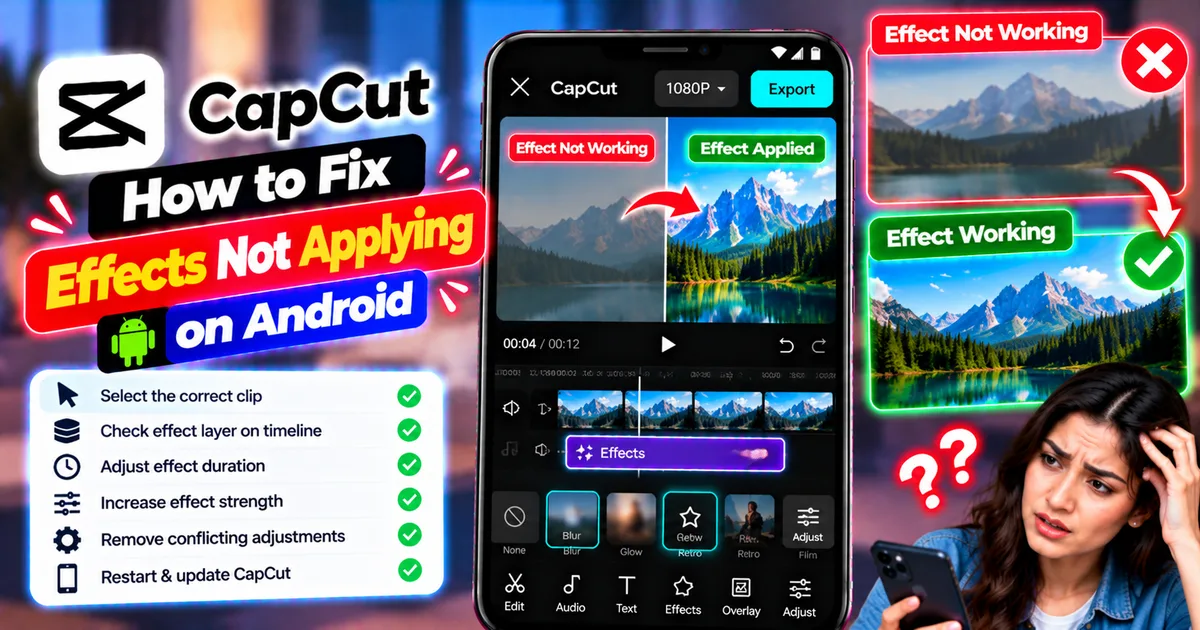
How to Fix CapCut Effects Not Applying on Android
CapCut effects not working on Android? Check clip selection, effect layers, timeline timing, conflicting adjustments, and app performance with these practical fixes.
GetApkFree Team