
This article is about
Ambio: Focus Timer & Sounds
Jaime Barreto · Multimedia
Ambio Saved Mix: How to Reuse Your Favorite Sound Mix
GetApkFree Team
Learn how Ambio remembers your sound mix, how to reuse your favorite combination, adjust saved levels, and troubleshoot saved-mix issues.
- Version
- 2.0.0
- Requires
- Android 12.0+
- License
- MIT
- Source
- F-Droid
- Package
- com.jbgsoft.ambio
Ambio Saved Mix: How to Reuse Your Favorite Sound Mix
If you have created a sound combination you like in Ambio, you don't necessarily have to rebuild it every time you open the app.
Ambio's current Google Play listing says the app remembers your mix for next time. This is useful if you regularly use the same combination of sounds for studying, reading, relaxing, or other activities.
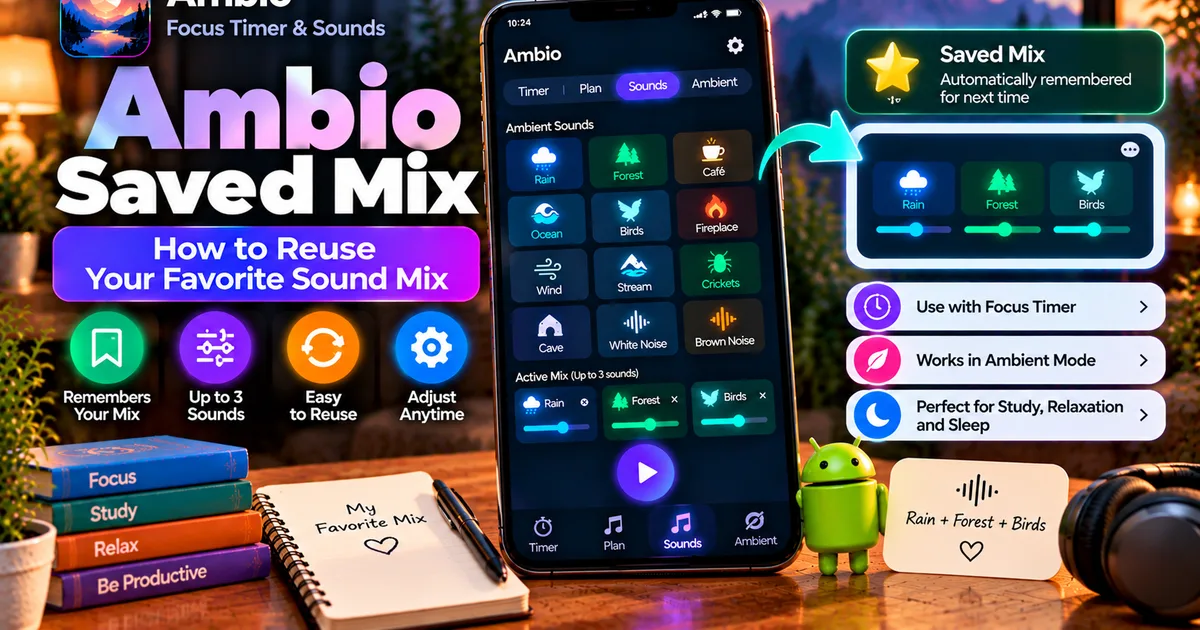
Ambio allows you to combine up to three of its 12 ambient sounds and adjust the level of each selected sound individually. The saved-mix behavior means your preferred combination can be available again when you return to the app.
This guide explains how Ambio's saved mix works, what you can change, and what to check if your previous mix doesn't appear as expected.
What Is an Ambio Saved Mix?
An Ambio saved mix is the sound combination the app remembers for future use.
Instead of selecting the same sounds and adjusting their levels from scratch every time, you can return to Ambio and continue with the mix you previously configured.
For example, you might create:
Rain + Forest + Birds
with:
- Rain — high
- Forest — medium
- Birds — low
If that is your preferred study environment, having Ambio remember the mix saves you from recreating the same setup each time.
The app's current listing specifically says that Ambio remembers your mix for next time.
How Many Sounds Can Be in a Saved Mix?
Ambio can mix up to three sounds simultaneously.
The current sound library contains:
- Rain
- Fireplace
- Café
- Forest
- Birds
- Crickets
- Ocean
- Stream
- Cave
- Wind
- White Noise
- Brown Noise
Each selected sound has its own level.
That means a saved mix can contain as many as three of these sounds at once, with their individual volume balance.
For the complete list, see our Ambio Sounds guide.
How to Create the Mix You Want Ambio to Remember
Before you can reuse a favorite mix, create it in Ambio.
Step 1: Open Ambio
Launch Ambio: Focus Timer & Sounds on your Android device.
Step 2: Open the Sound Mixer
Go to the sounds section and look through the available ambient sounds.
Step 3: Select Your First Sound
Choose the sound you want as the main part of your environment.
For example:
Rain
Step 4: Add a Second Sound
Select another sound if you want a layered mix.
For example:
Rain + Forest
Step 5: Add a Third Sound if Needed
You can add one more sound:
Rain + Forest + Birds
Ambio supports up to three simultaneous sounds.
Step 6: Adjust the Individual Levels
Balance each sound using its individual level.
For example:
- Rain — 70%
- Forest — 40%
- Birds — 20%
The exact levels are up to you.
You may prefer one dominant sound with two quieter background layers.
For a more detailed explanation of the mixer itself, see How to Mix Ambient Sounds in Ambio.
Does Ambio Automatically Remember the Mix?
According to the current Google Play description, yes.
The app specifically describes the mixer as allowing users to choose up to three sounds and says that Ambio remembers the mix for next time.
This means the saved-mix behavior is part of the application's intended experience rather than something you need to recreate manually every time.
The release history also shows that saved-mix behavior has received fixes. Ambio 2.0's release notes mention audio focus and saved-mix fixes.
How to Reuse Your Saved Ambio Mix
If you've already created a mix, simply return to Ambio and check the sound mixer.
The remembered configuration should provide the starting point for your previous sound setup.
For example, if your regular mix was:
Rain + Café
you shouldn't need to manually rebuild the same combination every time you launch the app.
You can then start playback or adjust the mix before beginning your activity.
Can You Change a Saved Mix?
Yes.
The saved mix shouldn't be treated as a permanent configuration.
You can adjust the sound selection and levels when you want a different environment.
For example, you might normally use:
Rain + Café
during study sessions.
Later, you might want:
Ocean + Wind
while relaxing.
The mixer lets you change the soundscape rather than requiring you to use one fixed combination.
Can You Use Only One Sound?
Yes.
A saved mix doesn't need to contain three sounds.
You can create a simple setup using only one sound, such as:
Rain
or:
Ocean
or:
Brown Noise
Using one sound can be useful when you prefer a consistent background without additional layers.
The three-sound limit is a maximum, not a requirement.
Can You Use Two Sounds?
Yes.
Two-sound combinations are also supported.
Examples include:
Rain + Forest
Ocean + Wind
Fireplace + Rain
Café + Rain
You can then adjust the individual levels so one sound is more prominent than the other.
Can You Use Three Sounds?
Yes.
Three is the maximum number of simultaneous sounds supported by Ambio's mixer.
For example:
Rain + Forest + Birds
can create a layered nature-oriented environment.
Another option could be:
Fireplace + Rain + Wind
for a different type of ambience.
The important part is that Ambio lets you control each selected sound's level independently.
Saved Mix vs Sound Mixer
These two concepts are related but not identical.
Sound Mixer
The mixer is where you:
- Select sounds
- Remove sounds
- Adjust individual levels
- Build your soundscape
Saved Mix
The saved-mix behavior means Ambio remembers the mix you've configured so you can return to it later.
In simple terms:
Mixer = create and adjust
Saved mix = remember and reuse
Our Ambio Sound Mixer guide covers the first part in more detail.
Saved Mix for Studying
One practical use for saved mixes is studying.
Suppose you prefer:
Rain + Café
with Rain as the dominant sound.
Once you've configured that environment, you can return to Ambio later without having to reconstruct the same combination manually.
You can then use the saved soundscape with Ambio's focus timer.
Ambio provides 25-minute and 50-minute Pomodoro presets as well as custom focus and break durations.
See our Ambio Focus Timer guide for more information.
Saved Mix for Reading
You can also use a saved mix while reading.
For example:
Forest + Birds
could provide a natural background while you read.
Alternatively, you could keep things simpler with:
Rain
Because Ambio supports Ambient Mode, you don't have to use a focus countdown simply to listen to your saved soundscape.
Saved Mix for Relaxation
A saved mix can also be useful for relaxation.
For example:
Ocean + Wind
or:
Rain + Forest
can become a regular evening soundscape.
You can open Ambio, return to your remembered mix, and start playback without rebuilding the combination.
Ambio's Ambient Mode is designed for uses including reading, meditation, winding down, and sleep.
Read our Ambio Ambient Mode guide for more details.
Saved Mix and Ambient Mode
Saved mixes work particularly well with Ambient Mode because the two features serve complementary purposes.
The saved mix remembers your preferred sounds.
Ambient Mode lets you play them without running a normal focus countdown.
For example:
Saved mix: Rain + Brown Noise
Mode: Ambient Mode
Use: Relaxation or reading
This gives you a simple repeatable setup.
Saved Mix and Focus Timer
You can also combine a remembered soundscape with Ambio's focus timer.
For example:
Saved mix: Café + Rain
Focus session: 50 minutes
You can use the same sound environment each time you begin a focus block.
This can make the setup process quicker when you use Ambio regularly.
Does Ambio Save the Volume Levels Too?
Ambio's mixer gives each selected sound its own level, and the app's saved-mix behavior is intended to remember the mix configuration.
If you regularly use a particular balance, such as a louder Rain layer with quieter Forest and Birds layers, check that configuration when you return to the app.
If your levels don't appear as expected, update Ambio and test the mix again.
The release history indicates that saved-mix behavior has previously received fixes, so the exact behavior can depend on the version you're using.
What If My Saved Ambio Mix Is Missing?
If your previous mix doesn't appear as expected, don't immediately assume that the sound library has changed.
Try these checks.
1. Restart Ambio
Close and reopen the application.
Then check the sound mixer again.
2. Check Your Ambio Version
Make sure you're not using an unusually old version.
Saved-mix behavior has received fixes during the app's development. Ambio 2.0 specifically lists saved-mix fixes in its release notes.
3. Recreate a Simple Mix
Try creating a simple one-sound mix.
For example:
Rain
Start playback, close the app normally, reopen it, and check the sound configuration.
This can help determine whether the problem affects one particular mix or the saved-mix behavior more generally.
4. Check Whether You Reinstalled the App
If you've uninstalled and reinstalled Ambio, don't assume that locally stored application state will necessarily survive the process.
Uninstalling an Android application can remove its local application data.
If you want to preserve local information, investigate the current version's behavior before uninstalling.
5. Avoid Random APK Versions
If you're comparing different Ambio APKs, make sure you know which version you're installing.
Different releases can behave differently, and an older APK may not contain fixes that were introduced later.
Does Ambio Save the Mix Online?
Ambio is designed to work offline.
The current Google Play listing says the application works completely offline and does not require an account.
Therefore, you should not think of the saved mix as a cloud profile that requires you to log into an Ambio account.
The app is designed around local use.
If you're particularly interested in offline operation, see Does Ambio Work Without Internet?.
Does an Ambio Saved Mix Need an Account?
No.
The current app listing says that Ambio does not require an account.
You can use the application's core functionality without creating a traditional online profile.
This is consistent with Ambio's offline-focused design.
Can You Save Multiple Different Mixes?
The current public app description confirms that Ambio remembers your mix for next time, but it does not describe a multi-preset library where you can create and name an unlimited collection of separate saved mixes.
Therefore, don't assume that Ambio provides a dedicated feature for storing multiple named presets unless the version you're using explicitly shows such an option.
This distinction is important.
Remembered mix does not necessarily mean:
Multiple saved presets
If you want to switch between several different sound combinations, check the current app interface before assuming there is a preset-management system.
Can You Change the Remembered Mix?
Yes, you can configure the mixer with a different combination.
For example, if your previous setup was:
Rain + Forest
you can change it to:
Café + Fireplace + Rain
The newly configured mix becomes the setup you work with going forward.
The app's public description doesn't document a separate "Save As" workflow for creating multiple named mixes.
Ambio Saved Mix and Background Playback
Once you've configured your preferred soundscape, Ambio can play it in the background.
The application supports background playback and Android media controls.
This means you can start the sound mix and then move away from the main Ambio interface while continuing to listen.
See Ambio Background Playback for a separate guide.
If your saved mix loads correctly but then stops playing after you leave the app, the issue may be background playback rather than saved-mix storage.
What If the Saved Mix Loads but Has No Sound?
If the previous mix appears but you don't hear anything, treat it as a playback problem rather than a saved-mix problem.
Check:
- Android media volume.
- Individual sound levels.
- Bluetooth audio output.
- Other applications using audio.
- Background restrictions.
- Ambio playback state.
You can also test the mix with one sound.
For a complete troubleshooting checklist, see Ambio Not Playing Sound.
Saved Mix and Offline Use
Ambio's saved-mix concept fits its offline design.
The app's current listing states that it works completely offline and doesn't require an account.
That means you can use the application as a local ambient-sound and focus tool rather than depending on an online account to start your normal sound experience.
If you're traveling or studying without internet access, this can be particularly convenient.
Ambio Saved Mix: Example Setups
Here are a few example configurations you could try.
Study
Rain + Café
Make Rain the dominant layer and keep Café quieter.
Reading
Forest + Birds
Use Forest as the main layer with Birds at a lower level.
Relaxation
Ocean + Wind
Keep Wind subtle underneath Ocean.
Cozy Evening
Fireplace + Rain
Let Fireplace remain prominent while Rain provides a quieter background.
Simple Background
Brown Noise
Use only one sound if you prefer a minimal setup.
These are examples rather than recommended settings. Your preferred balance will depend on what sounds comfortable to you.
Ambio Saved Mix: Quick Facts
Remembers your mix: Yes, according to the current Google Play listing.
Maximum simultaneous sounds: 3
Total built-in sounds: 12
Individual sound levels: Yes
Account required: No
Offline operation: Yes
Ambient Mode: Yes
Focus timer: Yes
Background playback: Yes
Multiple named presets: Not documented in the current public app description
Frequently Asked Questions
Does Ambio save your sound mix?
Yes. The current Google Play description says Ambio remembers your mix for next time.
How many sounds can an Ambio mix contain?
Up to three sounds can be mixed simultaneously.
Can I change my saved Ambio mix?
Yes. You can configure the mixer with different sounds and adjust their individual levels.
Does Ambio have multiple saved presets?
The current public description confirms a remembered mix but does not document a separate multiple-preset library.
Does Ambio save individual sound levels?
The mixer gives each selected sound its own level, and the app is described as remembering the mix. If you're troubleshooting a particular version, check the saved levels after reopening the app.
Does Ambio need an account to remember my mix?
No account is required according to the current app listing.
Does Ambio save mixes online?
Ambio is designed to work completely offline. The public listing does not describe a cloud-based saved-mix account system.
What should I do if my saved mix disappears?
Restart Ambio, check the installed version, recreate a simple mix, and verify that you haven't recently uninstalled or reset the application.
Why did my saved mix change after updating Ambio?
Application updates can change behavior or fix saved-state issues. Ambio's 2.0 release notes specifically mention saved-mix fixes.
Can I use a saved mix with Ambient Mode?
Yes. A remembered sound mix can be used as part of Ambio's ambient playback experience.
Can I use a saved mix with the focus timer?
Yes. Ambio combines its sound mixer with its focus-timer functionality.
Final Thoughts
The Ambio saved mix feature is useful if you repeatedly listen to the same sound combination.
Instead of rebuilding your preferred environment every time, Ambio remembers the mix for your next use. The current app supports up to three simultaneous sounds, with individual levels for each one.
The important distinction is that the public documentation confirms a remembered mix, not a full multi-preset management system.
If you regularly use one favorite soundscape, this behavior can make Ambio quicker to use. If you want several completely different named presets, check the current version's interface rather than assuming that feature exists.
For everything else, the same saved soundscape can be combined with Ambio's focus timer, Ambient Mode, and background playback.
Related Articles

How to Fix CapCut Video Lagging After Export on Android
Fix CapCut video lagging after export on Android. Learn how to troubleshoot choppy playback, frame-rate mismatches, heavy effects, storage issues, and export settings.
GetApkFree Team

How to Fix CapCut Preview Not Matching Export on Android
Fix CapCut preview not matching the exported video on Android. Troubleshoot missing effects, text, transitions, timing, colors, and rendering differences.
GetApkFree Team
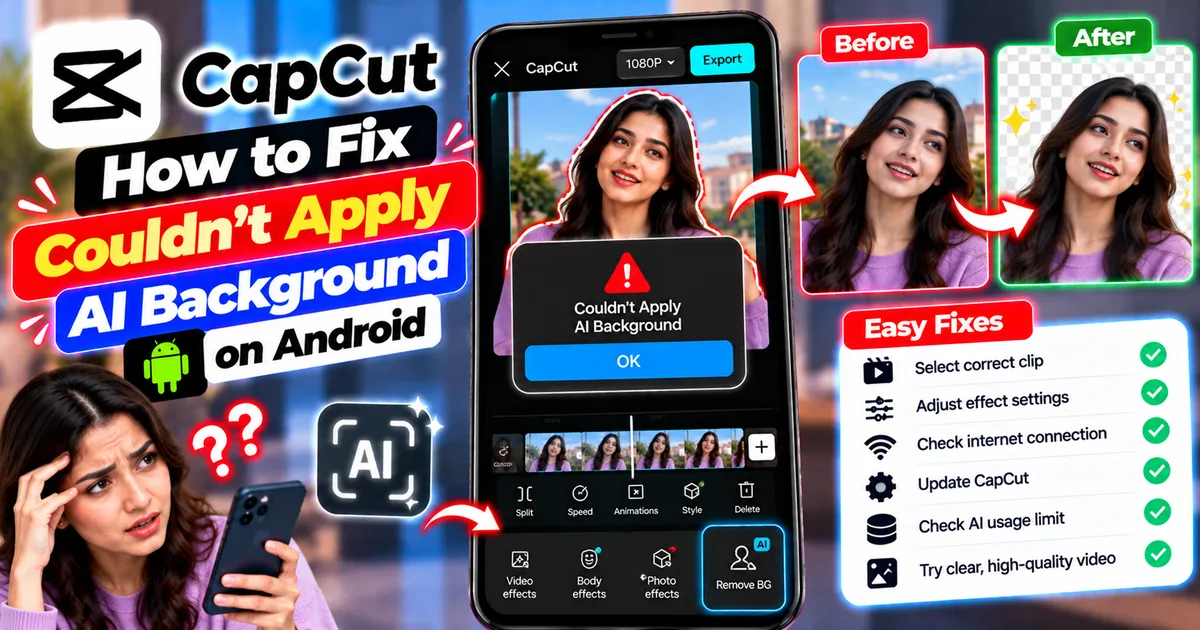
How to Fix Couldn't Apply AI Background in CapCut on Android
Getting "Couldn't Apply AI Background" in CapCut on Android? Check usage limits, clip selection, video quality, app updates, and practical troubleshooting steps.
GetApkFree Team
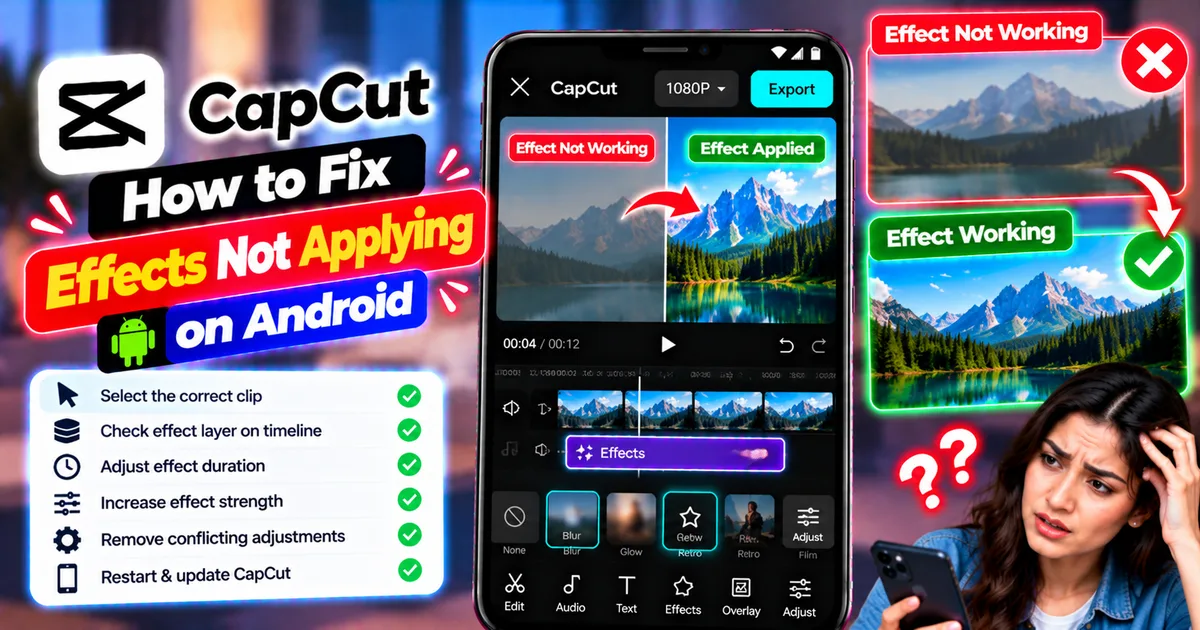
How to Fix CapCut Effects Not Applying on Android
CapCut effects not working on Android? Check clip selection, effect layers, timeline timing, conflicting adjustments, and app performance with these practical fixes.
GetApkFree Team