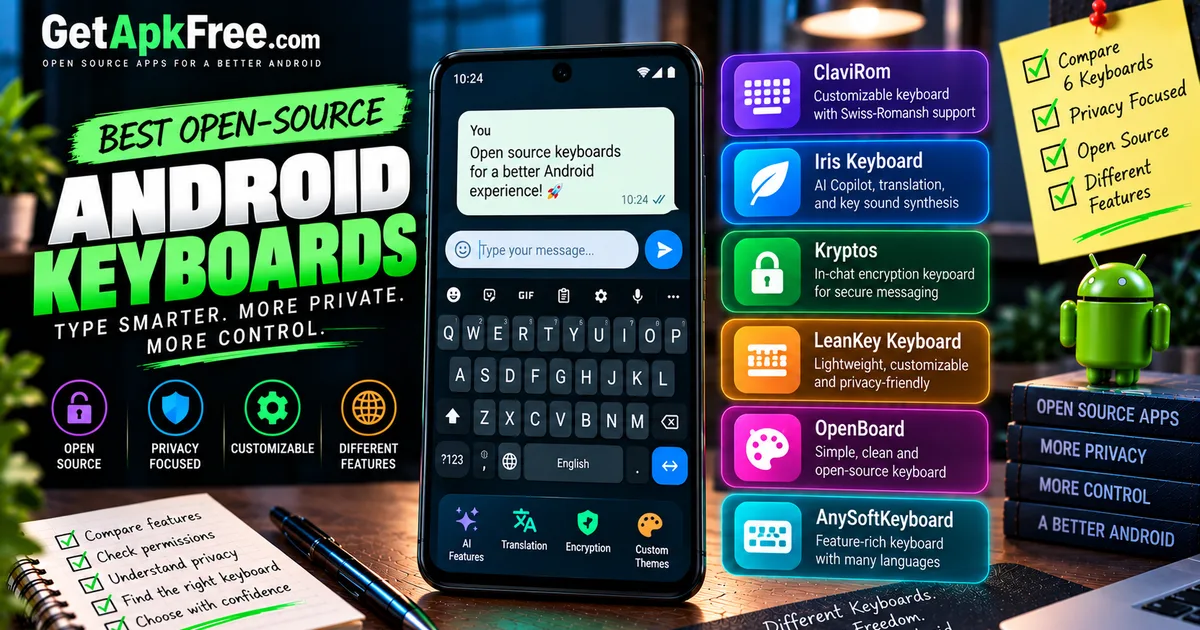
Best Open-Source Keyboards for Android (Including Offline Voice Typing)
GetApkFree Team
Six open-source Android keyboards compared using verified license, permission, and version data — including which ones document offline voice typing today.
Quick Answer
Six open-source Android keyboards compared using verified license, permission, and version data — including which ones document offline voice typing today.
A keyboard sits in an unusually sensitive spot in Android's permission model: it's the app that sees whatever you type, in every other app you use it in, not just its own screen. That's true whether the keyboard is a household name or a small open-source project, which makes the specific permissions, documented features, and version history behind a keyboard worth checking before you set it as your default input method — more so than for most categories of app.
This article compares six currently published open-source keyboard and input-method apps in GetApkFree's catalogue, using verified catalogue data: each app's own listing text, its latest published version and license, its current Android manifest, and its changelog. We're not making claims about what any of these apps does with the text it processes beyond what its own listing documents. None of the six is presented as the single best option below; this is a comparison of documented, verifiable characteristics, not a ranked list with a winner.
How We Selected These Keyboards
Every keyboard in this article comes from GetApkFree's current catalogue, and every fact below is checked against that app's actual listing, its latest published version, and its Android manifest — not against marketing copy alone. As with our companion piece on open-source Android launchers, download counts aren't used as a ranking signal here; most of the catalogue doesn't have enough recorded download activity on GetApkFree yet for that to mean anything.
The audit behind this article found six keyboard or input-method apps currently published in the catalogue that are open-source, F-Droid-sourced, and hosted locally on GetApkFree. Three other apps turned up in the same search — BroadBoard, TypeAssist, and Unmukto — but their current versions aren't published or didn't pass the catalogue's scan, so none appear below; that reflects the status of their current version, not a permanent judgment about the apps themselves. Launcher apps and a remote-desktop keyboard-control tool that also surfaced were excluded too, since neither is an Android input method.
ClaviRom
ClaviRom describes itself, in its own catalogue listing, as a customizable open-source keyboard "with a flavour of Swiss-Romansh" — a regional-language specialization attributed directly to the source description rather than something we're characterizing independently.
Its manifest requests six permissions: READ_USER_DICTIONARY, RECEIVE_BOOT_COMPLETED, VIBRATE, WRITE_USER_DICTIONARY, READ_CONTACTS, and the standard DYNAMIC_RECEIVER_NOT_EXPORTED_PERMISSION marker. The dictionary permissions line up with a keyboard's ordinary job of learning and suggesting words; READ_CONTACTS isn't explained by the listing or changelog, so we're noting it rather than guessing at a reason. The current changelog documents layout improvements to two Romansh idiom variants, Puter and Vallader, plus an English addition to the setup wizard.
Nothing in ClaviRom's listing, changelog, or manifest documents a voice-typing feature — there's no RECORD_AUDIO permission and no mention of dictation, so that's simply outside its current documented scope.
Version: 3.8.1 (build 3803) · License: GPL-3.0-only · Size: ~15.83 MB · Minimum Android version: 5.0.
Iris Keyboard
Iris Keyboard's listing describes it as an "Advanced FOSS keyboard with AI Copilot, translation, and key sound synthesis." Its APK, at roughly 0.89 MB, is among the smaller keyboards compared here.
Its manifest requests two permissions: VIBRATE and INTERNET. The listing names AI Copilot and translation as features, and the app does request network access, but the listing itself doesn't specify which features, if any, actually require that connection — so we're stating both facts, the advertised features and the INTERNET permission, side by side without asserting a cloud dependency the source doesn't confirm. The current changelog documents a crash fix tied to opening the GitHub release build, plus a documentation refresh.
No RECORD_AUDIO permission is present, and neither the listing nor the changelog documents a voice-typing feature for this app.
Version: 6.5.2 (build 153) · License: Apache-2.0 · Size: ~0.89 MB · Minimum Android version: 7.0.
Kryptos
Kryptos is not a general-purpose typing keyboard — its own listing frames it specifically as an in-chat encryption tool: "The Kryptos keyboard installs like any other system keyboard... tap the lock icon, and the text in the input field is instantly replaced with ciphertext ready to send." It's built to sit inside apps like WhatsApp, Telegram, and SMS as an encryption layer, not as a daily-driver keyboard replacement.
Its manifest requests six permissions: CAMERA, HIDE_OVERLAY_WINDOWS, VIBRATE, USE_BIOMETRIC, USE_FINGERPRINT, and the standard DYNAMIC_RECEIVER_NOT_EXPORTED_PERMISSION marker — a set that lines up with an encryption tool needing overlay access and biometric confirmation, though we're describing what's requested rather than how each permission is used. The current changelog documents a Chinese pinyin layout addition, moderation of a text-steganography word list, larger keyboard buttons, and per-messenger send-button fixes.
No RECORD_AUDIO permission is present, and no voice-typing feature is documented.
Version: 2.3.2 (build 10) · License: AGPL-3.0-only · Size: ~22.63 MB · Minimum Android version: 8.0.
ReteKey
ReteKey is built for a specific audience: its listing describes "a Hangul keyboard for developers and power users — for anyone who needs Esc, Tab, Ctrl chords, function and arrow keys on a phone, and a keyboard that behaves itself in a terminal." That combines Korean Hangul input with terminal-oriented key access, a deliberately narrower scope than a general-purpose typing keyboard.
Its manifest requests exactly one permission: VIBRATE — no DYNAMIC_RECEIVER_NOT_EXPORTED_PERMISSION marker is recorded for this app, unlike every other keyboard in this article. The target_sdk value for this version is missing from the catalogue data, so we're reporting that gap rather than guessing at a number. The current changelog documents a gesture-navigation inset fix, but the stored text is truncated mid-sentence at the source — it cuts off after "the navigation bar is the furni" — so treat it as a partial record, not the complete entry.
No RECORD_AUDIO permission is present, and no voice-typing feature is documented.
Version: 0.1.107 (build 108) · License: MIT · Size: ~0.51 MB · Minimum Android version: 9.0.
Voxscribe – Offline Voice Input
Voxscribe is explicit about being a voice-first tool, not a full typing keyboard: its listing describes it as "an offline voice-input keyboard (input method) for Android. Hold the mic button to record; your speech is transcribed entirely on-device with whisper.cpp using a Whisper model file you supply yourself." That's a documented, on-device processing claim, not one inferred here from the app's permission list.
Its manifest requests RECORD_AUDIO alongside the standard DYNAMIC_RECEIVER_NOT_EXPORTED_PERMISSION marker — consistent with, though not the sole basis for, the documented voice-input feature. The current changelog for this version adds a backspace key, with tap-to-delete-character and hold-to-delete-word behavior — itself a sign that the input surface is deliberately minimal rather than a full keyboard layout.
One setup detail worth flagging before installing: Voxscribe doesn't ship with a speech model built in. Per its own listing, getting transcription working requires supplying a Whisper model file yourself.
Version: 1.0.1 (build 2) · License: MIT · Size: ~21.54 MB · Minimum Android version: 10.0.
WhisperType Keyboard
WhisperType's listing describes it as "a full Android input method (IME) with a real QWERTY keyboard plus offline voice dictation," explicitly contrasting itself with "dictation-only 'keyboards' that only show a microphone button" — positioning itself as a complete keyboard that adds optional voice input, rather than a voice-only tool like Voxscribe above.
Its manifest requests four permissions: INTERNET, RECORD_AUDIO, VIBRATE, and the standard DYNAMIC_RECEIVER_NOT_EXPORTED_PERMISSION marker. The listing documents offline voice dictation but doesn't explain why INTERNET is also requested — the two facts aren't necessarily contradictory (an app can have offline functionality and still make network calls for something unrelated, like update checks), but the specific reason isn't stated anywhere in the current listing or changelog, so we're not filling that gap. No changelog is available for this version in the current catalogue data.
Version: 1.5.1 (build 104) · License: MIT · Size: ~39.84 MB · Minimum Android version: 8.0.
Comparison Table
| App | License | Minimum Android | Approx. APK size | Full typing keyboard? | Offline voice typing documented? | Scope / notable limitation |
|---|---|---|---|---|---|---|
| ClaviRom | GPL-3.0-only | 5.0 | ~15.83 MB | Yes — general keyboard | Not documented | Swiss-Romansh layout focus (per source) |
| Iris Keyboard | Apache-2.0 | 7.0 | ~0.89 MB | Yes — general keyboard | Not documented | AI Copilot/translation advertised; network requirement unspecified |
| Kryptos | AGPL-3.0-only | 8.0 | ~22.63 MB | No — specialized encryption keyboard | Not documented | Built for in-chat message encryption, not everyday typing |
| ReteKey | MIT | 9.0 | ~0.51 MB | No — specialized Hangul/developer keyboard | Not documented | Hangul input plus terminal-style keys for developers/power users |
| Voxscribe – Offline Voice Input | MIT | 10.0 | ~21.54 MB | No — voice-first/minimal input surface | Documented (on-device, user-supplied model) | Requires a user-supplied Whisper model file |
| WhisperType Keyboard | MIT | 8.0 | ~39.84 MB | Yes — full QWERTY keyboard | Documented (offline dictation) | Requests INTERNET; source doesn't explain why |
Permissions and Privacy
Looking at the six manifests side by side is more informative than any single one alone. RECORD_AUDIO appears only on Voxscribe and WhisperType Keyboard — the two apps that also document a voice-input feature, though the permission itself only tells you the app can access the microphone, not how or when it does. INTERNET appears on Iris Keyboard and WhisperType Keyboard; neither listing fully explains what that connection is used for. ClaviRom is the only one of the six requesting READ_USER_DICTIONARY and WRITE_USER_DICTIONARY, which fit a keyboard's ordinary word-suggestion behavior, alongside READ_CONTACTS, which its listing doesn't explain. Kryptos requests a distinct set tied to its encryption use case — CAMERA, HIDE_OVERLAY_WINDOWS, USE_BIOMETRIC, and USE_FINGERPRINT — that wouldn't be expected on a conventional typing keyboard.
A permission list is a concrete, verifiable fact: it tells you what capability an app has asked Android to grant it. It does not, by itself, tell you how often that capability is used or what data leaves the device. We're reporting what each manifest currently requests, not drawing a conclusion about how any of these six apps handles data. For general background on reading a permission list, see our guide on what APK permissions actually mean.
Offline Voice Typing: What Is Actually Documented
Two of the six keyboards compared here document a voice-typing feature; the other four don't — and it's worth being precise about what "documented" means in each case, rather than treating the two as interchangeable.
Voxscribe's own listing states that speech "is transcribed entirely on-device with whisper.cpp using a Whisper model file you supply yourself" — an explicit, on-device processing claim, plus a real setup requirement, since you provide the model. But Voxscribe isn't a full typing keyboard: based on its own description and changelog, it's a minimal, voice-first input surface built around a mic button, not a QWERTY layout.
WhisperType Keyboard's listing separately documents "a real QWERTY keyboard plus offline voice dictation," explicitly contrasting itself with voice-only tools. Its manifest also requests INTERNET, and the listing doesn't explain that request — worth knowing, but not something that contradicts the offline-dictation claim, since the two facts describe different things.
ClaviRom, Iris Keyboard, Kryptos, and ReteKey have no documented voice-typing feature in their current listings, changelogs, or manifests. That's not the same as saying they can't ever do it — it means the audit behind this article found no such documentation for these four, as of their current published versions.
Frequently Asked Questions
Does a keyboard need INTERNET access to work offline?
Not necessarily, and the reverse assumption doesn't hold either. WhisperType Keyboard is the clearest example here: its listing documents offline voice dictation, and its manifest also requests INTERNET, without explaining what that connection is for. We're not assuming a missing INTERNET permission proves an app works offline, or that a present one contradicts an offline claim — both would be a guess the data doesn't support.
What does "offline voice typing" mean in this article?
It means a specific, documented claim from an app's own listing that speech is processed on the device rather than sent elsewhere — not something inferred just because an app requests RECORD_AUDIO. Voxscribe's listing states transcription happens on-device with whisper.cpp; WhisperType Keyboard's listing states it offers offline voice dictation alongside full typing. The other four keyboards here request no such permission and document no such feature.
Are Kryptos and ReteKey general-purpose keyboards? No — both are built for a narrower purpose. Kryptos's own listing frames it as a tool for encrypting messages inside chat apps, not everyday typing. ReteKey's listing describes it as a Hangul keyboard built for developers and power users who want terminal-style keys like Esc, Tab, and Ctrl chords. Either may suit exactly the person it's built for; neither is presented here as interchangeable with a general typing keyboard like ClaviRom or Iris Keyboard.
Why do some keyboards request access to contacts or the user dictionary?
ClaviRom is the one keyboard here requesting READ_USER_DICTIONARY and WRITE_USER_DICTIONARY, which fits a keyboard's ordinary job of learning and suggesting words you type often. It also requests READ_CONTACTS, which its listing and changelog don't explain — a fact worth knowing, not a conclusion about what it's used for.
Does a smaller keyboard APK automatically mean it is safer or more private? No. APK size reflects what's bundled into the app — code, assets, and so on — not how the app handles the data it processes. ReteKey, at roughly 0.51 MB, and WhisperType Keyboard, at roughly 39.84 MB, request a different number of permissions for reasons tied to what each app actually does, not how large the install file is. Size is one verifiable fact among several here; it isn't a stand-in for a conclusion about privacy or security.
If you're weighing whether to trust a third-party keyboard with a system-wide install, our guide on how to tell if an APK is safe before installing it covers what to check first. For related reading from the same catalogue, see our roundup of open-source privacy and security apps, and our explainer on the Android setting that resets permissions for apps you've stopped using.
Related Articles
ChatGPT App Login Error on Android: How to Fix “Something Went Wrong”
Getting a “Something went wrong” error when logging in to ChatGPT on Android? Check Google Play Store updates, browser sign-in settings, connectivity, and other safe troubleshooting steps.
GetApkFree Team
How to Fix CapCut Reverse Not Working on Android
Fix CapCut reverse not working on Android with practical steps for stuck processing, failed reverse effects, unsupported clips, low storage, and app issues.
GetApkFree Team
How to Fix CapCut Templates Not Showing on Android
CapCut templates not showing on Android? Find the missing Templates tab, fix an empty template library, check regional availability, and troubleshoot loading issues.
GetApkFree Team
How to Fix CapCut Template Link Not Opening on Android
CapCut template links not opening on Android? Fix links that open the wrong template, redirect to the home screen, or fail to launch CapCut.
GetApkFree Team