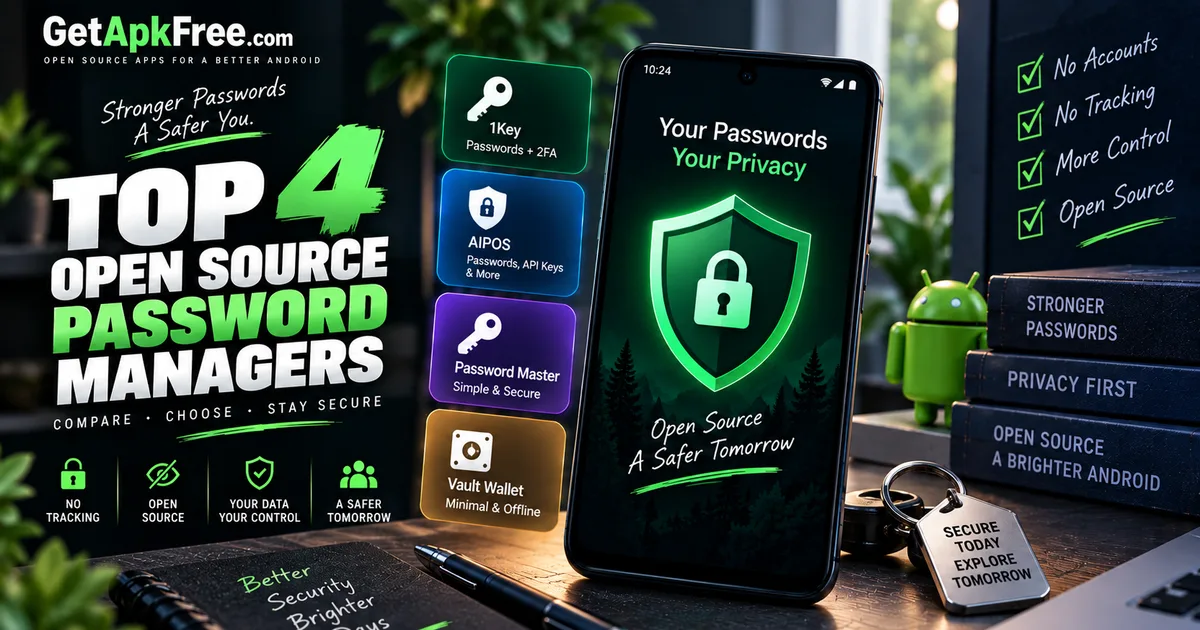
Best Open-Source Password Managers for Android
GetApkFree Team
Compare four open-source password managers for Android using verified app details, permissions, changelogs, and clearly attributed listing information.
Quick Answer
Compare four open-source password managers for Android using verified app details, permissions, changelogs, and clearly attributed listing information.
Reusing the same password across sites is still one of the most common ways an account gets compromised, and a password manager is the standard fix: one strong master credential, unique generated passwords everywhere else. The open-source options in that space add a second layer to the pitch — the code is publicly auditable rather than a black box, and several of them go further by not needing a network connection at all, which means there's no account to breach and no server holding your vault.
That second point matters more for a password manager than almost any other app category. A note-taking app leaking data is inconvenient. A password manager leaking data is a master key to everything else.
This article compares four open-source password managers from GetApkFree's catalogue — what each one actually requests from Android, what their own developers say about them, and where they genuinely differ, rather than which one is "best" in the abstract.
How We Selected These
All four apps below come from GetApkFree's catalogue, sourced from F-Droid. Selection here isn't based on download counts — like most of the catalogue, these apps currently have little to no recorded download activity on GetApkFree, so popularity isn't a meaningful signal yet. Instead, this comparison prioritizes verifiable characteristics: what each app's Android manifest actually requests, what the developer states in the app's own listing or changelog, and how those two line up.
None of these four apps has a published independent security audit in the data available to us, and this article doesn't claim otherwise. "Open-source" means the code can be reviewed by anyone — it is not, by itself, evidence that anyone has done that review thoroughly, and it's not a substitute for one. Where a claim below is the app's own description rather than something we can verify directly (an encryption scheme, a "no data collection" statement), it's attributed as such.
1Key Password Manager
1Key is built around a specific, stated goal: a vault that never leaves your device unless you export it yourself. That claim is backed by something checkable — its manifest doesn't request the INTERNET permission at all, so Android itself blocks the app from making a standard network connection.
Its changelog gives more specific technical detail than most F-Droid listings do: Argon2id for key derivation, AES-256-GCM encryption applied per field, keys wrapped by Android's Keystore, biometric unlock, System Autofill integration, built-in TOTP code generation, and encrypted backups. That's the developer's own account of the implementation, not an independent audit — but it's substantially more specific than a generic "military-grade encryption" claim, which counts for something.
One permission is worth flagging plainly: 1Key requests CAMERA, and neither its description nor its changelog explains why. Given the built-in TOTP support, scanning a QR code to add a new 2FA secret is a reasonable guess — but it is only a guess, not a stated fact.
We've covered 1Key's cryptography in more depth already in our roundup of open-source privacy and security apps, alongside nine other System-category tools. Here, the relevant point is narrower: as a password manager specifically, it's the only one of these four that also generates its own 2FA codes.
Version: 1.1.1 · License: GPL-3.0-only · Size: 4.5 MB · Minimum Android version: 8.0.
AIPOS Password Manager
AIPOS positions itself for a slightly broader job than passwords alone — its own listing describes storing passwords, API keys, and 2FA secrets together, aimed at Material You design and "hardware-backed cryptography via Android Keystore." That Keystore claim is the developer's own description; we can't independently verify the implementation from catalogue data, only report what's stated.
What we can verify directly: like 1Key, AIPOS's manifest has no INTERNET permission, which is consistent with its own "fully offline" framing. It also requests CAMERA, again without an explanation given in the available description — plausibly for scanning QR codes tied to API keys or 2FA secrets, though that's inference, not a confirmed reason.
If storing more than just website logins — API tokens alongside passwords, say — is part of what you're looking for, AIPOS is the one of these four built around that broader scope explicitly.
Version: 1.2.0 · License: Apache-2.0 · Size: 15.1 MB · Minimum Android version: 7.0.
Password Master
Password Master's own description is the most narrowly scoped of the four: generate passwords using a cryptographically secure pseudo-random number generator, with configurable character sets or a custom symbol list, and store them in an encrypted local database. No claims about hardware-backed keys or cross-device sync — just password generation and storage, described plainly.
Two things stand out from its manifest. First, it requests no permissions at all beyond the internal receiver marker Android's build tools add automatically — not even a biometric permission, which suggests it locks with something other than device fingerprint or face unlock, most likely an in-app PIN or master password, though the catalogue data doesn't spell out which. Second, it supports the oldest Android version of the four, going back to Android 6.0 — a meaningfully wider range of eligible devices than the others here.
For a straightforward, no-frills generator-and-vault combination with the smallest permission footprint of this group, this is the one to look at.
Version: 1.6.0 · License: Apache-2.0 · Size: 8.6 MB · Minimum Android version: 6.0.
Proton Pass: Password Manager
Proton Pass is a different kind of entry in this list. It comes from Proton, the team behind Proton Mail, and its own listing describes it as open source, end-to-end encrypted, and built for use "on all your devices" with unlimited saved passwords. Proton Pass is the only one of these four that explicitly describes cross-device sync, while the other three show no INTERNET permission in their current Android manifests.
That's reflected directly in its manifest: Proton Pass is the only one of these four that requests INTERNET, alongside ACCESS_NETWORK_STATE, FOREGROUND_SERVICE, and RECEIVE_BOOT_COMPLETED — a permission set consistent with an app that keeps a background sync connection alive rather than one that never leaves the device. Its available changelog entry is a small sync-related bug fix, which itself confirms sync is a real, active part of how the app works, not just marketing copy. It also requests QUERY_ALL_PACKAGES, a broad permission that's common in password managers specifically because it's how autofill services detect which installed apps need a matching saved login.
The trade-off for that feature set shows up in size: at roughly 83 MB, Proton Pass is by a wide margin the largest app in this comparison — around eighteen times the size of 1Key. That's the cost of a full sync-capable, multi-platform password manager versus a purely local one.
Proton's own listing states the app has no ads and no data collection, and that it's protected by Swiss privacy law. Those are Proton's stated claims about its own product, not something GetApkFree has independently verified — included here because they're directly relevant to anyone weighing a synced option, not as an endorsement.
Version: 1.40.3 · License: GPL-3.0-or-later · Size: 83.2 MB · Minimum Android version: 8.1.
Which Password Manager Should You Choose?
The clearest dividing line among these four is network access, and it's a verifiable one, not a matter of reading marketing copy: 1Key, AIPOS, and Password Master all request no INTERNET permission whatsoever, so none of them can sync anywhere even if you wanted them to. Proton Pass is built the opposite way, with sync as a stated, active feature.
If keeping your vault strictly on-device, with nothing to sync and nothing to leak over a network by design, is the priority, any of the first three fits that requirement — the choice between them comes down to secondary features. 1Key stands out if you also want built-in 2FA code generation alongside passwords. AIPOS may be a good fit if you want a single vault for passwords, API keys, and 2FA secrets together. Password Master is worth considering if you'd rather have the simplest possible permission footprint and the widest device compatibility, without extra features layered on.
Proton Pass is worth considering specifically if multi-device sync matters more to you than staying fully offline, or if using a service from an already-established privacy-focused company carries weight for you. That convenience comes with a real trade-off, verifiable in its own manifest: it's the only one of the four with network access at all, and by a wide margin the largest download.
None of this adds up to a single "most secure" pick — that claim isn't supported by anything in the available catalogue data, and we're not making it. Match the app to what you actually need: fully offline and minimal, or synced and full-featured.
Frequently Asked Questions
Are open-source password managers safer? Open-source means the code is publicly available for review, which is a meaningful transparency advantage over closed-source software. It is not, by itself, proof that the code has actually been reviewed thoroughly or is free of flaws — none of the four apps in this article has a published independent security audit in the data available to us, and being open-source doesn't substitute for one.
Can an Android password manager work without cloud sync?
Yes. Three of the four apps compared here — 1Key, AIPOS, and Password Master — request no INTERNET permission at all, meaning Android itself blocks them from making standard network connections. Everything stays local to the device by design, not just by configuration.
What happens if I lose my phone? For a fully offline password manager, your vault exists only on that device — losing it without a separate backup means losing access to the vault as well. 1Key's changelog specifically mentions encrypted backups as a feature; check whether any offline password manager you're considering supports exporting or backing up your vault before you rely on it.
Should I choose an open-source password manager instead of a proprietary one? That depends on what you value. Open-source gives you a codebase that can be independently inspected, and several of the options here add the further step of working entirely offline, with no account and no server to trust. A well-established proprietary manager may offer more polish, dedicated support, or third-party audits of its own. Neither category is automatically the safer choice — it's worth evaluating the specific app, not just the category it falls into.
Why does the INTERNET permission matter for a password manager?
INTERNET is what lets Android's operating system permit an app to make network connections at all — without it, the app has no path to send data anywhere over a network, by design rather than by configuration. In this comparison, 1Key, AIPOS, and Password Master's current manifests don't request it; Proton Pass's does, consistent with its stated sync feature. That absence is a real, checkable fact about network access specifically — it isn't, on its own, proof that an app is completely secure or private, since it says nothing about how the app handles data on the device itself.
Before installing any of these, it's worth knowing how to check whether an APK is genuinely safe to install and how to read what an app's permissions actually mean. If you haven't sideloaded an APK before, our step-by-step installation guide covers the process from download to first launch.
Related Articles
ChatGPT App Login Error on Android: How to Fix “Something Went Wrong”
Getting a “Something went wrong” error when logging in to ChatGPT on Android? Check Google Play Store updates, browser sign-in settings, connectivity, and other safe troubleshooting steps.
GetApkFree Team
How to Fix CapCut Reverse Not Working on Android
Fix CapCut reverse not working on Android with practical steps for stuck processing, failed reverse effects, unsupported clips, low storage, and app issues.
GetApkFree Team
How to Fix CapCut Templates Not Showing on Android
CapCut templates not showing on Android? Find the missing Templates tab, fix an empty template library, check regional availability, and troubleshoot loading issues.
GetApkFree Team
How to Fix CapCut Template Link Not Opening on Android
CapCut template links not opening on Android? Fix links that open the wrong template, redirect to the home screen, or fail to launch CapCut.
GetApkFree Team